
Academic Markdown Desk
Install latest/stable of Academic Markdown Desk
Ubuntu 16.04 or later?
Make sure snap support is enabled in your Desktop store.
Install using the command line
sudo snap install academic-markdown-deskDon't have snapd? Get set up for snaps.
Details for Academic Markdown Desk
Package name
- academic-markdown-desk
License
- GPL-3.0-or-later
Last updated
- Today - latest/stable
Websites
Contact
External link warning
You are about to open
Do you wish to proceed?
Report a Snap Store violation
Report Academic Markdown Desk for a Snap Store violation
Snap Store Violation Report submitted successfully
Thank you for your report. Information you provided will help us investigate further.
Error submitting report
There was an error while sending your report. Please try again later.
Share this snap
Generate an embeddable card to be shared on external websites.
Zettelkasten Markdown desk with BibTeX citations and knowledge graph
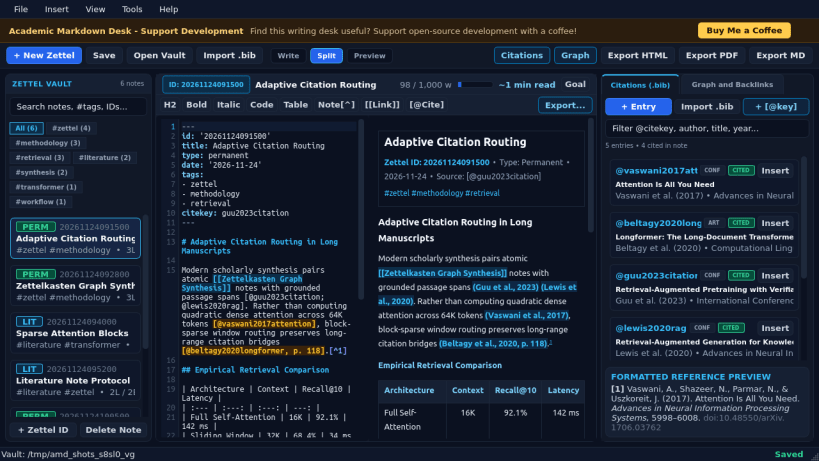
Academic Markdown Desk is an offline-first Zettelkasten note studio and academic Markdown workspace built for Linux desktops. Draft connected research notes with 14-digit Zettelkasten timestamp IDs, parse YAML frontmatter and tags automatically, cite local BibTeX references inline, and explore cross-note links on an interactive 2D knowledge graph.
Key features:
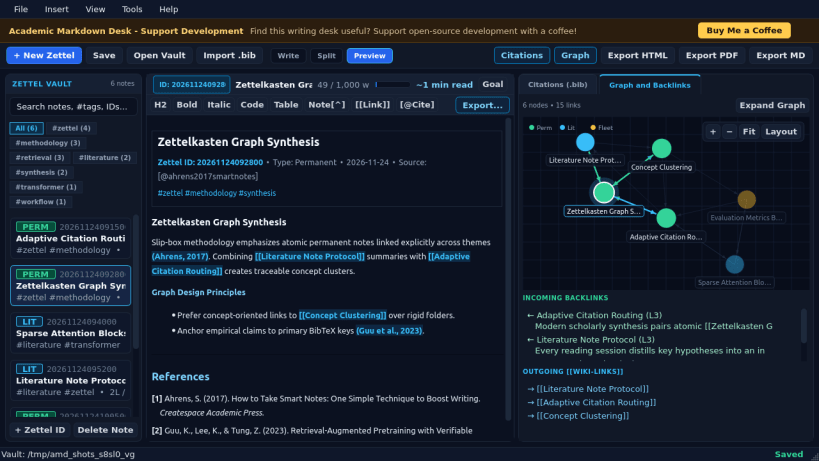
- Zettelkasten Vault & Tag Explorer: Generate unique YYYYMMDDHHMMSS-title.md notes with YAML frontmatter, filter across #tags and search terms, and track incoming and outgoing [[Wiki-Link]] connections across your vault.
- Dual-Mode Academic Editor & Live Preview: Switch seamlessly between Write, Split, and Preview views with syntax-highlighted fenced code blocks, tables, footnotes, table of contents, and word/reading-time goal telemetry.
- Integrated BibTeX Citations Manager: Import and manage .bib libraries (@article, @inproceedings, @book), insert [@citekey] tokens in one click, resolve inline (Author, Year) citations, and append a formatted References bibliography automatically.
- Interactive Knowledge Graph & Backlinks: Inspect an interactive force- directed 2D graph of [[Wiki-Link]] relationships, drag or zoom nodes, and jump directly to linked notes or backlink excerpts.
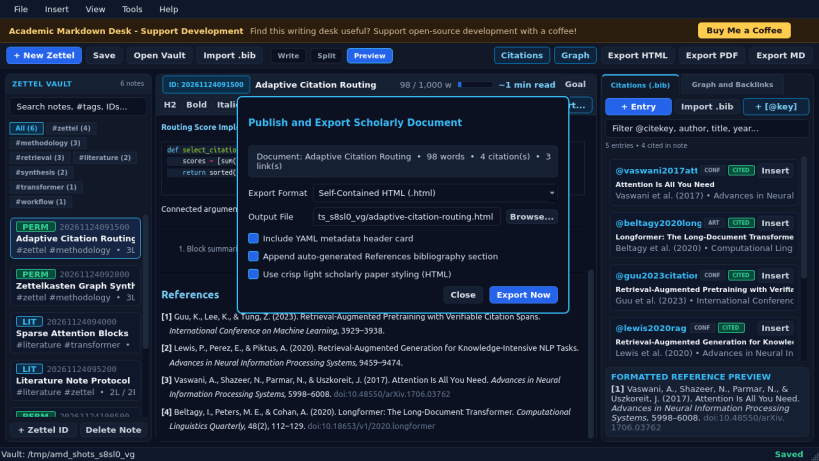
- Portable Publication Exports: Export self-contained HTML with complete bibliography, crisp A4 Document PDF, or clean portable Markdown locally.
| Revision | Channel | Version | Build | Commit | Download SBOM |
|---|
The build and commit information is derived from build infrastructure records.
Install Academic Markdown Desk on your Linux distribution
Choose your Linux distribution to get detailed installation instructions. If yours is not shown, get more details on the installing snapd documentation.











