

Screen GIF Frame Recorder (animated-gif-recorder)
Install latest/stable of Screen GIF Frame Recorder
Ubuntu 16.04 or later?
Make sure snap support is enabled in your Desktop store.
Install using the command line
sudo snap install animated-gif-recorderDon't have snapd? Get set up for snaps.
Details for Screen GIF Frame Recorder
Package name
- animated-gif-recorder
License
- MIT
Last updated
- Yesterday - latest/stable
Websites
Contact
External link warning
You are about to open
Do you wish to proceed?
Report a Snap Store violation
Report Screen GIF Frame Recorder for a Snap Store violation
Snap Store Violation Report submitted successfully
Thank you for your report. Information you provided will help us investigate further.
Error submitting report
There was an error while sending your report. Please try again later.
Share this snap
Generate an embeddable card to be shared on external websites.
Screen region GIF recorder, frame timeline editor, and offline GIF89a encoder
Screen GIF Frame Recorder is an independent open-source Linux desktop screen recorder and frame-by-frame animation studio, offering an alternative to tools like ScreenToGif. It is not affiliated with, sponsored by, or endorsed by any third-party software vendor.
FEATURES
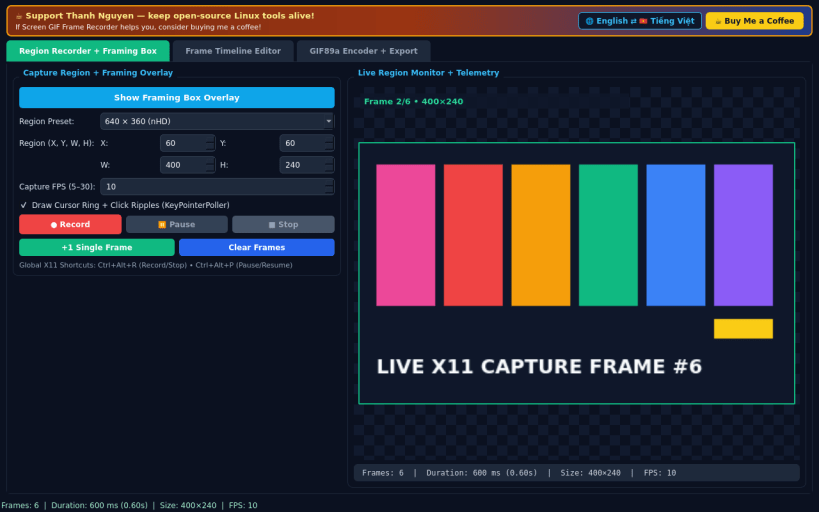
- Region Recorder & Framing Box: position a hollow transparent Always-on-Top X11 capture framing overlay over any desktop region (with presets for 640x360, 800x600, and 1280x720), configure 5-30 FPS, toggle cursor halo and click-ripple visualization via X11 polling, and control recording with buttons or global X11 shortcuts.
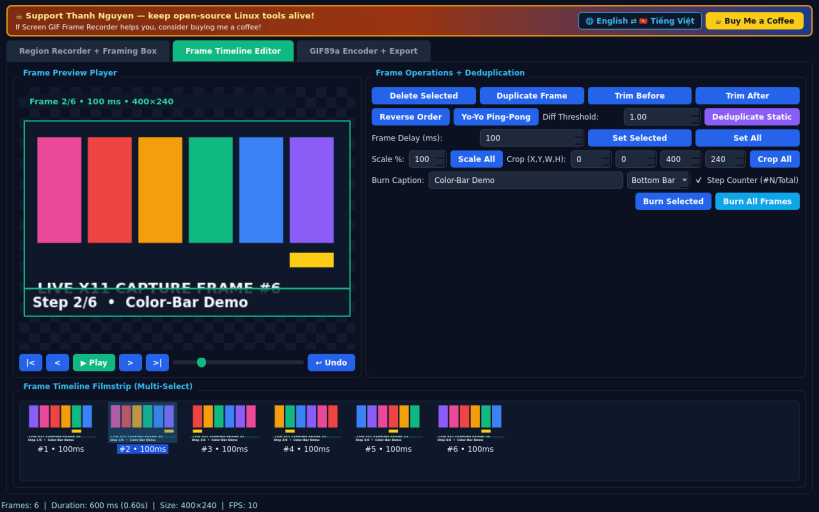
- Frame-by-Frame Timeline Editor: scrub live frame playback, delete or trim start and end frames, reverse or build Yo-Yo ping-pong loops, deduplicate identical static frames with automatic delay merging so pause timing stays exact, scale or crop frames, adjust per-frame millisecond delays, and burn custom caption and step counter bars onto frames.
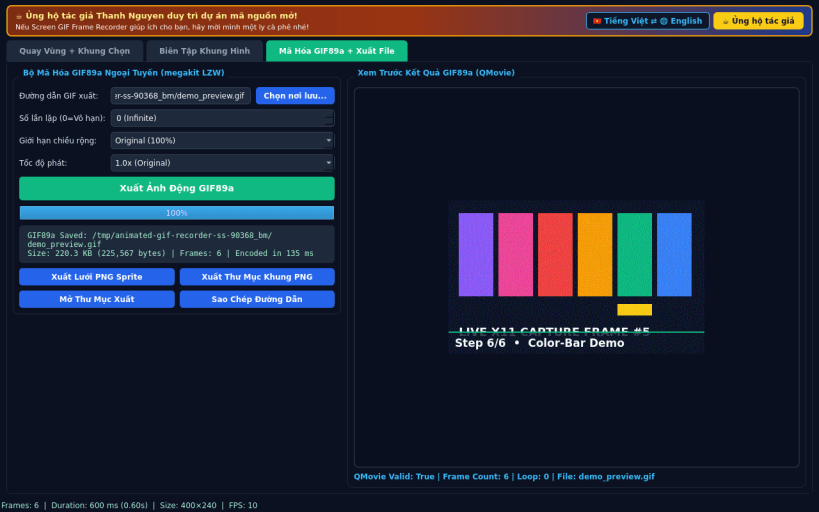
- Built-in Offline GIF89a Encoder & Export: encode multi-frame LZW GIF89a animations offline on a worker thread with zero external encoder tools, configure loop count and max width scaling, preview via QMovie, and export PNG sprite sheets or PNG frame sequences to your home or removable media.
- Bilingual Interface: defaults to English with an instant Vietnamese toggle.
SUPPORT & DONATE
- Created by Thanh Nguyen — https://buymeacoffee.com/thanhnv128b
| Revision | Channel | Version | Build | Commit | Download SBOM |
|---|
The build and commit information is derived from build infrastructure records.
Install Screen GIF Frame Recorder on your Linux distribution
Choose your Linux distribution to get detailed installation instructions. If yours is not shown, get more details on the installing snapd documentation.


