

Archive Manifest Exporter
Install latest/stable of Archive Manifest Exporter
Ubuntu 16.04 or later?
Make sure snap support is enabled in your Desktop store.
Install using the command line
sudo snap install archive-manifest-exporterDon't have snapd? Get set up for snaps.
Details for Archive Manifest Exporter
Package name
- archive-manifest-exporter
License
- MIT
Last updated
- Today - latest/stable
Report a Snap Store violation
Report Archive Manifest Exporter for a Snap Store violation
Snap Store Violation Report submitted successfully
Thank you for your report. Information you provided will help us investigate further.
Error submitting report
There was an error while sending your report. Please try again later.
Share this snap
Generate an embeddable card to be shared on external websites.
Non-destructive ZIP & TAR archive cataloger and manifest exporter
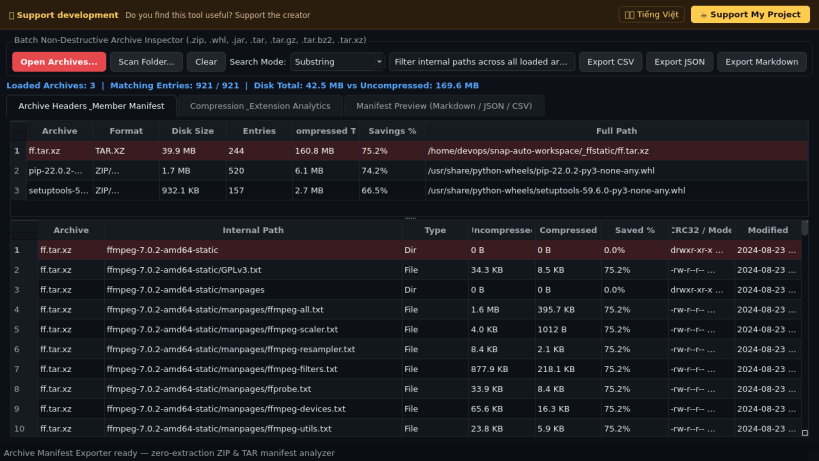
A non-destructive archive header inspector, batch content cataloger, and manifest report exporter for Linux. A lightweight Linux alternative to ZipExport for listing, searching, and auditing internal contents across single or multiple compressed archives without extracting files to disk.
Key features:
- Inspects .zip, .whl, .jar, .tar, .tar.gz, .tgz, .tar.bz2, and .tar.xz archives directly from header tables with zero disk extraction overhead.
- Displays internal file paths, uncompressed and compressed byte sizes, space-saving compression ratios, CRC32 checksums or POSIX permissions, and modification timestamps.
- Supports instant substring, shell glob, and regular expression search across batches of archives simultaneously.
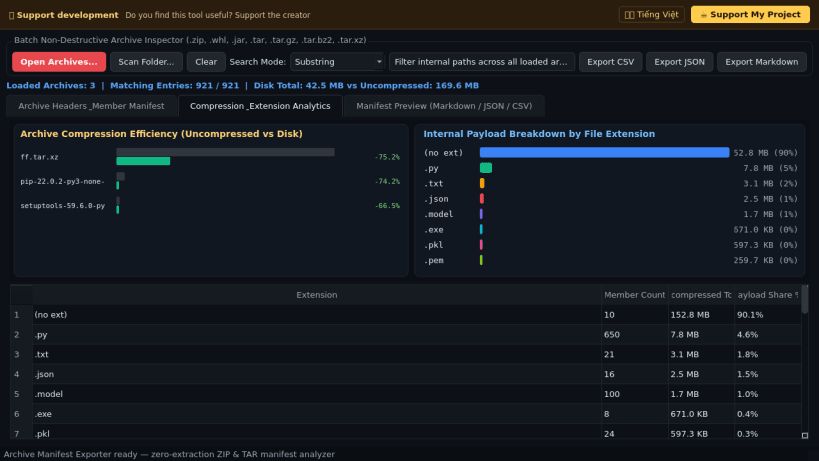
- Visualizes per-archive compression ratios and internal file-extension byte distributions.
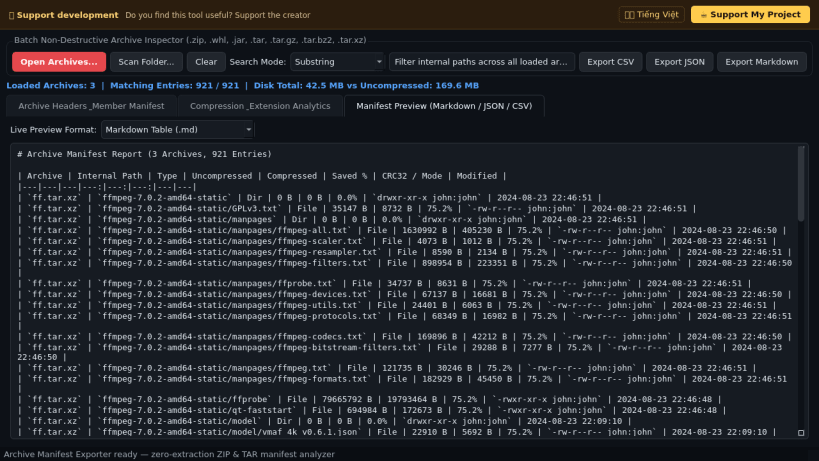
- Exports structured archive manifests to CSV, JSON, and Markdown tables for release documentation and compliance auditing.
Disclaimer: This project is an independent open-source tool and is not affiliated with, sponsored by, or endorsed by ZipExport or PKWARE.
| Revision | Channel | Version | Build | Commit | Download SBOM |
|---|
The build and commit information is derived from build infrastructure records.
Install Archive Manifest Exporter on your Linux distribution
Choose your Linux distribution to get detailed installation instructions. If yours is not shown, get more details on the installing snapd documentation.


