

Aurynk
Install latest/stable of Aurynk
Ubuntu 16.04 or later?
Make sure snap support is enabled in your Desktop store.
Details for Aurynk
Package name
- aurynk
License
- AGPL-3.0-or-later
Last updated
- 4 May 2026 - latest/stable
- 6 May 2026 - latest/edge
Websites
Donations
Source code
Report a bug
External link warning
You are about to open
Do you wish to proceed?
Report a Snap Store violation
Report Aurynk for a Snap Store violation
Snap Store Violation Report submitted successfully
Thank you for your report. Information you provided will help us investigate further.
Error submitting report
There was an error while sending your report. Please try again later.
Share this snap
Generate an embeddable card to be shared on external websites.
Android Device Manager and Mirroring Tool for Linux
Connect, control, and mirror your Android phone on Linux—wirelessly and seamlessly.
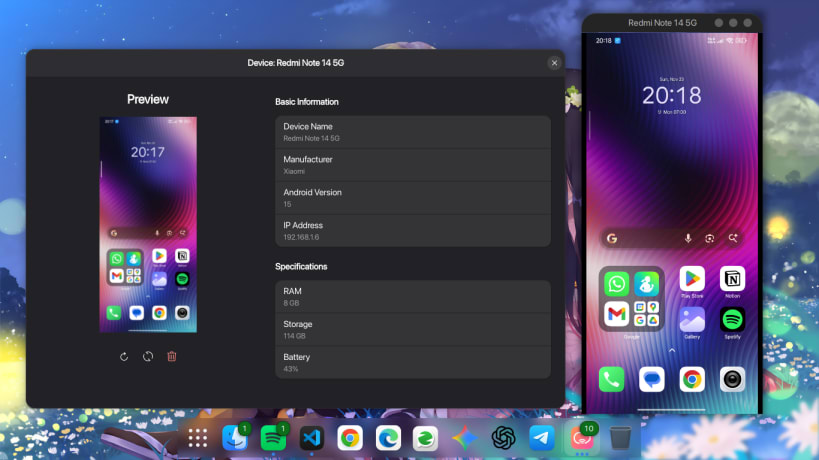
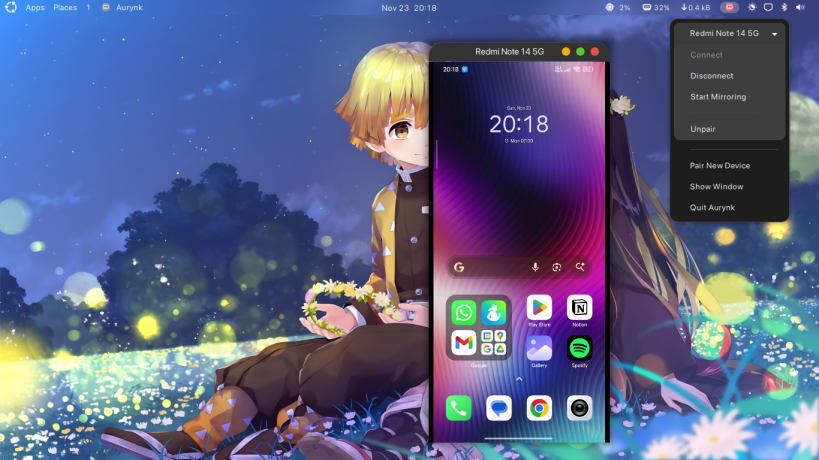
Aurynk is the seamless bridge between your Linux desktop and your Android device. Forget about hunting for USB cables or squinting at a small screen while you work. Aurynk lets you view, control, and manage your phone wirelessly with a beautiful, modern interface that feels right at home on your desktop.
Whether you want to reply to messages, play mobile games on a big screen, or just check your battery status without picking up your phone, Aurynk makes it effortless.
Why you'll love Aurynk:
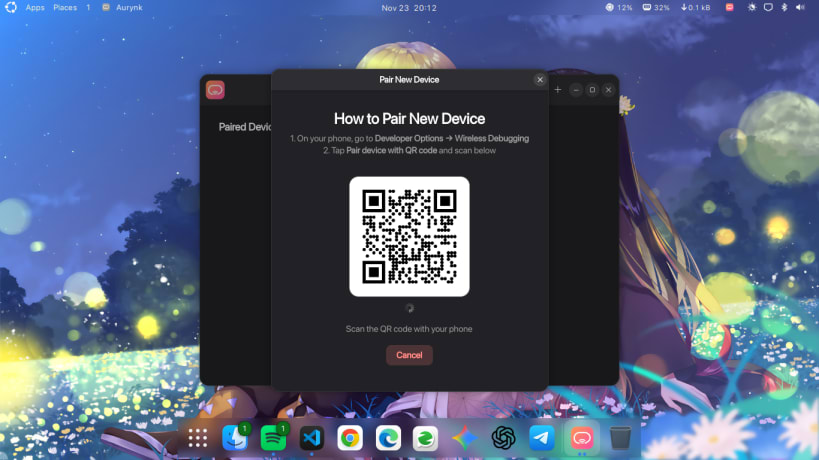
- 🚫 Go Wireless: Pair instantly via QR code—no cables needed.
- 📱 Mirror Control: View and control your phone with mouse & keyboard.
- 🎨 Native Look: Modern interface that matches your desktop.
- 📸 One-Click Snaps: Capture and save phone screenshots to your PC.
- ℹ️ Live Dashboard: Monitor battery, storage, and device health.
| Revision | Channel | Version | Build | Commit | Download SBOM |
|---|
The build and commit information is derived from build infrastructure records.
Install Aurynk on your Linux distribution
Choose your Linux distribution to get detailed installation instructions. If yours is not shown, get more details on the installing snapd documentation.












