

Avro Viewer by Loamstack (avro-viewer)
Install latest/stable of Avro Viewer by Loamstack
Ubuntu 16.04 or later?
Make sure snap support is enabled in your Desktop store.
Install using the command line
sudo snap install avro-viewerDon't have snapd? Get set up for snaps.
Details for Avro Viewer by Loamstack
Package name
- avro-viewer
License
- unset
Last updated
- Today - latest/stable
- Today - latest/edge
Websites
Contact
Report a bug
External link warning
You are about to open
Do you wish to proceed?
Report a Snap Store violation
Report Avro Viewer by Loamstack for a Snap Store violation
Snap Store Violation Report submitted successfully
Thank you for your report. Information you provided will help us investigate further.
Error submitting report
There was an error while sending your report. Please try again later.
Share this snap
Generate an embeddable card to be shared on external websites.
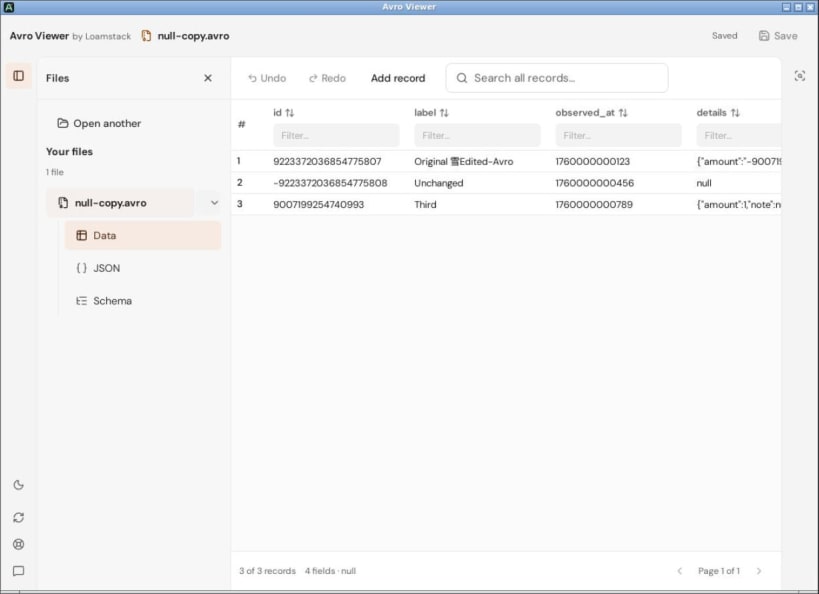
Open, inspect and edit Avro records on your Linux desktop
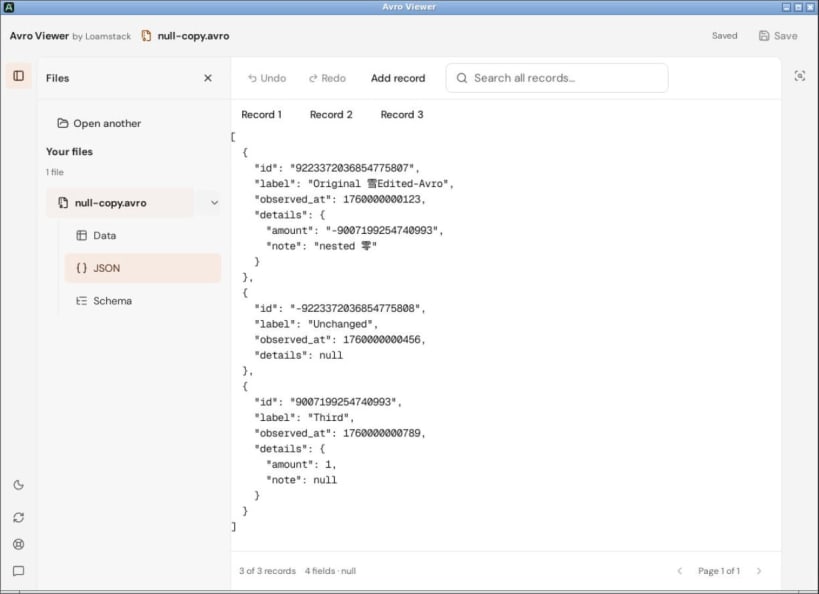
Open an Avro file and browse its records and embedded writer schema on your device. Search and filter records, switch to JSON to inspect nested values, and edit supported fields. Export a separate Avro copy to keep the original file intact.
Avro Viewer supports Apache Avro object container files with uncompressed, deflate or Snappy blocks, within the viewer’s decoding limits. You can open and inspect local files without an account. Snap permissions govern access to files and external drives.
Release builds send limited app analytics to PostHog and sanitized diagnostics to Sentry using random app-scoped installation and launch identifiers. Reports exclude document names, paths, schemas, records and contents. Contact support and Feedback send only information you deliberately submit; files are not attached automatically. See https://avrofile.tools/privacy and https://avrofile.tools/support.
| Revision | Channel | Version | Build | Commit | Download SBOM |
|---|
The build and commit information is derived from build infrastructure records.
Install Avro Viewer by Loamstack on your Linux distribution
Choose your Linux distribution to get detailed installation instructions. If yours is not shown, get more details on the installing snapd documentation.











