

BandiScreen Frame Recorder (bandicam)
Install latest/stable of BandiScreen Frame Recorder
Ubuntu 16.04 or later?
Make sure snap support is enabled in your Desktop store.
Details for BandiScreen Frame Recorder
Package name
- bandicam
License
- MIT
Last updated
- Today - latest/stable
Report a Snap Store violation
Report BandiScreen Frame Recorder for a Snap Store violation
Snap Store Violation Report submitted successfully
Thank you for your report. Information you provided will help us investigate further.
Error submitting report
There was an error while sending your report. Please try again later.
Share this snap
Generate an embeddable card to be shared on external websites.
High-FPS Screen, Region & MJPEG AVI Frame Recorder for Linux (Alternative to Bandicam)
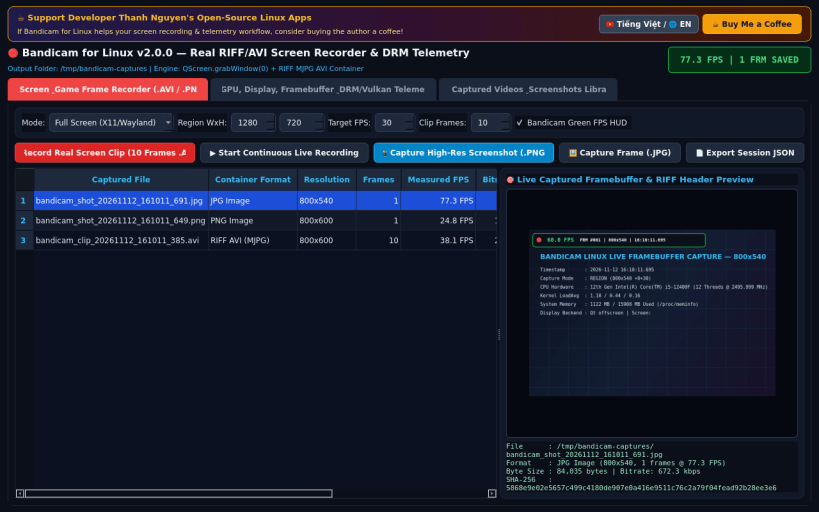
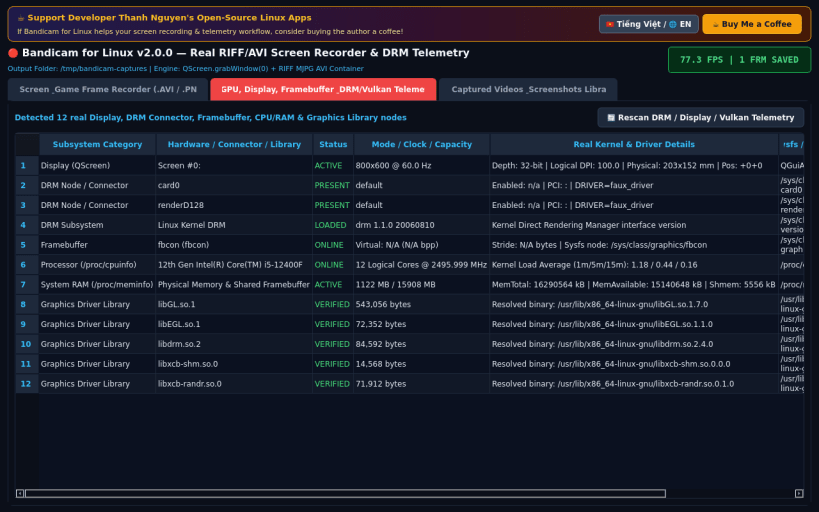
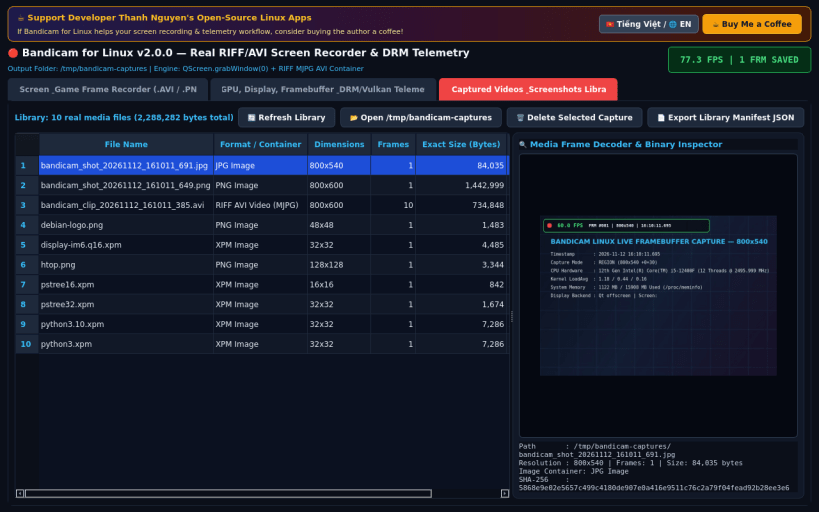
Bandicam for Linux is a high-performance screen, rectangle region, and cursor-area frame recorder, high-resolution screenshot studio, and DRM/framebuffer hardware telemetry analyzer for Linux desktops.
Key Features:
- Real High-FPS Screen & Region Recorder: Captures live frames directly from X11/Wayland displays via QScreen.grabWindow, overlays a real-time Bandicam-style green FPS counter and timestamp, and encodes genuine RIFF AVI (MJPEG) video files and PNG/JPG captures into /tmp/bandicam-captures.
- Real GPU, Display & DRM/Framebuffer Telemetry: Inspects live QScreen displays (resolution, refresh rate Hz, color depth, DPI), /sys/class/drm connectors, /sys/class/graphics framebuffers, /proc/cpuinfo, /proc/meminfo, and host Vulkan/OpenGL/DRM shared libraries.
- Captured Media Library & Frame Inspector: Browse recorded .avi videos and .png/.jpg screenshots with built-in RIFF MJPEG frame decoding preview, exact byte sizes, and cryptographic SHA-256 verification.
Disclaimer: This project is an independent open-source tool and is not affiliated with, sponsored by, or endorsed by Bandisoft or Bandicam Company.
| Revision | Channel | Version | Build | Commit | Download SBOM |
|---|
The build and commit information is derived from build infrastructure records.
Install BandiScreen Frame Recorder on your Linux distribution
Choose your Linux distribution to get detailed installation instructions. If yours is not shown, get more details on the installing snapd documentation.


