

Batch HTML to Text Converter (batch-html-to-text)
Install latest/stable of Batch HTML to Text Converter
Ubuntu 16.04 or later?
Make sure snap support is enabled in your Desktop store.
Install using the command line
sudo snap install batch-html-to-textDon't have snapd? Get set up for snaps.
Details for Batch HTML to Text Converter
Package name
- batch-html-to-text
License
- MIT
Last updated
- Today - latest/stable
Report a Snap Store violation
Report Batch HTML to Text Converter for a Snap Store violation
Snap Store Violation Report submitted successfully
Thank you for your report. Information you provided will help us investigate further.
Error submitting report
There was an error while sending your report. Please try again later.
Share this snap
Generate an embeddable card to be shared on external websites.
Batch convert HTML files and URLs to formatted plain text and Markdown
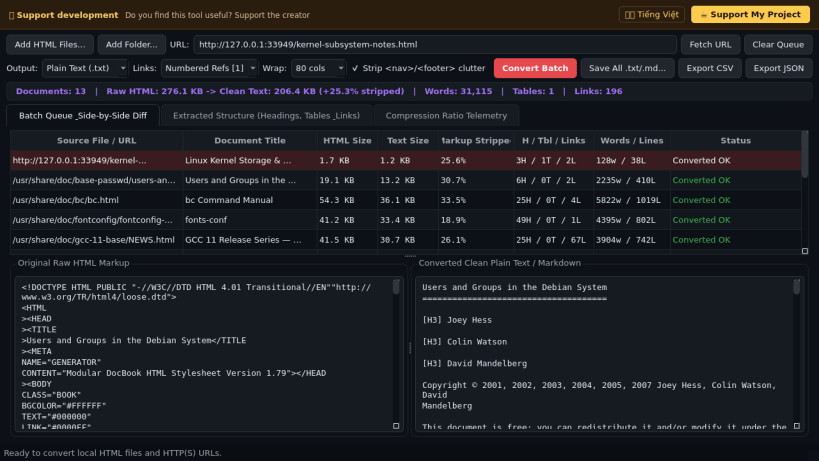
Batch HTML to Text Converter transforms local HTML/XHTML files, directory trees, and live HTTP/HTTPS web pages into clean, structured Plain Text (.txt) or Markdown (.md) documents. A lightweight Linux alternative to HTMLAsText for documentation archiving, terminal reading, corpus preparation, and markup cleanup.
Key features:
- Structured HTML Parser Engine: Formats headings, ASCII box-grid tables, nested ordered and unordered lists, blockquotes, preformatted code blocks, and numbered [1] reference links.
- Clutter Removal & Line Wrapping: Automatically strips <script>, <style>, <noscript>, and optional navigation/footer chrome while wrapping paragraphs to configurable column widths.
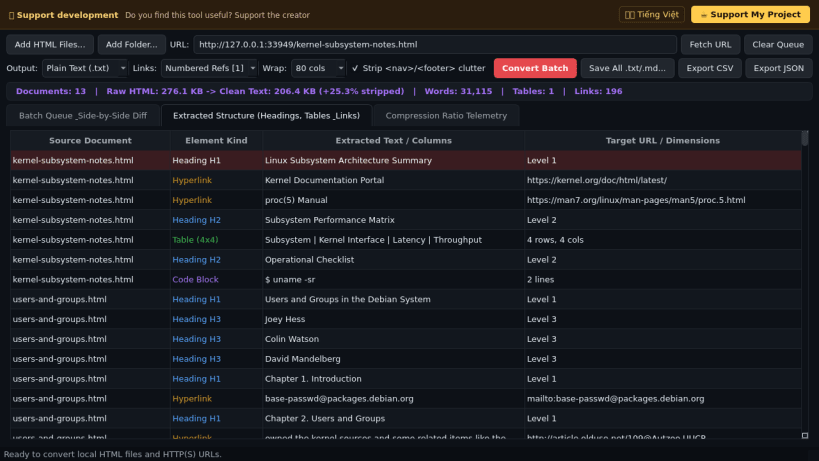
- Side-by-Side HTML vs Text Diff: Compare raw HTML markup against rendered Plain Text or Markdown output alongside extracted headings, table dimensions, and link inventories.
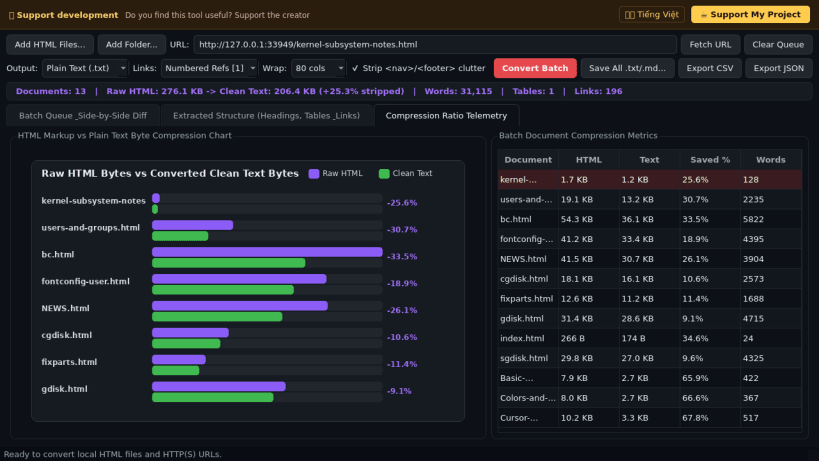
- Compression Telemetry & Batch Export: Visualizes HTML-to-text byte, word, and line compression ratios and exports batch .txt/.md outputs plus CSV and JSON reports.
Disclaimer: This project is an independent open-source tool and is not affiliated with, sponsored by, or endorsed by NirSoft.
| Revision | Channel | Version | Build | Commit | Download SBOM |
|---|
The build and commit information is derived from build infrastructure records.
Install Batch HTML to Text Converter on your Linux distribution
Choose your Linux distribution to get detailed installation instructions. If yours is not shown, get more details on the installing snapd documentation.


