

Image Size Optimizer (batch-image-compressor)
Install latest/stable of Image Size Optimizer
Ubuntu 16.04 or later?
Make sure snap support is enabled in your Desktop store.
Install using the command line
sudo snap install batch-image-compressorDon't have snapd? Get set up for snaps.
Details for Image Size Optimizer
Package name
- batch-image-compressor
License
- MIT
Last updated
- Yesterday - latest/stable
Report a Snap Store violation
Report Image Size Optimizer for a Snap Store violation
Snap Store Violation Report submitted successfully
Thank you for your report. Information you provided will help us investigate further.
Error submitting report
There was an error while sending your report. Please try again later.
Share this snap
Generate an embeddable card to be shared on external websites.
Batch PNG, JPEG & WebP optimizer with Target-KB fit & split loupe
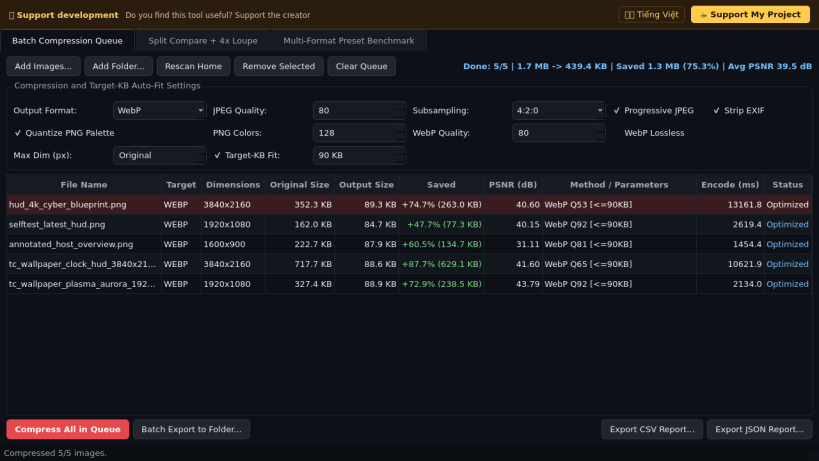
Image Size Optimizer is a desktop batch image compressor, palette quantizer, Target-KB auto-fitter, and interactive split-preview analyzer for Linux. An independent Linux desktop alternative to Caesium Image Compressor for batch image optimization, lossless and lossy encoding, and side-by-side quality checks.
Key Features:
- Batch PNG, JPEG & WebP Compression: Quantizes RGBA PNGs via Fast Octree and RGB PNGs via Median Cut (16 to 256 colors) with level-9 zlib compression, encodes progressive JPEG with configurable 4:4:4, 4:2:2, or 4:2:0 chroma subsampling and EXIF metadata removal, and supports both lossy and lossless WebP output.
- Target-KB Auto-Fit & Lanczos Scaling: Runs binary search across JPEG/WebP quality or PNG palette color counts to fit within a strict file-size budget, with optional Lanczos maximum-dimension scaling and real PSNR (dB) measurement.
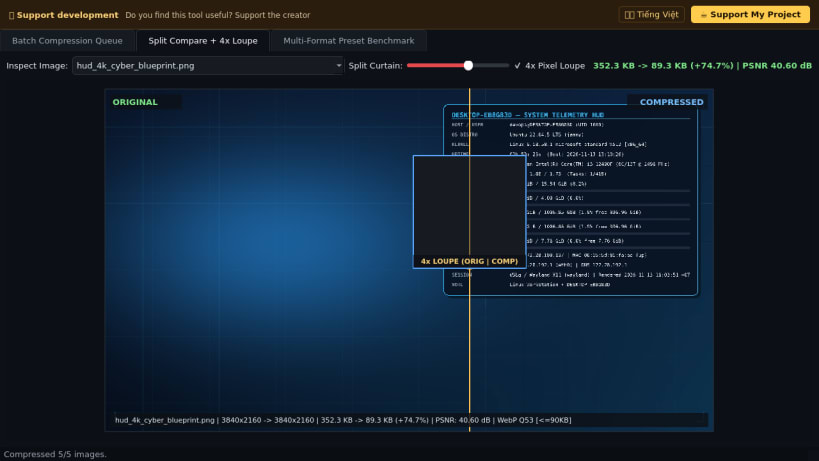
- Interactive Split Before/After & 4x Pixel Loupe: Compares original and compressed pixels side-by-side with a draggable vertical curtain and real-time 4x zoom loupe.
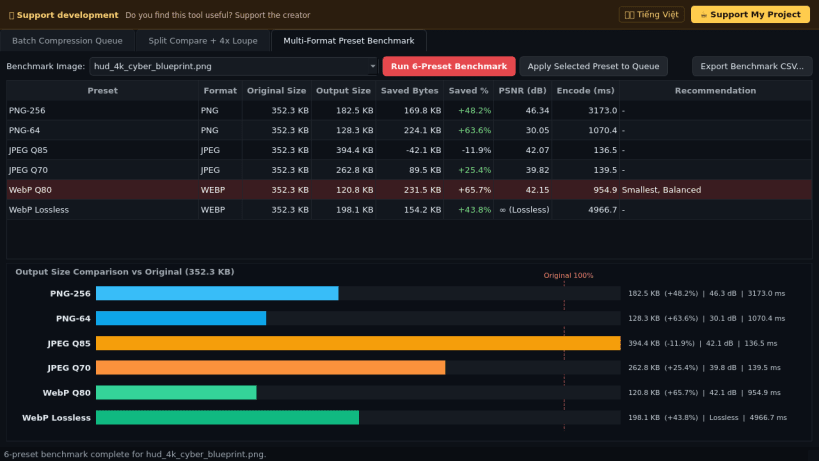
- Multi-Format Preset Benchmark: Evaluates six presets (PNG-256, PNG-64, JPEG Q85, JPEG Q70, WebP Q80, WebP Lossless) in memory with encode timings and size charts, plus batch folder export and CSV/JSON reporting.
Disclaimer: This project is an independent open-source tool and is not affiliated with, sponsored by, or endorsed by SaeraSoft or Caesium.
| Revision | Channel | Version | Build | Commit | Download SBOM |
|---|
The build and commit information is derived from build infrastructure records.
Install Image Size Optimizer on your Linux distribution
Choose your Linux distribution to get detailed installation instructions. If yours is not shown, get more details on the installing snapd documentation.


