

Batch Video Compressor
Install latest/stable of Batch Video Compressor
Ubuntu 16.04 or later?
Make sure snap support is enabled in your Desktop store.
Install using the command line
sudo snap install batch-video-compressorDon't have snapd? Get set up for snaps.
Details for Batch Video Compressor
Package name
- batch-video-compressor
License
- MIT
Last updated
- 13 November 2026 - latest/stable
Report a Snap Store violation
Report Batch Video Compressor for a Snap Store violation
Snap Store Violation Report submitted successfully
Thank you for your report. Information you provided will help us investigate further.
Error submitting report
There was an error while sending your report. Please try again later.
Share this snap
Generate an embeddable card to be shared on external websites.
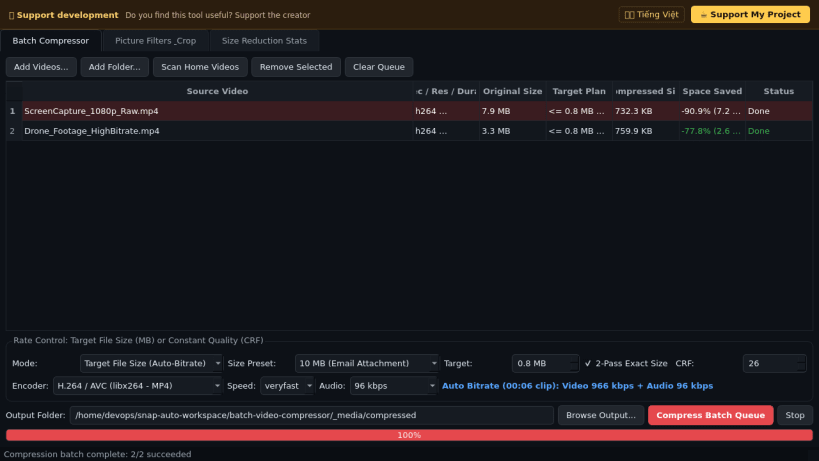
Target-file-size (MB) & CRF batch video compressor with crop & filters
A practical batch video compressor for shrinking large recordings to exact MB size budgets or CRF quality targets. A lightweight Linux alternative to VidCoder for batch video compression and transcoding.
Key features powered by bundled FFmpeg:
- Target File Size mode (8 MB, 10 MB, 25 MB, 50 MB, 100 MB, or custom MB) with automatic video/audio bitrate calculation and optional 2-pass rate control to fit strict upload or attachment limits.
- Constant Quality (CRF) encoding across H.264 (libx264), H.265/HEVC (libx265), and VP9 (libvpx-vp9).
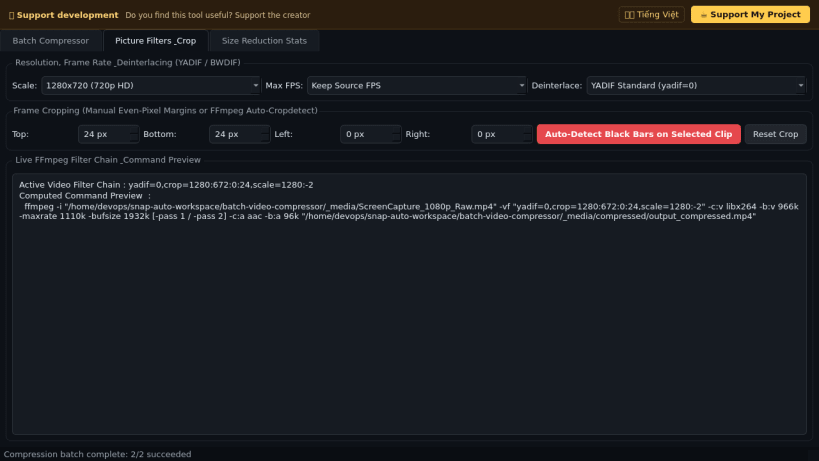
- Picture filter pipeline: resolution downscaling presets, frame-rate capping, YADIF/BWDIF deinterlacing, manual even-pixel cropping, and one-click black-bar detection via FFmpeg cropdetect.
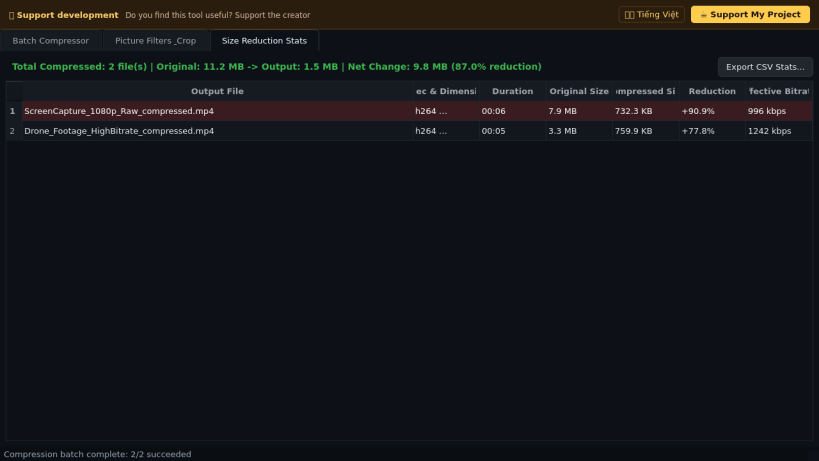
- Live FFmpeg filter chain preview and detailed Size Reduction Stats table with CSV report export.
Disclaimer: This project is an independent open-source tool and is not affiliated with, sponsored by, or endorsed by RandomEngy or the authors of VidCoder or HandBrake.
| Revision | Channel | Version | Build | Commit | Download SBOM |
|---|
The build and commit information is derived from build infrastructure records.
Install Batch Video Compressor on your Linux distribution
Choose your Linux distribution to get detailed installation instructions. If yours is not shown, get more details on the installing snapd documentation.


