

Battery Health Center
Install latest/stable of Battery Health Center
Ubuntu 16.04 or later?
Make sure snap support is enabled in your Desktop store.
Install using the command line
sudo snap install battery-health-centerDon't have snapd? Get set up for snaps.
Details for Battery Health Center
Package name
- battery-health-center
License
- GPL-3.0-or-later
Last updated
- Today - latest/stable
Report a Snap Store violation
Report Battery Health Center for a Snap Store violation
Snap Store Violation Report submitted successfully
Thank you for your report. Information you provided will help us investigate further.
Error submitting report
There was an error while sending your report. Please try again later.
Share this snap
Generate an embeddable card to be shared on external websites.
Battery health, charge limits and app energy usage in one place
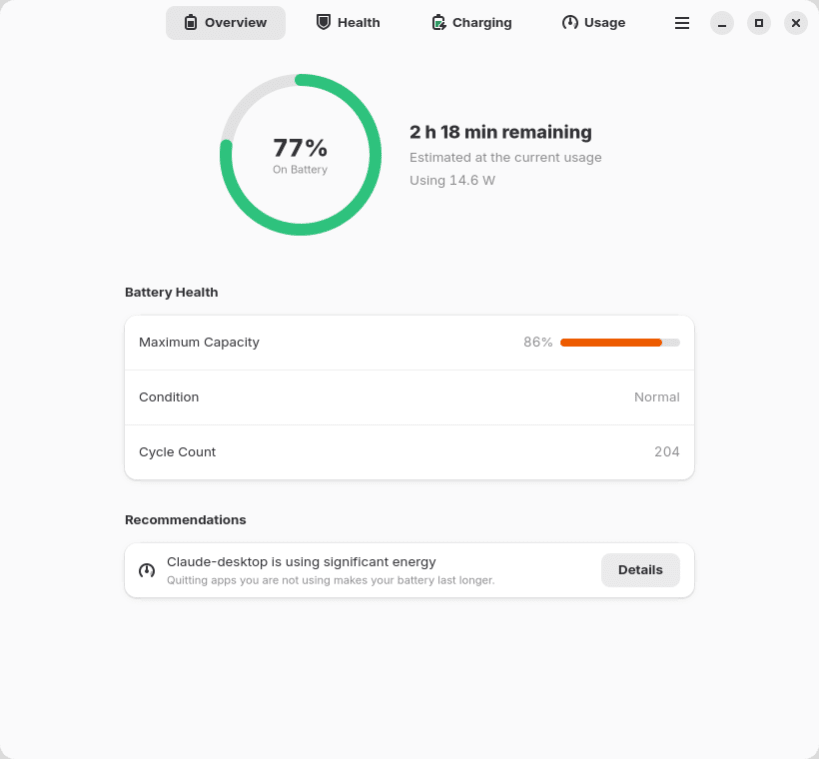
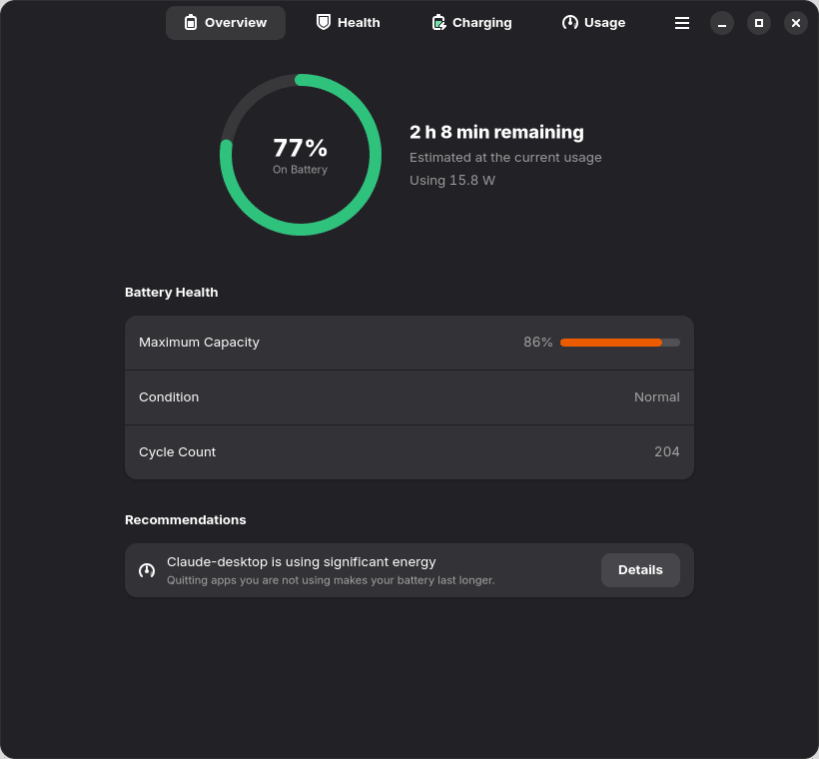
Battery Health Center brings everything about your laptop battery together in one native GNOME app, much like the Battery settings on macOS.
Overview
- Charge level, status and time remaining (until empty, or until your charge limit)
- Live power draw in watts
- A quick health summary: maximum capacity, condition and cycle count
- Recommendations, such as limiting charging when you're always plugged in, or that an app is draining your battery
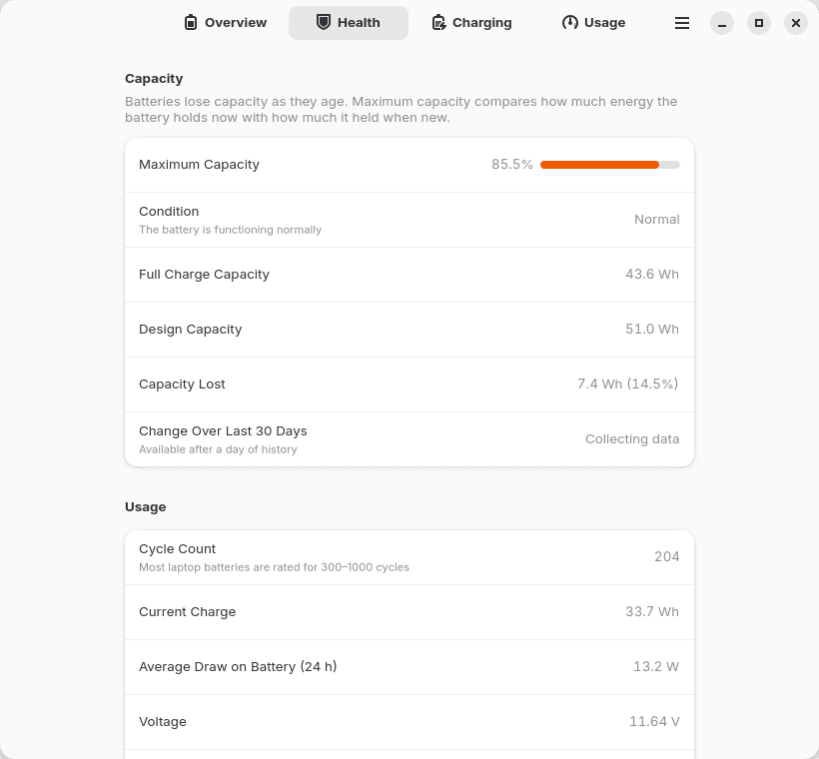
Battery health
- Maximum capacity compared with when the battery was new
- Condition: Normal, Worn or Service Recommended
- Full-charge and design capacity in Wh, and how much capacity has been lost
- Charge cycle count
- How capacity has changed over the last 30 days
- Voltage, average power draw, manufacturer, model, chemistry and serial number
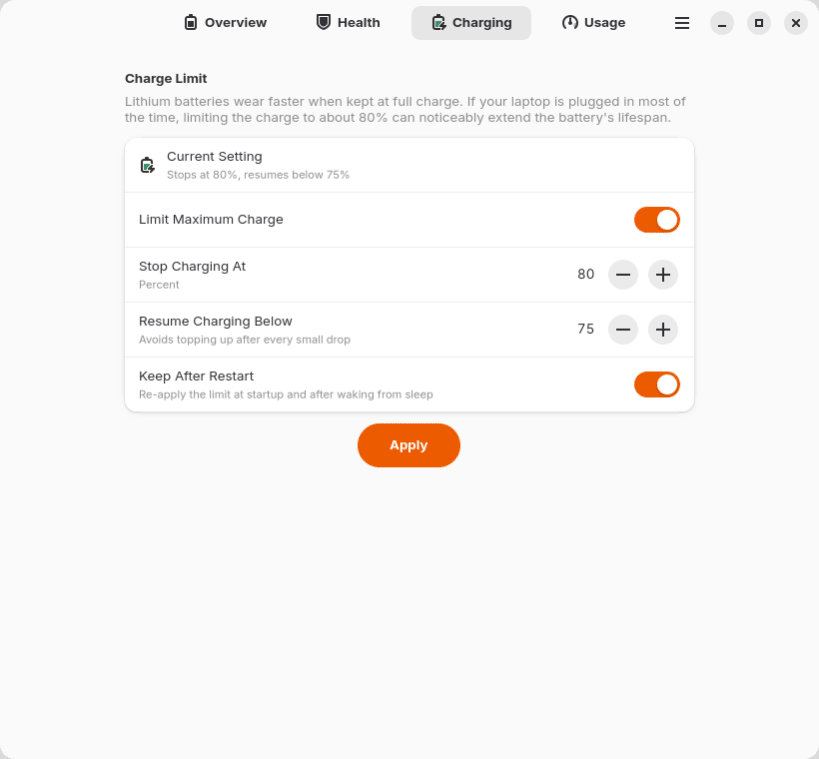
Charge limit Lithium batteries wear faster when kept at 100%. If your laptop is plugged in most of the time, limiting the charge to about 80% can noticeably extend the battery's lifespan. Set where charging stops and where it resumes, and keep the limit after restarts and sleep.
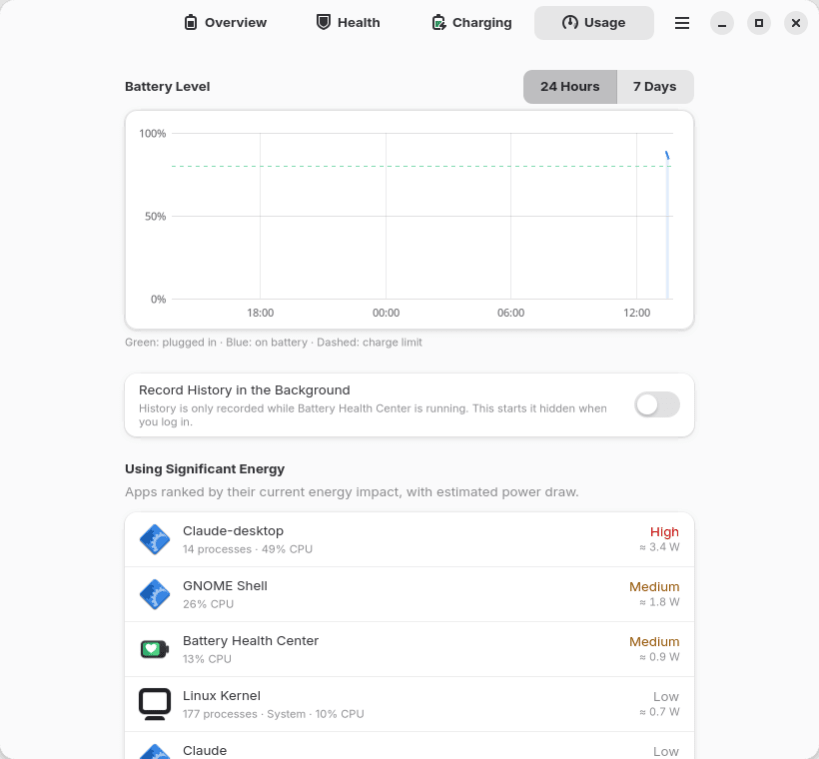
Usage and energy
- Battery level history for the last 24 hours or 7 days
- Apps using significant energy right now, and their average impact, with estimated power draw while on battery
- Optionally keeps recording history in the background after you log in
Permissions This snap is strictly confined. After installing, connect these interfaces:
 sudo snap connect battery-health-center:hardware-observe
 sudo snap connect battery-health-center:system-observe
 sudo snap connect battery-health-center:power-control
hardware-observe reads battery information, system-observe sees which apps use energy, and power-control changes the charge limit. The app shows which ones are missing.
Compatibility Battery information works on any laptop with a standard Linux battery driver. Charge limits need firmware support exposed by the kernel as charge_start_threshold / charge_stop_threshold, as on ThinkPads and many other laptops.
Linux doesn't measure power per app, so app energy usage is an estimate based on CPU time.
| Revision | Channel | Version | Build | Commit | Download SBOM |
|---|
The build and commit information is derived from build infrastructure records.
Install Battery Health Center on your Linux distribution
Choose your Linux distribution to get detailed installation instructions. If yours is not shown, get more details on the installing snapd documentation.











