

BeAlarm
Install latest/stable of BeAlarm
Ubuntu 16.04 or later?
Make sure snap support is enabled in your Desktop store.
Details for BeAlarm
Package name
- bealarm
License
- GPL-3.0-or-later
Last updated
- 17 October 2026 - latest/stable
- 14 October 2026 - latest/beta
Websites
Contact
External link warning
You are about to open
Do you wish to proceed?
Report a Snap Store violation
Report BeAlarm for a Snap Store violation
Snap Store Violation Report submitted successfully
Thank you for your report. Information you provided will help us investigate further.
Error submitting report
There was an error while sending your report. Please try again later.
Share this snap
Generate an embeddable card to be shared on external websites.
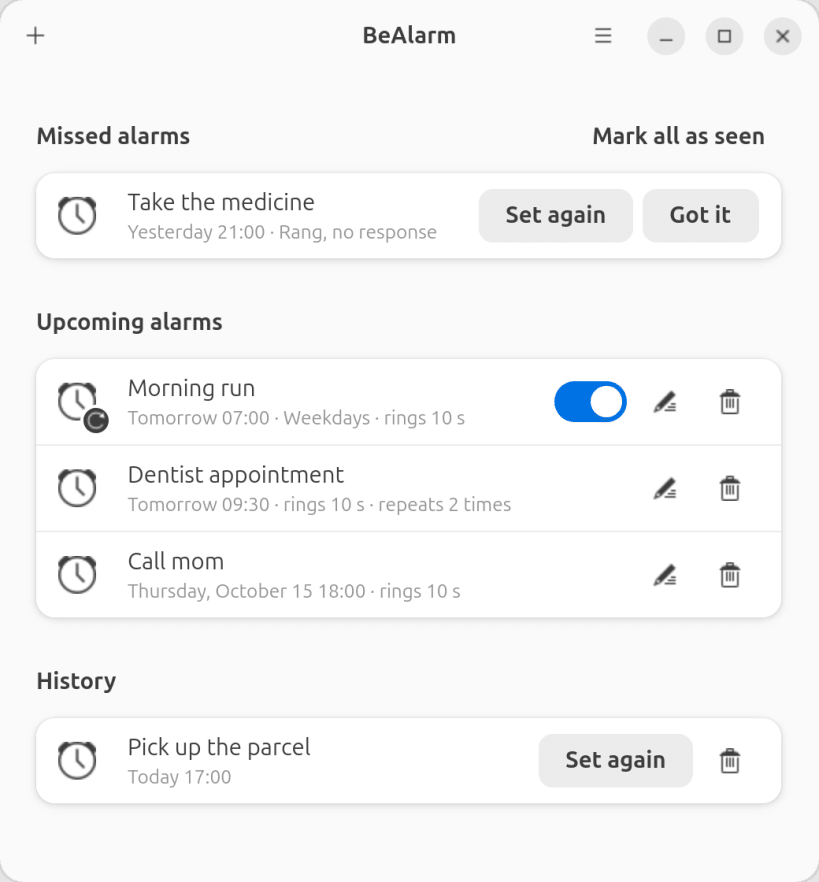
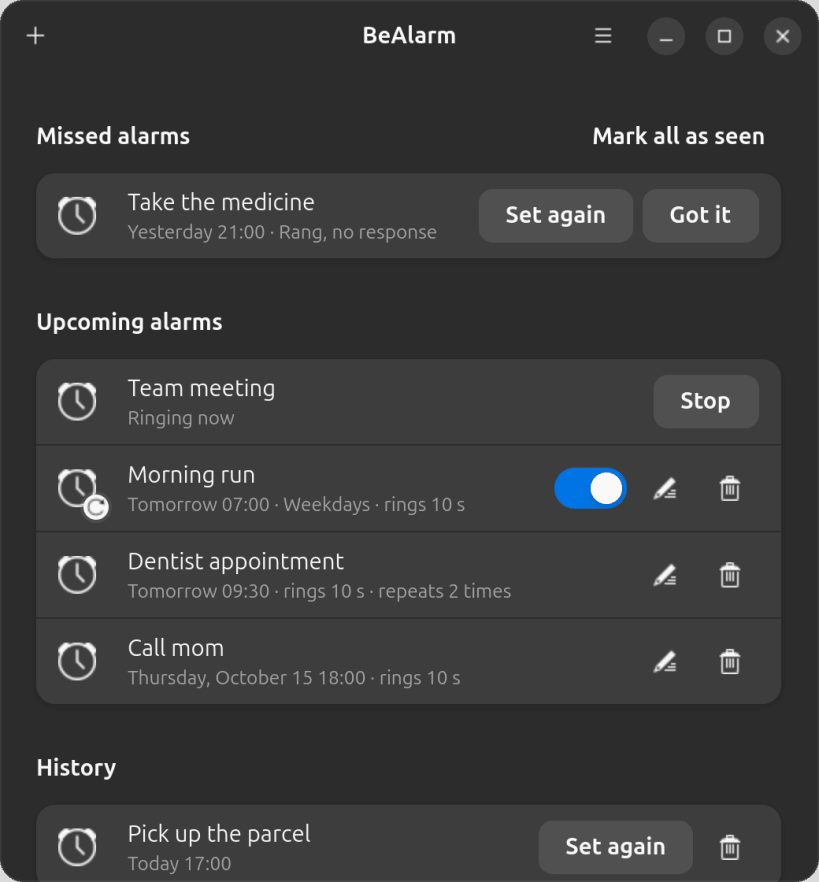
Alarms with a note; missed ones are kept until you have seen them
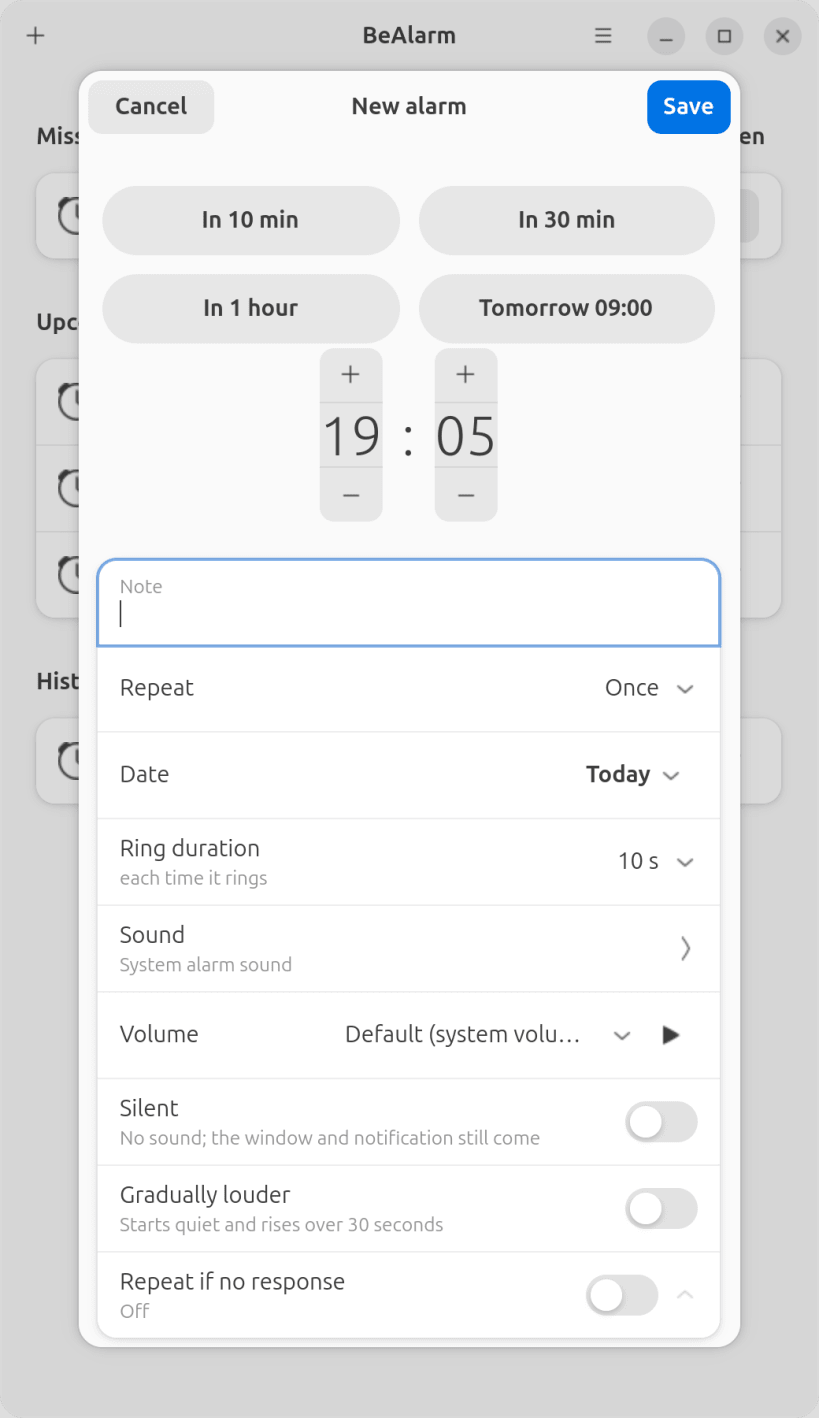
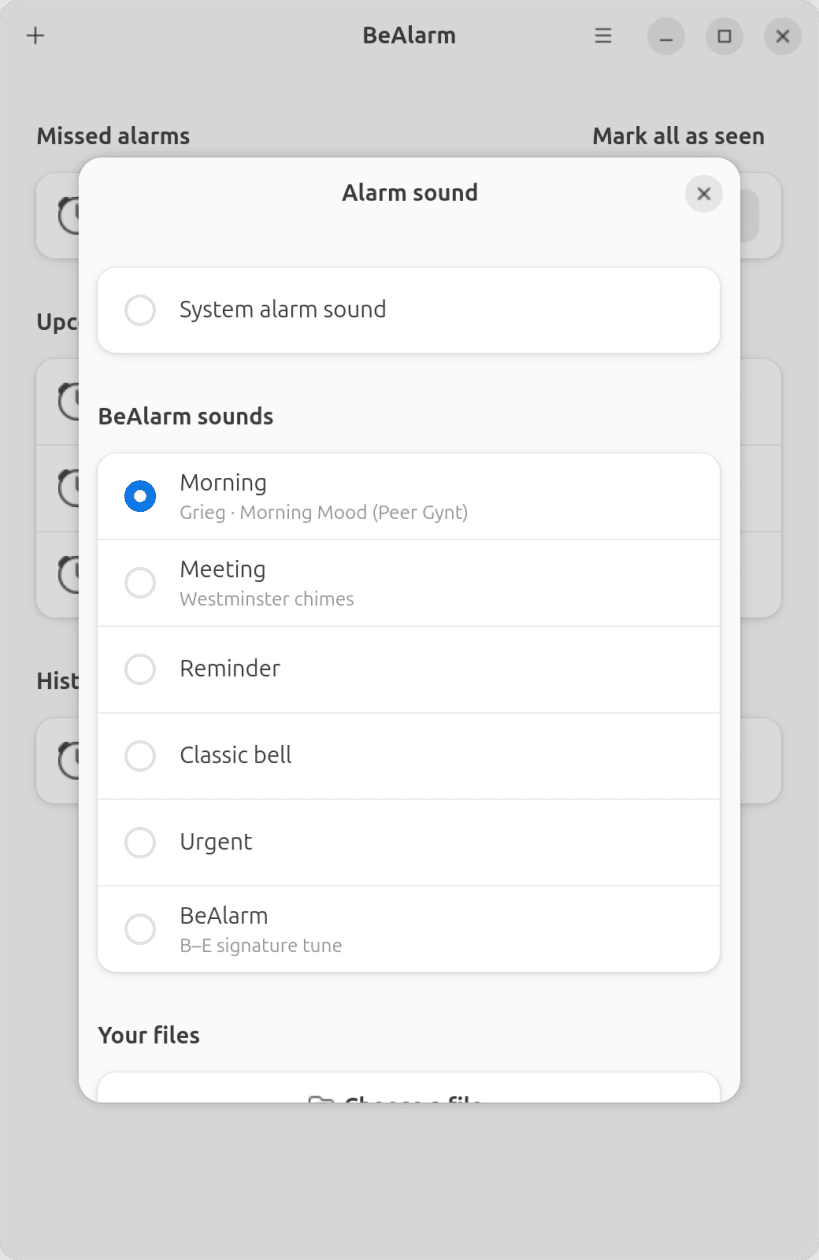
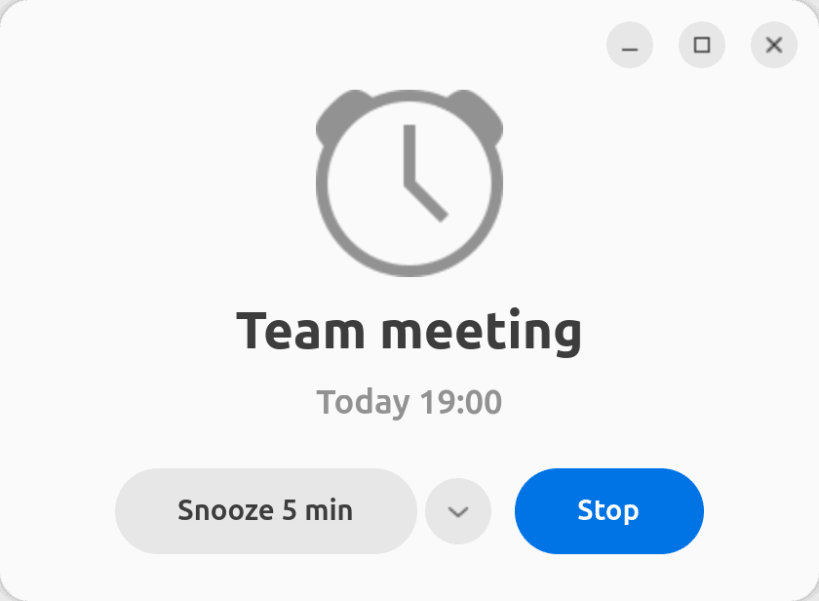
BeAlarm rings an alarm for as long as you set and offers Stop and Snooze. Every alarm carries a note, its own sound, volume, ring time and repeat. Alarms missed while the computer was off or asleep are shown at the next start until you mark them as seen.
The icon in the top bar shows the next alarm. Quick set: 10 min, 30 min, 1 hour, tomorrow 09:00. Interface in English, German, French, Spanish and Turkish.
Open BeAlarm once after installing: from then on it starts in the background when you log in, so alarms ring even with the window closed.
| Revision | Channel | Version | Build | Commit | Download SBOM |
|---|
The build and commit information is derived from build infrastructure records.
Install BeAlarm on your Linux distribution
Choose your Linux distribution to get detailed installation instructions. If yours is not shown, get more details on the installing snapd documentation.











