

Best File Friend BFF
Install latest/stable of Best File Friend BFF
Ubuntu 16.04 or later?
Make sure snap support is enabled in your Desktop store.
Install using the command line
sudo snap install best-file-friend-bffDon't have snapd? Get set up for snaps.
Details for Best File Friend BFF
Package name
- best-file-friend-bff
License
- Proprietary
Last updated
- Today - latest/stable
Websites
Contact
Report a bug
External link warning
You are about to open
Do you wish to proceed?
Report a Snap Store violation
Report Best File Friend BFF for a Snap Store violation
Snap Store Violation Report submitted successfully
Thank you for your report. Information you provided will help us investigate further.
Error submitting report
There was an error while sending your report. Please try again later.
Share this snap
Generate an embeddable card to be shared on external websites.
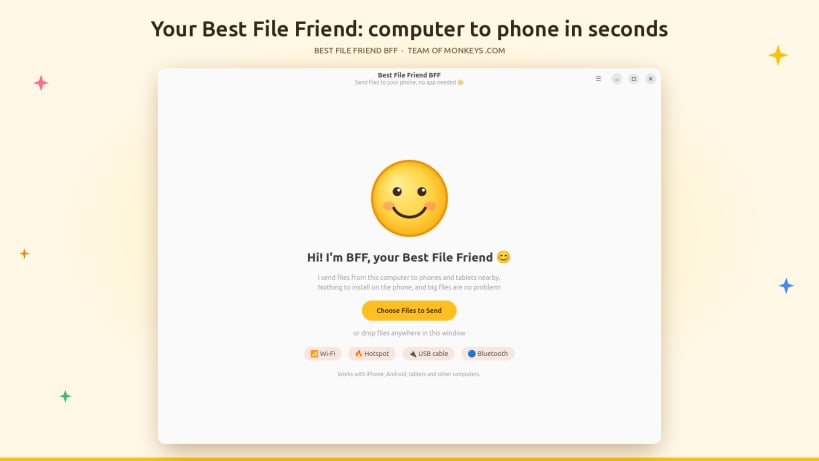
Send files to your phone over Wi-Fi, hotspot, USB or Bluetooth. No app needed
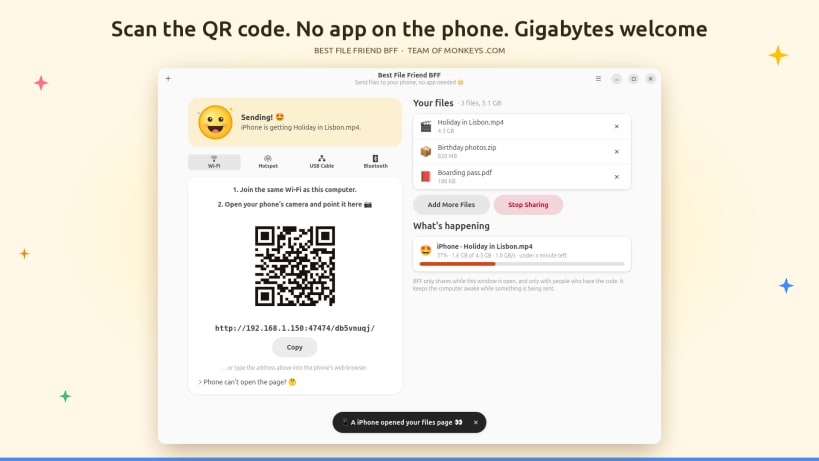
Effortless, private file transfer from your Linux desktop to any phone or tablet, with absolutely nothing to install on the phone. Best File Friend BFF by Team of Monkeys .com turns the browser your phone already has into a lightning-fast, secure download page. Choose your files, aim the phone's camera at the cheerful smiley QR code, tap Save, and you are done. No cables to hunt for, no cloud uploads, no accounts, no compression, no fuss.
Emailing yourself attachments and squeezing videos through messaging apps are relics of the past. BFF delivers files directly, device to device, at the full speed of your local network, and it handles colossal files with ease: multi-gigabyte videos, sprawling photo archives and enormous ISO images stream straight from disk without bloating memory.
★ Four ways to connect, one delightfully simple app
- Wi-Fi: the phone and computer share a network. Scan the code and the transfer begins instantly.
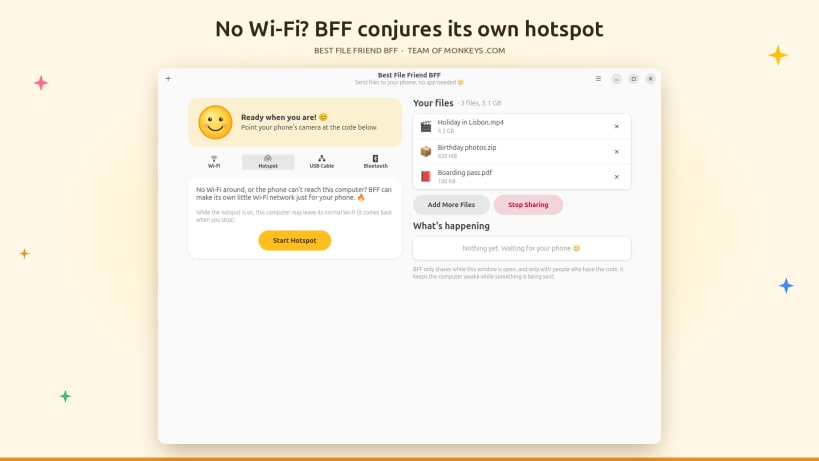
- Hotspot: no Wi-Fi in sight? BFF conjures a temporary wireless network of its own and shows a second QR code that joins the phone to it automatically. Perfect for trains, hotels and campsites.
- USB cable: for truly massive transfers, enable USB tethering on Android or Personal Hotspot on iPhone and enjoy blistering, rock-solid wired speed.
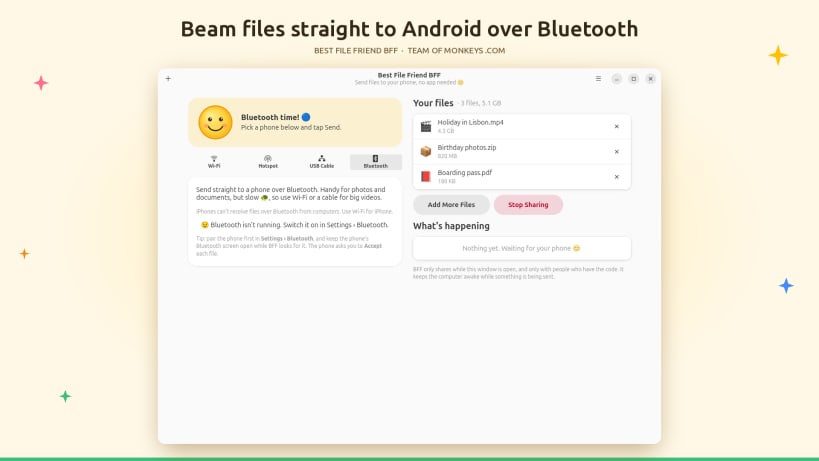
- Bluetooth: dispatch documents and photos straight to Android phones using OBEX Object Push, no browser required.
★ Engineered for enormous files
- Zero-copy streaming hands each file from disk to the network with negligible memory and CPU overhead
- Resumable downloads: if the connection hiccups, the phone continues precisely where it stopped instead of starting over
- Live, granular progress for every download, with percentage, transfer speed and an accurate estimate of time remaining
- The computer stays awake while something is being sent, so a long transfer is never sabotaged by sleep
★ Universal compatibility
Works flawlessly with iPhone, iPad, Android phones and tablets, laptops and anything else with a modern web browser. Each file downloads the ordinary way, landing in the phone's Downloads folder or Files app.
★ Private and secure by design
- No accounts, no cloud, no advertising and no telemetry, ever
- Files travel directly from your computer to the phone and never touch a third-party server
- Every share receives a fresh, randomly generated secret address, and nothing is served without it
- Repeated wrong guesses lock a device out automatically
- Only the files you explicitly chose are offered, nothing else on your disk
- The download page follows a strict content security policy and loads nothing from the internet
- Sharing ends the moment you press Stop Sharing or close the window
★ Thoughtful, friendly and fast
Drag and drop files onto the window, pick them with the file chooser, or send them from your file manager with Open With. Add more files mid-session, remove any you change your mind about, or type the address by hand if the camera is unavailable. Biff, the BFF smiley, keeps you informed with clear, plain-language status messages instead of cryptic errors, and a built-in troubleshooter walks you through any connection snag.
Built natively with GTK 4 and libadwaita, BFF launches instantly, looks right at home on the GNOME desktop and runs in strict Snap confinement for peace of mind.
★ Optional extras (a one-time permission)
Hotspot, Bluetooth and files on USB drives need a quick, one-time connection, which BFF explains the moment you choose those features:
sudo snap connect best-file-friend-bff:network-managersudo snap connect best-file-friend-bff:bluezsudo snap connect best-file-friend-bff:removable-media
iPhone and iPad are trademarks of Apple Inc. Android is a trademark of Google LLC. Bluetooth is a registered trademark of Bluetooth SIG, Inc. Wi-Fi is a registered trademark of the Wi-Fi Alliance. BFF is not affiliated with or endorsed by these companies.
| Revision | Channel | Version | Build | Commit | Download SBOM |
|---|
The build and commit information is derived from build infrastructure records.
Install Best File Friend BFF on your Linux distribution
Choose your Linux distribution to get detailed installation instructions. If yours is not shown, get more details on the installing snapd documentation.


