

Bezier Easing Designer
Install latest/stable of Bezier Easing Designer
Ubuntu 16.04 or later?
Make sure snap support is enabled in your Desktop store.
Install using the command line
sudo snap install bezier-easing-designerDon't have snapd? Get set up for snaps.
Details for Bezier Easing Designer
Package name
- bezier-easing-designer
License
- MIT
Last updated
- Yesterday - latest/stable
Report a Snap Store violation
Report Bezier Easing Designer for a Snap Store violation
Snap Store Violation Report submitted successfully
Thank you for your report. Information you provided will help us investigate further.
Error submitting report
There was an error while sending your report. Please try again later.
Share this snap
Generate an embeddable card to be shared on external websites.
Interactive cubic-bezier motion curve studio, derivative plotter, and code exp
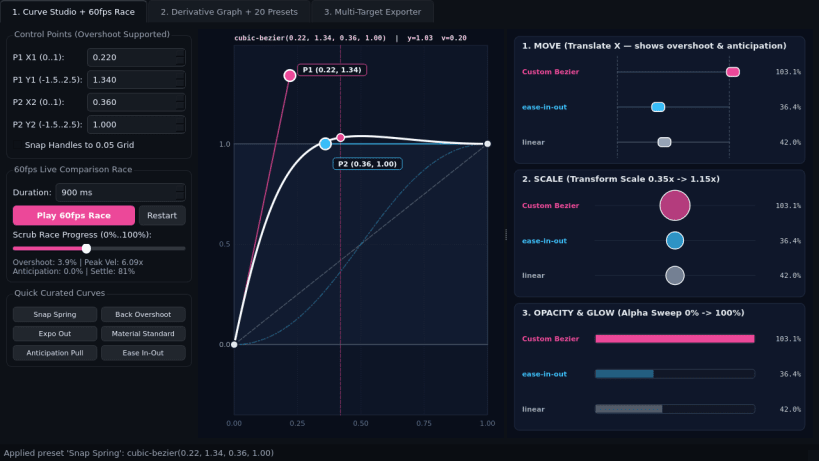
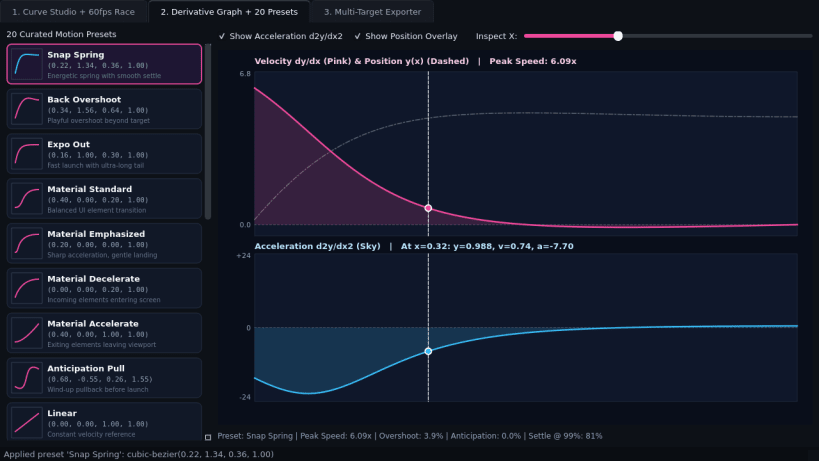
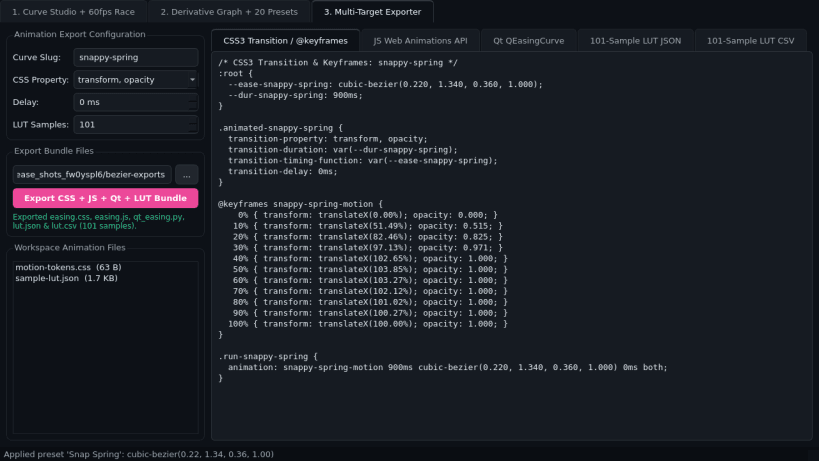
Bezier Easing Designer is a desktop motion-curve studio, physics derivative visualizer, and multi-target animation code exporter for Linux developers and UI engineers. Shape custom cubic-bezier timing functions including overshoot and anticipation springs, compare motion at 60fps, inspect velocity profiles, and export ready-to-use snippets across web and native frameworks.
Key Features:
- Interactive Cubic-Bezier Curve & Live Race: Drag P1 (x1, y1) and P2 (x2, y2) handles on an overshoot-capable canvas paired with a 60fps QTimer comparison race across Move, Scale, and Opacity tracks against linear and ease-in-out.
- Velocity & Acceleration Derivative Graph & Presets: Plots exact parametric dy/dx velocity and d2y/dx2 acceleration curves alongside 20 curated motion presets (Expo Out, Back Overshoot, Material Standard, Snap Spring, and more).
- Multi-Target Animation Exporter: Generates and exports CSS transitions and keyframes, JavaScript Web Animations API code, Qt QEasingCurve and QPropertyAnimation snippets, and 101-sample JSON/CSV lookup tables.
Disclaimer: Bezier Easing Designer is an independent open-source project by TC Studio and is not affiliated with, endorsed by, or sponsored by cubic-bezier.com.
| Revision | Channel | Version | Build | Commit | Download SBOM |
|---|
The build and commit information is derived from build infrastructure records.
Install Bezier Easing Designer on your Linux distribution
Choose your Linux distribution to get detailed installation instructions. If yours is not shown, get more details on the installing snapd documentation.


