
Binary Strings Extractor
Install latest/stable of Binary Strings Extractor
Ubuntu 16.04 or later?
Make sure snap support is enabled in your Desktop store.
Install using the command line
sudo snap install binary-strings-extractorDon't have snapd? Get set up for snaps.
Details for Binary Strings Extractor
Package name
- binary-strings-extractor
License
- MIT
Last updated
- Today - latest/stable
Report a Snap Store violation
Report Binary Strings Extractor for a Snap Store violation
Snap Store Violation Report submitted successfully
Thank you for your report. Information you provided will help us investigate further.
Error submitting report
There was an error while sending your report. Please try again later.
Share this snap
Generate an embeddable card to be shared on external websites.
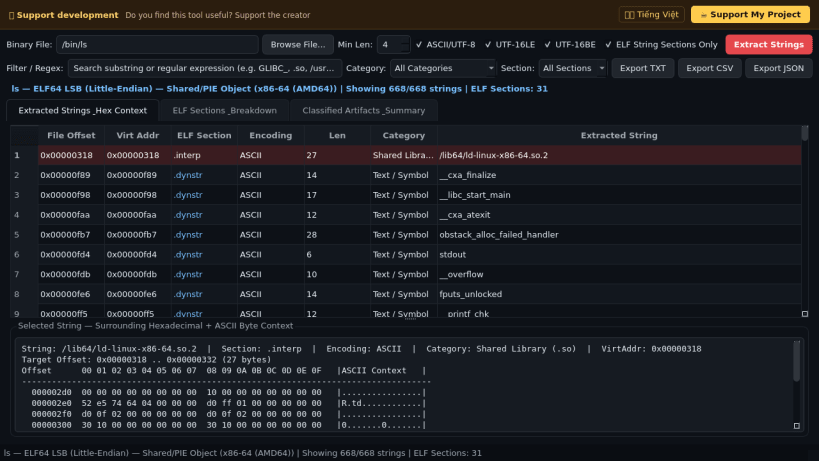
ELF section and binary file ASCII, UTF-8, and UTF-16 string extractor
A binary file and ELF executable printable string extractor, section inspector, and hex context viewer for Linux developers and system administrators. A lightweight Linux alternative to Sysinternals Strings for inspecting embedded text literals, shared library dependencies, build metadata, paths, and localization strings in compiled binaries.
Key features:
- Extracts printable ASCII, UTF-8, UTF-16LE, and UTF-16BE character sequences with configurable minimum string length from executables, shared objects, and binary files.
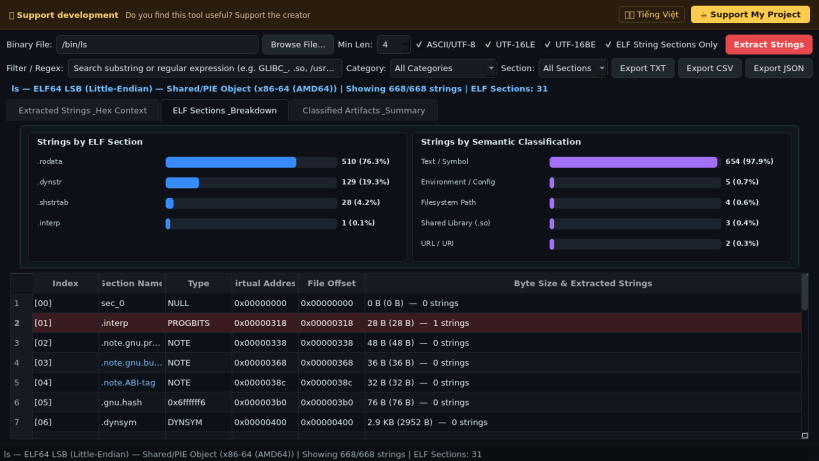
- Parses ELF64 and ELF32 headers and section tables (.interp, .rodata, .dynstr, .strtab, .comment) natively to map every string offset to its ELF section and virtual address.
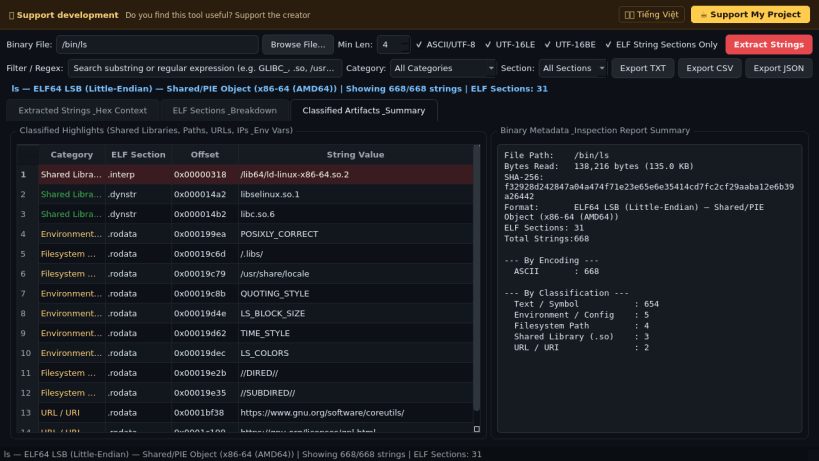
- Categorizes extracted strings into shared libraries (.so), URLs, filesystem paths, IPv4 endpoints, environment variables, and symbols with instant regex and section filtering.
- Displays a surrounding hexadecimal and ASCII byte context dump for any selected string offset and exports results to TXT, CSV, and JSON formats.
Disclaimer: This project is an independent open-source tool and is not affiliated with, sponsored by, or endorsed by Microsoft or Sysinternals.
| Revision | Channel | Version | Build | Commit | Download SBOM |
|---|
The build and commit information is derived from build infrastructure records.
Install Binary Strings Extractor on your Linux distribution
Choose your Linux distribution to get detailed installation instructions. If yours is not shown, get more details on the installing snapd documentation.


