
Birch Hollow Wayfinding
Contact us about Snaps and IoT ›
Install latest/stable of Birch Hollow Wayfinding
Ubuntu 16.04 or later?
Make sure snap support is enabled in your Desktop store.
Install using the command line
sudo snap install birch-hollow-wayfindingDon't have snapd? Get set up for snaps.
Details for Birch Hollow Wayfinding
Package name
- birch-hollow-wayfinding
License
- Proprietary
Last updated
- Today - latest/stable
Websites
Contact
External link warning
You are about to open
Do you wish to proceed?
Report a Snap Store violation
Report Birch Hollow Wayfinding for a Snap Store violation
Snap Store Violation Report submitted successfully
Thank you for your report. Information you provided will help us investigate further.
Error submitting report
There was an error while sending your report. Please try again later.
Share this snap
Generate an embeddable card to be shared on external websites.
Touchscreen wayfinding, directory and visitor check-in for kiosks
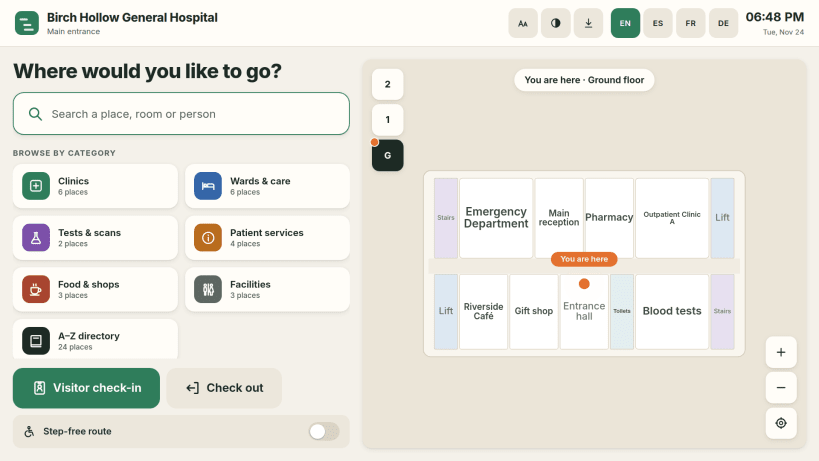
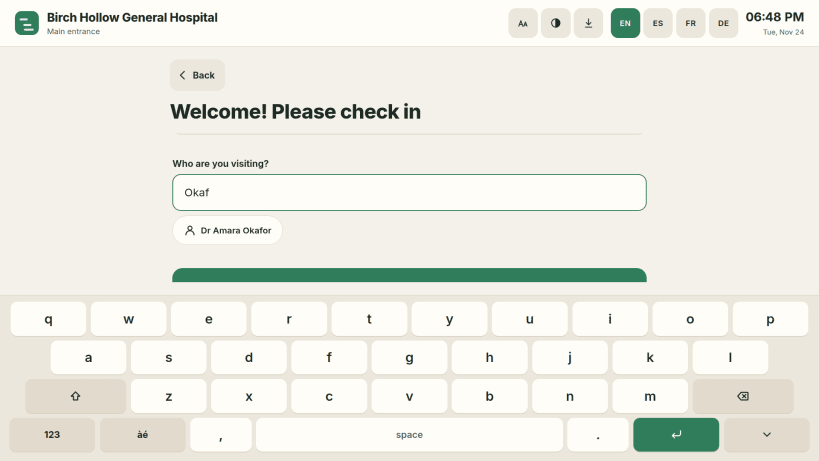
Birch Hollow Wayfinding by Team of Monkeys turns a touchscreen running Ubuntu Frame into a self-service kiosk for hospital lobbies, campuses, museums and visitor desks. It shows a searchable directory and floor maps with turn-by-turn directions, and can also run visitor check-in. It is built for public screens that anyone can walk up to: every visitor starts from a clean screen, and there is no way out of the kiosk.
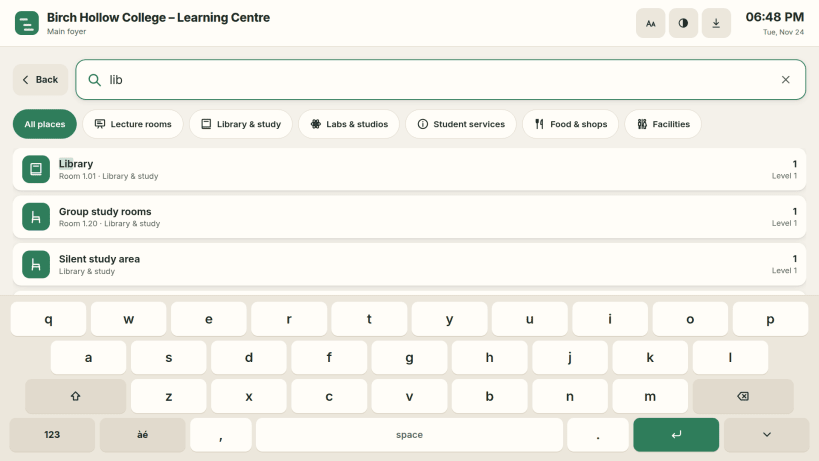
- Search places, rooms and people with typo-tolerant search, browse by category or A–Z, and see "you are here" on a map you can pan and zoom
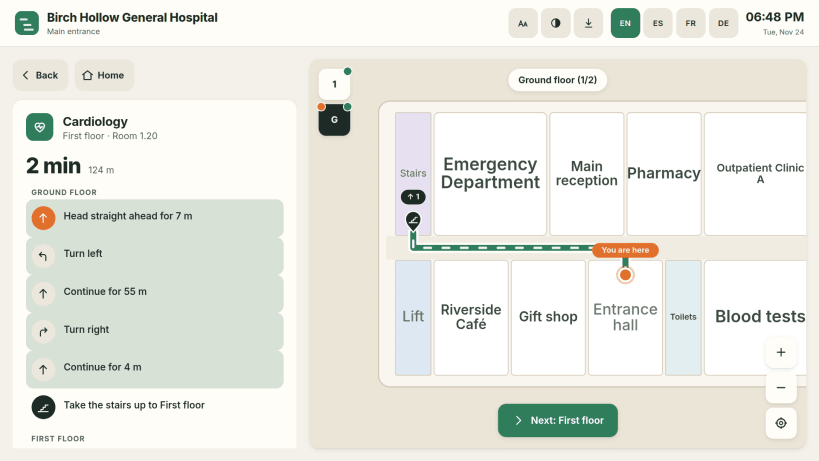
- Walking directions across floors by lift, stairs or escalator, with a step-free option that avoids stairs, steps and escalators
- Take the route along: a QR code for phones (as text, or your own URL template) and printed direction slips
- Visitor check-in and check-out with printed badges (ESC/POS receipt and label printers, or CUPS), visit codes, a notice visitors accept, data retention limits, CSV export and an optional webhook
- QR/barcode scanners and RFID badge readers, as keyboard devices or on a serial port: scan a badge to check out, or a code to get directions
- On-screen keyboard: works with ubuntu-frame-osk through Wayland text-input, or uses its own built-in keyboard
- Made for unattended public screens. Each visitor session resets after inactivity, wiping typed text, language and web data. There are no browser shortcuts, menus, downloads or pop-ups. The staff menu is protected by a PIN, and a watchdog restarts anything that hangs
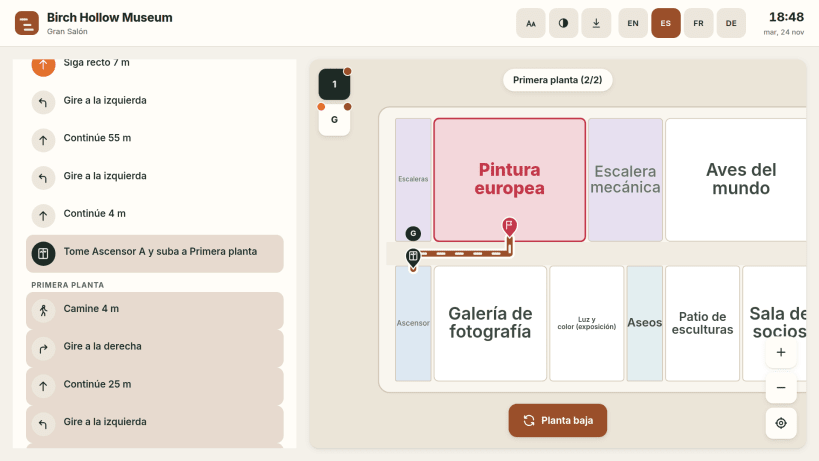
- English, Spanish, French and German, plus larger text, high contrast and a low-reach layout for wheelchair users
- Opening hours with a closed screen, remote status, screenshots and Prometheus metrics, and a web page mode for an existing kiosk site
- Three built-in demo sites (hospital, campus, museum) to start from
Getting started on Ubuntu Core:
 sudo snap install ubuntu-frame ubuntu-frame-osk
 sudo snap install birch-hollow-wayfinding
 sudo snap set birch-hollow-wayfinding site=demo:hospital
 sudo birch-hollow-wayfinding status
For your own building, start from a demo:
 birch-hollow-wayfinding export-demo hospital > site.zip
 sudo birch-hollow-wayfinding import site < site.zip
Try it on an Ubuntu desktop first: birch-hollow-wayfinding preview demo:museum
Peripherals are opt-in. Connect raw-usb for USB scanners and receipt printers, serial-port for a built-in serial reader, or cups for system printers. birch-hollow-wayfinding frame-setup prints the Ubuntu Frame, keyboard and peripheral commands for your settings, and birch-hollow-wayfinding settings lists every option.
Ubuntu is a trademark of Canonical Ltd. Prometheus is a trademark of the Linux Foundation. Both are named only to describe compatibility; this app is not affiliated with or endorsed by them.
| Revision | Channel | Version | Build | Commit | Download SBOM |
|---|
The build and commit information is derived from build infrastructure records.
Install Birch Hollow Wayfinding on your Linux distribution
Choose your Linux distribution to get detailed installation instructions. If yours is not shown, get more details on the installing snapd documentation.