
BLE to MQTT Hub (ble-mqtt-hub)
Contact us about Snaps and IoT ›
Install latest/stable of BLE to MQTT Hub
Ubuntu 16.04 or later?
Make sure snap support is enabled in your Desktop store.
Install using the command line
sudo snap install ble-mqtt-hubDon't have snapd? Get set up for snaps.
Details for BLE to MQTT Hub
Package name
- ble-mqtt-hub
License
- Proprietary
Last updated
- Today - latest/stable
Websites
Contact
External link warning
You are about to open
Do you wish to proceed?
Report a Snap Store violation
Report BLE to MQTT Hub for a Snap Store violation
Snap Store Violation Report submitted successfully
Thank you for your report. Information you provided will help us investigate further.
Error submitting report
There was an error while sending your report. Please try again later.
Share this snap
Generate an embeddable card to be shared on external websites.
Publish Bluetooth LE sensor readings to your MQTT broker
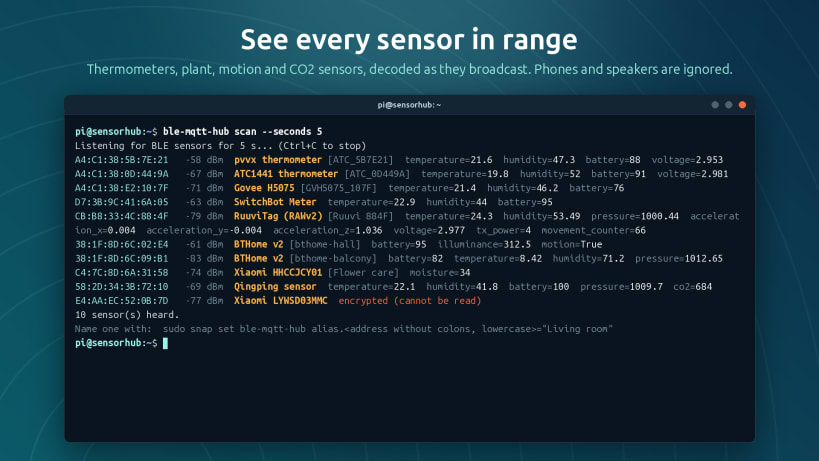
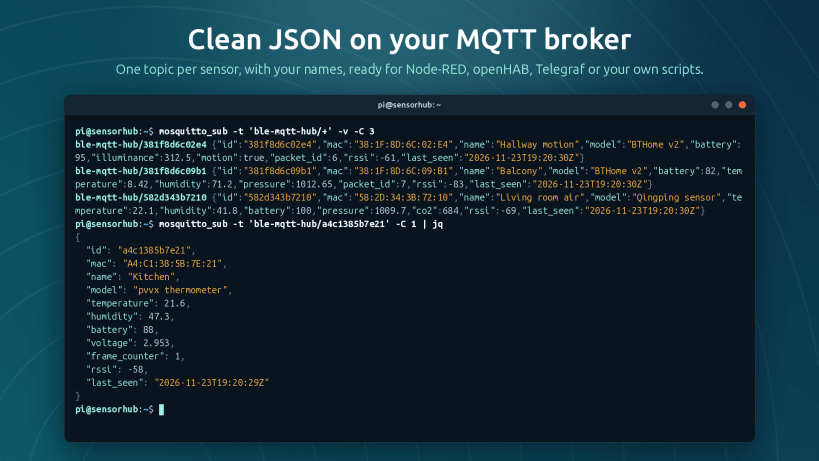
BLE to MQTT Hub by Team of Monkeys turns a computer with Bluetooth, such as a Raspberry Pi running Ubuntu Core, into a local sensor hub. It listens for the readings that Bluetooth Low Energy thermometers, hygrometers and other sensors broadcast, and publishes them to your MQTT broker as JSON, ready for Home Assistant, Node-RED, openHAB, Telegraf or your own scripts.
- Runs headless as a service and starts at boot
- Listen-only: never pairs with or connects to a sensor; no cloud account
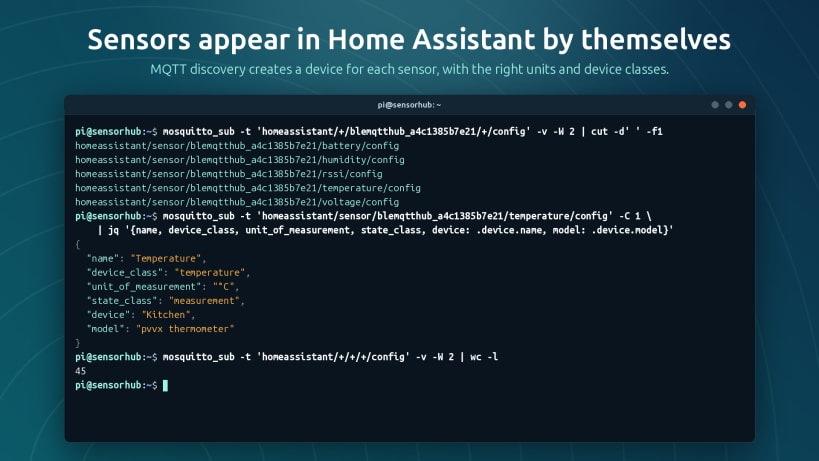
- Home Assistant MQTT discovery: sensors appear in Home Assistant by themselves
- Temperature, humidity, battery, voltage, pressure, light, soil moisture and conductivity, CO2, particulates, motion, door and more
- Name your sensors, keep only the ones you want, and choose how often each is published
- Username and password and TLS for the broker connection
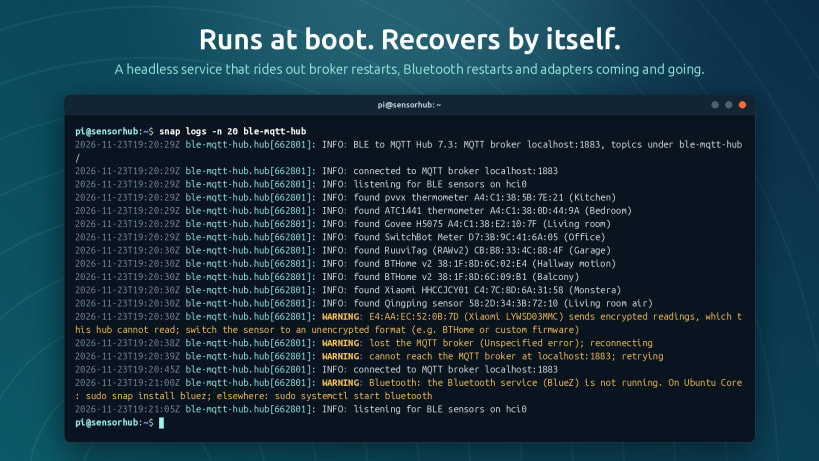
- Recovers by itself when Bluetooth, the adapter or the broker restarts
Reads BTHome v2, ATC1441 and pvvx thermometer firmware, Xiaomi MiBeacon (unencrypted), RuuviTag (RAWv1 and RAWv2), Govee thermo-hygrometers, SwitchBot Meter and Meter Plus, and Qingping sensors. Other Bluetooth devices nearby are ignored and never published.
Getting started:
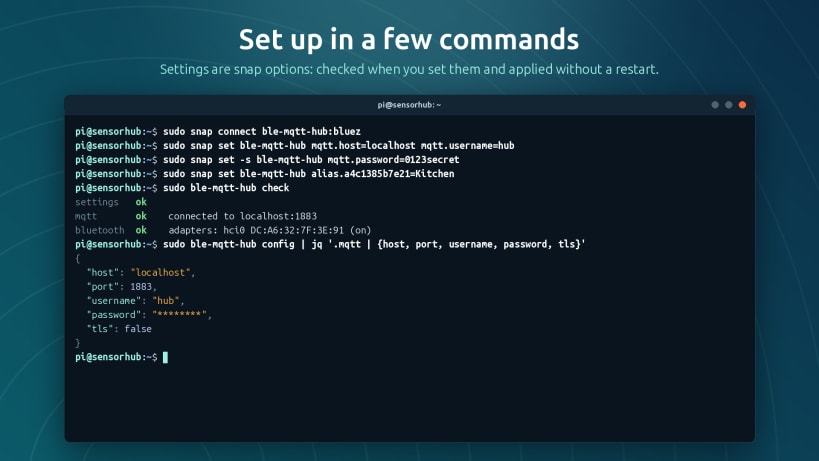
 sudo snap connect ble-mqtt-hub:bluez
 sudo snap set ble-mqtt-hub mqtt.host=192.168.1.10
 ble-mqtt-hub scan
 sudo ble-mqtt-hub check
On Ubuntu Core, first sudo snap install bluez and then sudo snap connect ble-mqtt-hub:bluez bluez:service.
Bluetooth is a registered trademark of Bluetooth SIG, Inc. Home Assistant, Xiaomi, Govee, Ruuvi, SwitchBot and Qingping are trademarks of their owners, named only to identify compatible software and sensors; this app is not affiliated with or endorsed by any of them.
| Revision | Channel | Version | Build | Commit | Download SBOM |
|---|
The build and commit information is derived from build infrastructure records.
Install BLE to MQTT Hub on your Linux distribution
Choose your Linux distribution to get detailed installation instructions. If yours is not shown, get more details on the installing snapd documentation.