
CalDisplay
Install latest/stable of CalDisplay
Ubuntu 16.04 or later?
Make sure snap support is enabled in your Desktop store.
Details for CalDisplay
Package name
- caldisplay
License
- GPL-3.0-or-later
Last updated
- 30 October 2026 - latest/stable
- 29 October 2026 - latest/edge
Websites
Contact
Donations
Source code
Report a bug
External link warning
You are about to open
Do you wish to proceed?
Report a Snap Store violation
Report CalDisplay for a Snap Store violation
Snap Store Violation Report submitted successfully
Thank you for your report. Information you provided will help us investigate further.
Error submitting report
There was an error while sending your report. Please try again later.
Share this snap
Generate an embeddable card to be shared on external websites.
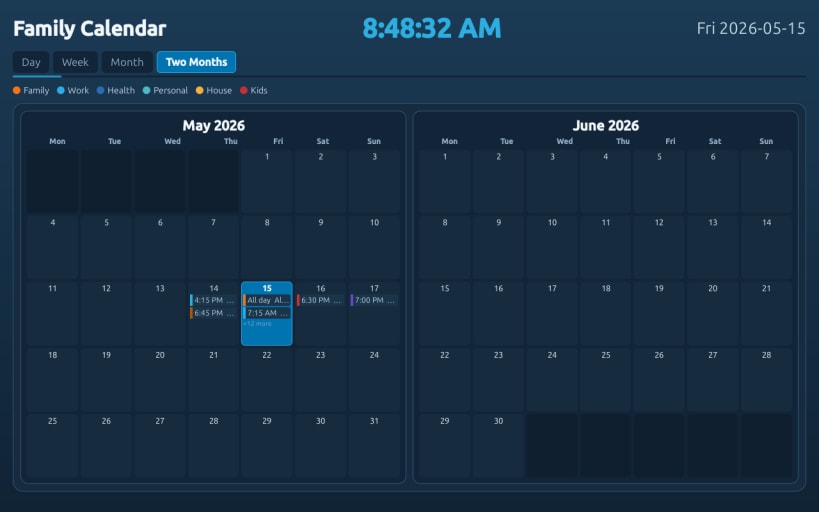
Multi-view calendar, weather, and clock display system
A versatile calendar, weather, and clock display application ideal for wall-mounted screens, reception areas, meeting rooms, kiosks, and other always-on displays in homes, offices, schools, and public venues.
Features:
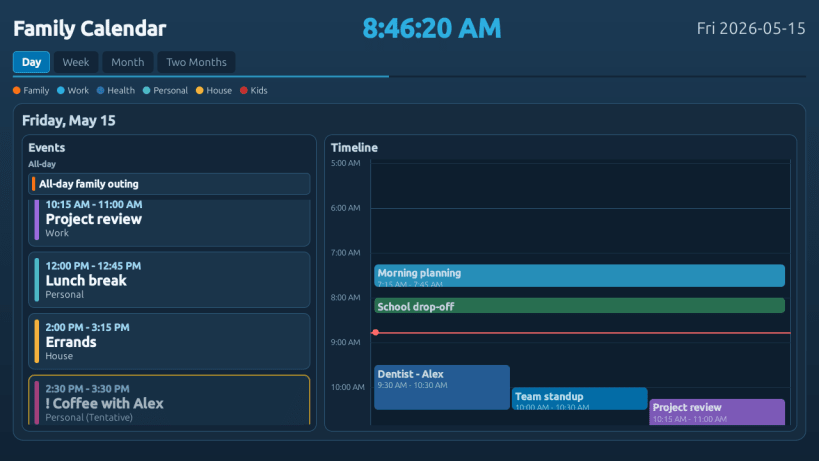
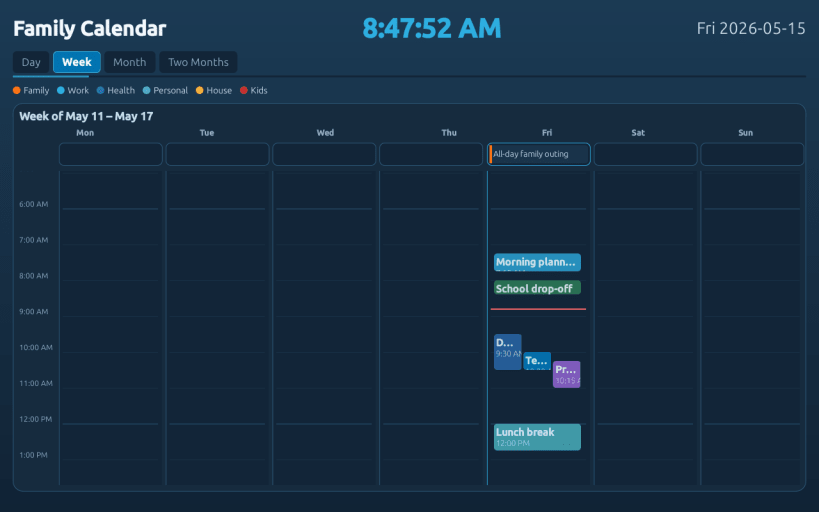
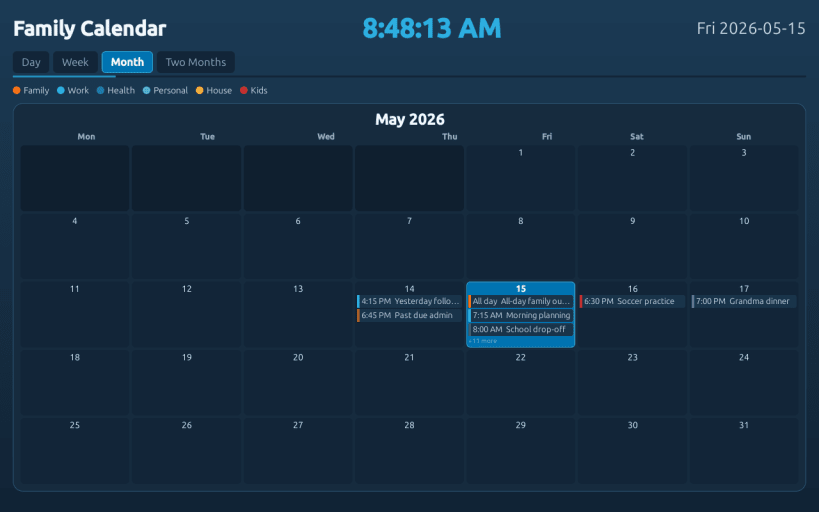
- Multiple calendar views: Day, Week, Month, Two-Month, and Weather tab
- Color-coded event sources for easy visual distinction
- Customizable visible tabs with reordering capability
- Read-only calendar feed support (ICS, webcal, and local .ics files)
- Weather tab with current conditions, hourly & extended forecasts, and alerts
- Real-time clock display with format options (12/24-hour)
- Automatic refresh with configurable intervals for calendars and weather
- Resume-aware stale-data checks to catch up after suspend/sleep
- Dual launch modes: full-screen kiosk and windowed configuration
- Optimized for low-power hardware and minimal resource consumption
It runs in two modes:
- Windowed mode for setup, configuration, and testing
- Full-screen kiosk mode for dedicated display installations
Both modes support multiple calendar views and the Weather tab with full customization of which views to display and in what order.
Use Cases:
- Family calendar dashboards in shared spaces
- Corporate event calendars for meeting rooms and reception areas
- School/university class schedules and event displays
- Conference room availability and booking displays
- Library or community center event calendars
- Venue/attraction event schedules
- Team availability and project milestone tracking
| Revision | Channel | Version | Build | Commit | Download SBOM |
|---|
The build and commit information is derived from build infrastructure records.
Install CalDisplay on your Linux distribution
Choose your Linux distribution to get detailed installation instructions. If yours is not shown, get more details on the installing snapd documentation.












