

caplite-video-studio
Install latest/stable of caplite-video-studio
Ubuntu 16.04 or later?
Make sure snap support is enabled in your Desktop store.
Install using the command line
sudo snap install caplite-video-studioDon't have snapd? Get set up for snaps.
Details for caplite-video-studio
Package name
- caplite-video-studio
License
- MIT
Last updated
- Today - latest/stable
Websites
Contact
External link warning
You are about to open
Do you wish to proceed?
Report a Snap Store violation
Report caplite-video-studio for a Snap Store violation
Snap Store Violation Report submitted successfully
Thank you for your report. Information you provided will help us investigate further.
Error submitting report
There was an error while sending your report. Please try again later.
Share this snap
Generate an embeddable card to be shared on external websites.
Fast multi-track FFmpeg video editor with 9:16 auto-blur, text & stickers
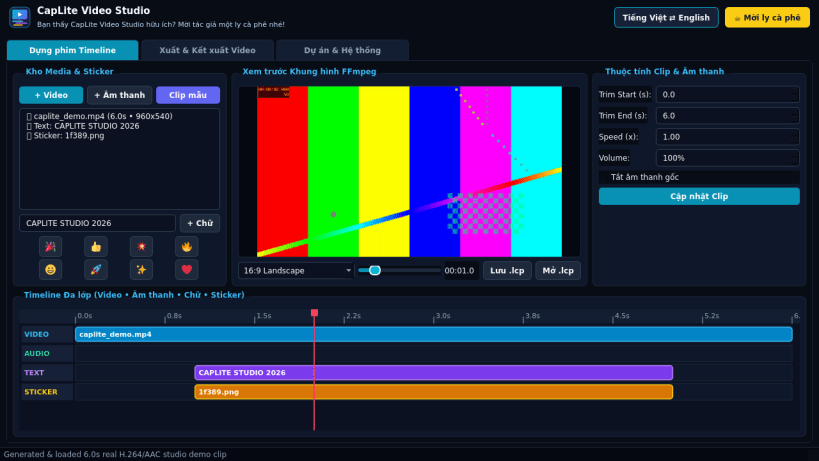
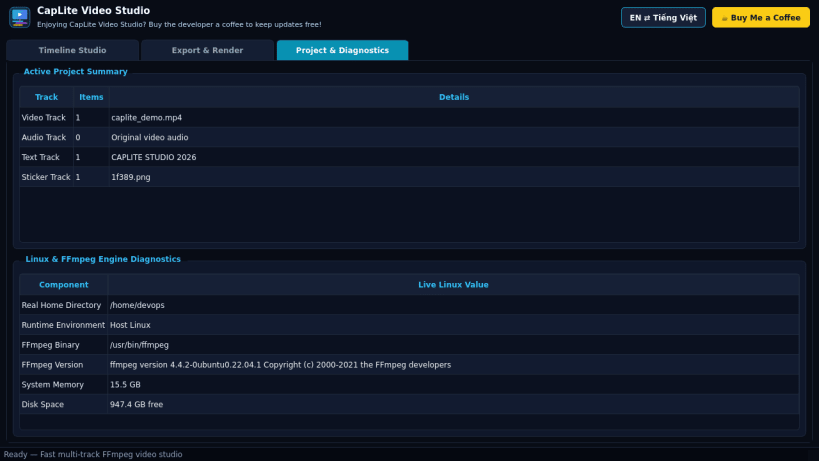
CapLite Video Studio is a fast, native Linux desktop multi-track video editor powered by FFmpeg and Qt5.
FEATURES:
- Visual multi-track timeline for Video, Audio, Text Captions and Stickers.
- Multi-format aspect ratio support: 16:9 Landscape, 9:16 Vertical Portrait with automatic blurred background, and 1:1 Square.
- Trim start/end, playback speed control (0.5x to 2.0x), mute original audio, volume control, and secondary audio track mixing.
- Built-in sticker library, customizable text overlays, and live FFmpeg frame preview scrubbing.
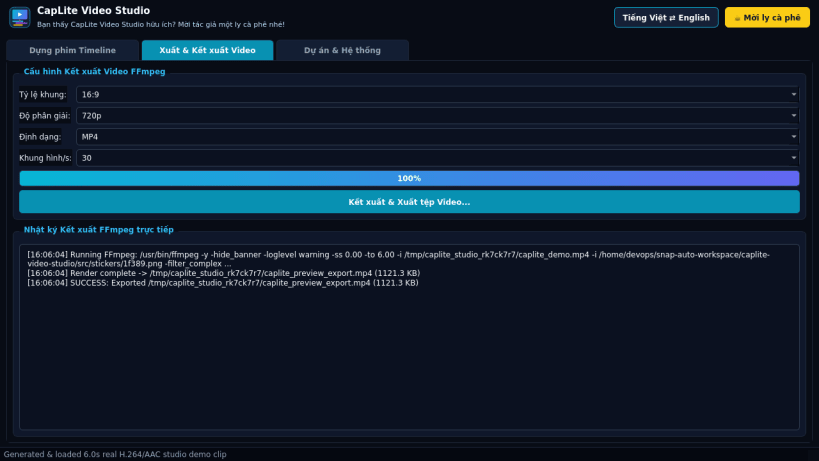
- Save and open .lcp project files and export high-quality MP4, MKV or WebM videos at 720p or 1080p.
- Full bilingual English and Vietnamese interface.
Support development: https://buymeacoffee.com/thanhnv128b
| Revision | Channel | Version | Build | Commit | Download SBOM |
|---|
The build and commit information is derived from build infrastructure records.
Install caplite-video-studio on your Linux distribution
Choose your Linux distribution to get detailed installation instructions. If yours is not shown, get more details on the installing snapd documentation.











