

Chip Away
Install latest/stable of Chip Away
Ubuntu 16.04 or later?
Make sure snap support is enabled in your Desktop store.



Details for Chip Away
Package name
- chip-away
License
- Proprietary
Last updated
- 22 October 2026 - latest/stable
- 21 October 2026 - latest/edge
Websites
External link warning
You are about to open
Do you wish to proceed?
Report a Snap Store violation
Report Chip Away for a Snap Store violation
Snap Store Violation Report submitted successfully
Thank you for your report. Information you provided will help us investigate further.
Error submitting report
There was an error while sending your report. Please try again later.
Share this snap
Generate an embeddable card to be shared on external websites.
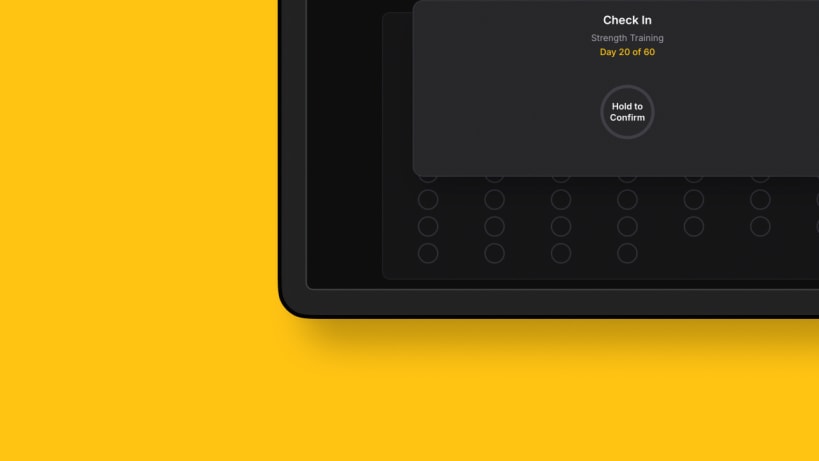
Track daily goals, build streaks, and reach your targets one day at a time
Chip Away turns big goals into something you can do today: show up once, fill a dot, build a streak.
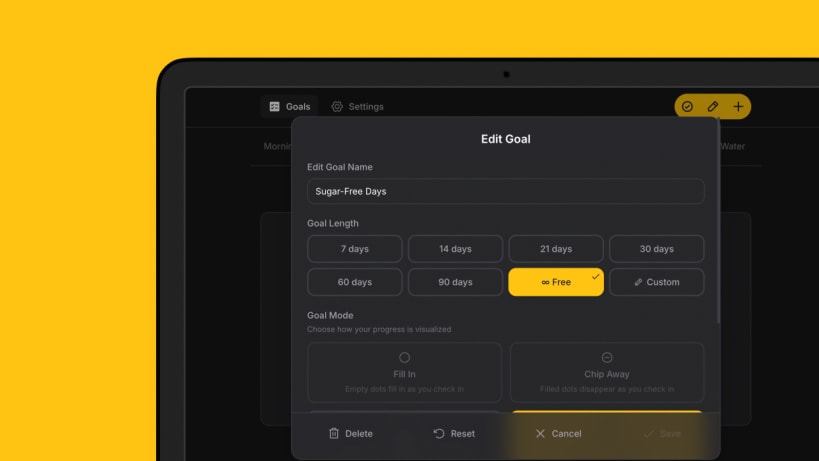
Set a goal with a target or make it open-ended, then check in once a day. Each check-in fills a dot on your progress grid, so you see your consistency at a glance and your streak grow day by day.
It is built to stay out of your way: a couple of taps to check in. Notifications are optional.
What's New in v2.5.4
- Past attempts move into the goal's calendar heatmap: their days count toward it, and a red dot marks the day each streak ended, explained in the legend
- Fixed: a device that had not synced in a while could mark streaks that were still going as past attempts. Streaks are now checked once the first sync after launch finishes, and any streak marked this way repairs itself on the next sync
KEY FEATURES
- Daily goals – set daily goals and check in each day; the dot-grid visualization shows your progress at a glance
- Streak tracking – build and maintain streaks; see your current run and your all-time longest
- Day off – when a streak is one skipped day from ending, you can take the day off and it counts
- Multiple goals – track as many goals as you want, each with its own progress and streaks
- Today hub – the Today tab gathers your day at a glance: check-in progress, streaks to protect, and goals worth another go
- Achievements – earn badges for streak milestones, check-in counts, and completed goals
- Goal icons – give each goal an icon from a curated set, shown beside its name in the tab bar and sidebar
- Calendar heatmap – a GitHub-style activity heatmap shows your check-in history over time
- Offline-first – all data is stored locally on your device; works without an internet connection
- Cloud sync – optional sign-in (Apple, Google, or email) to sync your data across devices; no account required to use the app
- Dark mode – light, dark, and OLED dark themes; follows your system preference by default
- Custom accent colors – choose from preset colors or pick your own; on desktop it can match your OS accent
- 27 languages – available in English, German, French, Spanish, Chinese, Arabic, Japanese, Korean, Serbian, and many more
- Desktop native – native desktop app for macOS, Windows, and Linux with background running, tray icon, and system integration
- Reminders – set daily reminders for each goal so you never forget to check in
- Free and private – no ads, no tracking, no account required; your data stays on your device unless you opt into sync
| Revision | Channel | Version | Build | Commit | Download SBOM |
|---|
The build and commit information is derived from build infrastructure records.
Install Chip Away on your Linux distribution
Choose your Linux distribution to get detailed installation instructions. If yours is not shown, get more details on the installing snapd documentation.












