

Classic Deck Player
Install latest/stable of Classic Deck Player
Ubuntu 16.04 or later?
Make sure snap support is enabled in your Desktop store.
Install using the command line
sudo snap install classic-deck-playerDon't have snapd? Get set up for snaps.
Details for Classic Deck Player
Package name
- classic-deck-player
License
- MIT
Last updated
- Yesterday - latest/stable
Report a Snap Store violation
Report Classic Deck Player for a Snap Store violation
Snap Store Violation Report submitted successfully
Thank you for your report. Information you provided will help us investigate further.
Error submitting report
There was an error while sending your report. Please try again later.
Share this snap
Generate an embeddable card to be shared on external websites.
Classic Deck Player - Retro Skinnable Player with Visualizer & EQ
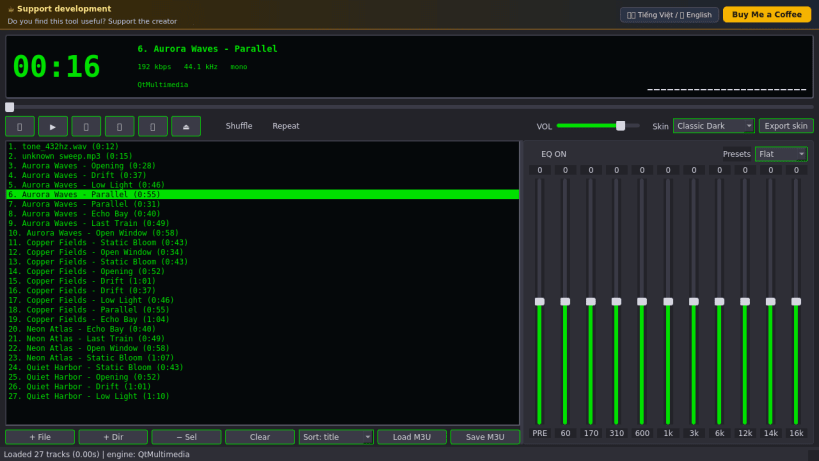
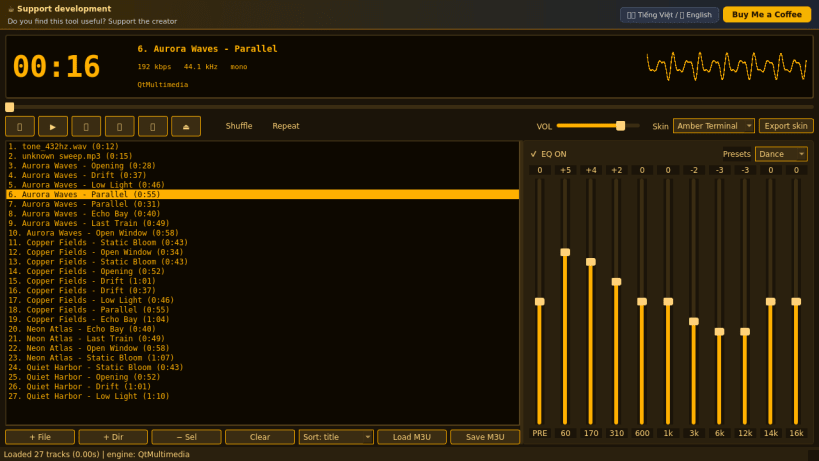
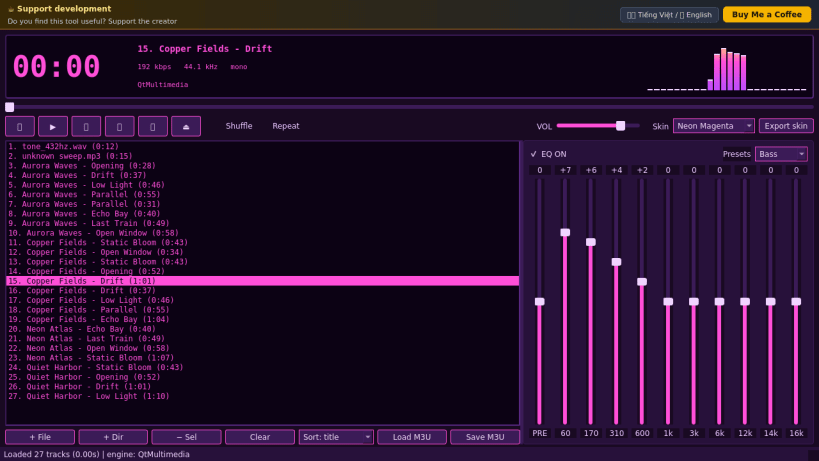
Classic Deck Player is a retro, deck-style audio player for Linux with an LCD display, a scrolling title, a live visualizer, a playlist window and a 10-band equalizer. A lightweight Linux alternative to Winamp for anyone who misses the classic compact player.
Key Features:
- LCD deck: big time counter, scrolling marquee title, real bitrate / sample rate / channel readout read from the file.
- Visualizer computed from the real decoded audio samples at the playback position: FFT spectrum bars with peak hold or oscilloscope; click the display to switch.
- Five built-in color skins (Classic Dark, Amber Terminal, Ice Blue, Neon Magenta, Paper White) plus your own skins: export the current skin as JSON, edit the colors and drop it into the skins folder.
- Playlist: add files or whole folders, sort by title / artist / filename / duration / random, shuffle, repeat, load and save M3U playlists.
- 10-band equalizer with pre-amp and presets applied by ffmpeg audio filters during playback.
- Reads MP3 (ID3), FLAC, OGG Vorbis/Opus, M4A and WAV tags. Playback uses the bundled ffmpeg engine to your PulseAudio / PipeWire server (audio-playback interface); the status line tells you if no audio server is reachable.
Disclaimer: This project is an independent open-source tool and is not affiliated with, sponsored by, or endorsed by Winamp or its owner. It does not load or reproduce Winamp skins or software.
| Revision | Channel | Version | Build | Commit | Download SBOM |
|---|
The build and commit information is derived from build infrastructure records.
Install Classic Deck Player on your Linux distribution
Choose your Linux distribution to get detailed installation instructions. If yours is not shown, get more details on the installing snapd documentation.


