

Clipboard Format Inspector
Install latest/stable of Clipboard Format Inspector
Ubuntu 16.04 or later?
Make sure snap support is enabled in your Desktop store.
Install using the command line
sudo snap install clipboard-format-inspectorDon't have snapd? Get set up for snaps.
Details for Clipboard Format Inspector
Package name
- clipboard-format-inspector
License
- MIT
Last updated
- Today - latest/stable
Report a Snap Store violation
Report Clipboard Format Inspector for a Snap Store violation
Snap Store Violation Report submitted successfully
Thank you for your report. Information you provided will help us investigate further.
Error submitting report
There was an error while sending your report. Please try again later.
Share this snap
Generate an embeddable card to be shared on external websites.
Multi-format MIME clipboard buffer, hex dump & raster payload inspector
A real-time system clipboard MIME format analyzer, binary payload hex viewer, and multi-format clipboard composer for Linux. A lightweight Linux alternative to NirSoft InsideClipboard for inspecting every simultaneous MIME data stream stored on the desktop clipboard or primary selection buffer.
Key features:
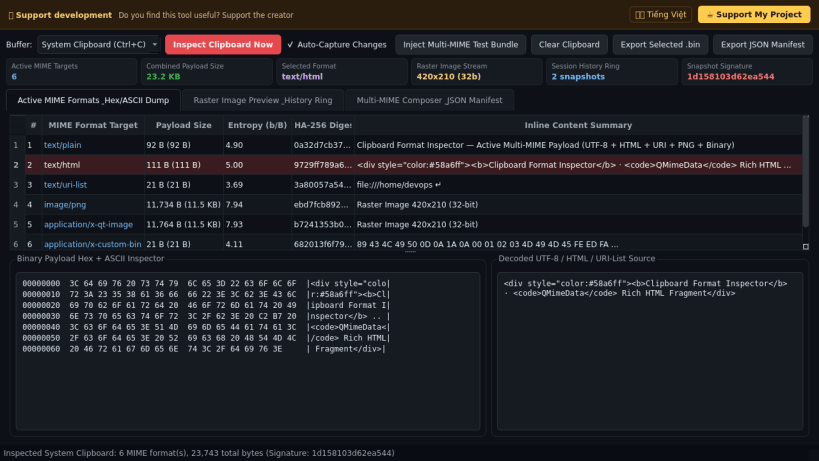
- Enumerates all active QMimeData formats on the system clipboard (text/plain, text/html, text/uri-list, image/png, and custom application MIME buffers) with exact byte lengths, Shannon entropy, and SHA-256 digests.
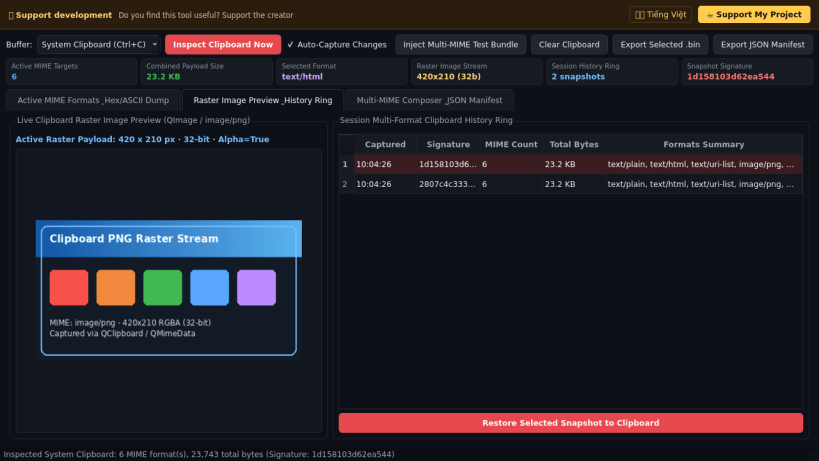
- Displays a formatted Hex + ASCII byte dump alongside decoded UTF-8/HTML text source and a live raster QImage preview whenever image data is present on the clipboard.
- Maintains an in-session multi-format clipboard history ring with one-click snapshot restoration and safe clipboard clearing.
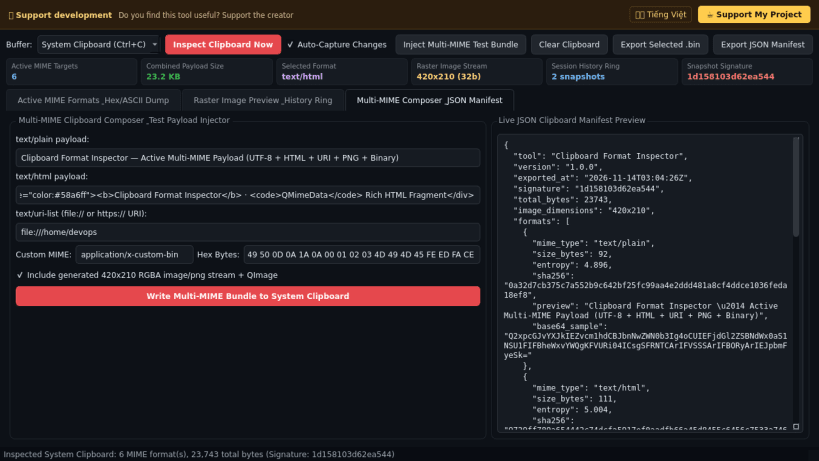
- Includes a multi-MIME payload composer for testing custom MIME targets and exports selected format buffers as raw .bin files or complete JSON manifests.
Disclaimer: This project is an independent open-source tool and is not affiliated with, sponsored by, or endorsed by NirSoft.
| Revision | Channel | Version | Build | Commit | Download SBOM |
|---|
The build and commit information is derived from build infrastructure records.
Install Clipboard Format Inspector on your Linux distribution
Choose your Linux distribution to get detailed installation instructions. If yours is not shown, get more details on the installing snapd documentation.


