
Clocki
Install latest/stable of Clocki
Ubuntu 16.04 or later?
Make sure snap support is enabled in your Desktop store.
Details for Clocki
Package name
- clocki
License
- Apache-2.0
Last updated
- 11 October 2026 - latest/stable
Websites
Source code
Report a bug
External link warning
You are about to open
Do you wish to proceed?
Report a Snap Store violation
Report Clocki for a Snap Store violation
Snap Store Violation Report submitted successfully
Thank you for your report. Information you provided will help us investigate further.
Error submitting report
There was an error while sending your report. Please try again later.
Share this snap
Generate an embeddable card to be shared on external websites.
Clocki
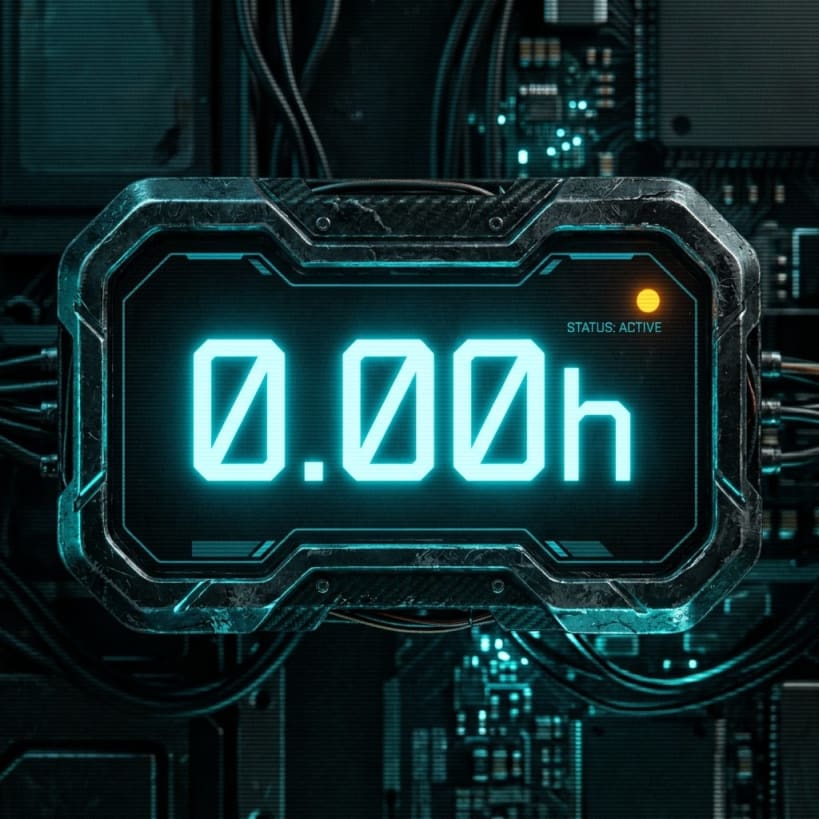
Clocki is a tiny, frameless, always-on-top desktop focus timer and HUD clock overlay designed for tracking daily focus hours without cluttering your workspace.
 Key Features:
 • Minimal HUD Overlay: Ultra-compact desktop widget that stays visible above all windows.
 • Proportional Corner Resizing: Click and drag any corner to scale up or down proportionally.
 • Dual Display Modes: Focus Timer Mode (0.00h) and Real-Time Clock Mode (HH:MM:SS) when expanded.
 • Cyberpunk Color Themes: Deus Ex (Gold/Amber), Cyber Cyan, Dark Red, Neon Purple, and Monochrome.
 • Instant Controls: Left click to pause/resume, double click to reset to 0.00h, right click for options menu.
 • Global Hotkeys: Ctrl+Alt+C (Pause/Resume), Ctrl+Alt+H (Show/Hide), Ctrl+Alt+R (Reset).
 • Automatic Persistence: Daily focus time, active theme, and window position survive restarts.
| Revision | Channel | Version | Build | Commit | Download SBOM |
|---|
The build and commit information is derived from build infrastructure records.
Install Clocki on your Linux distribution
Choose your Linux distribution to get detailed installation instructions. If yours is not shown, get more details on the installing snapd documentation.











