

CloudDrop
Install latest/stable of CloudDrop
Ubuntu 16.04 or later?
Make sure snap support is enabled in your Desktop store.
Details for CloudDrop
Package name
- clouddrop
License
- MIT
Last updated
- 21 October 2026 - latest/stable
Websites
Contact
Source code
Report a bug
External link warning
You are about to open
Do you wish to proceed?
Report a Snap Store violation
Report CloudDrop for a Snap Store violation
Snap Store Violation Report submitted successfully
Thank you for your report. Information you provided will help us investigate further.
Error submitting report
There was an error while sending your report. Please try again later.
Share this snap
Generate an embeddable card to be shared on external websites.
Upload a folder to Google Drive, OneDrive, Dropbox and more; free up space
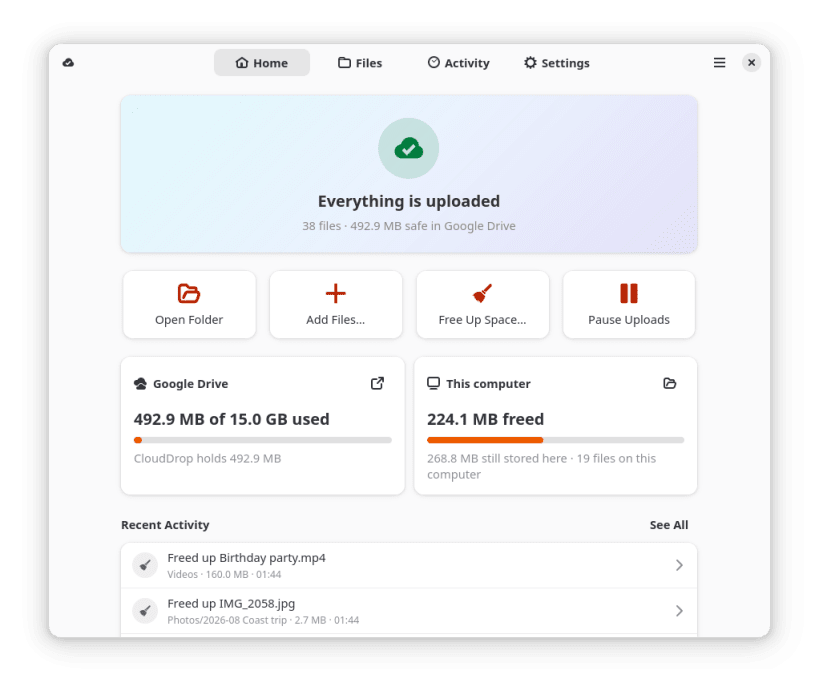
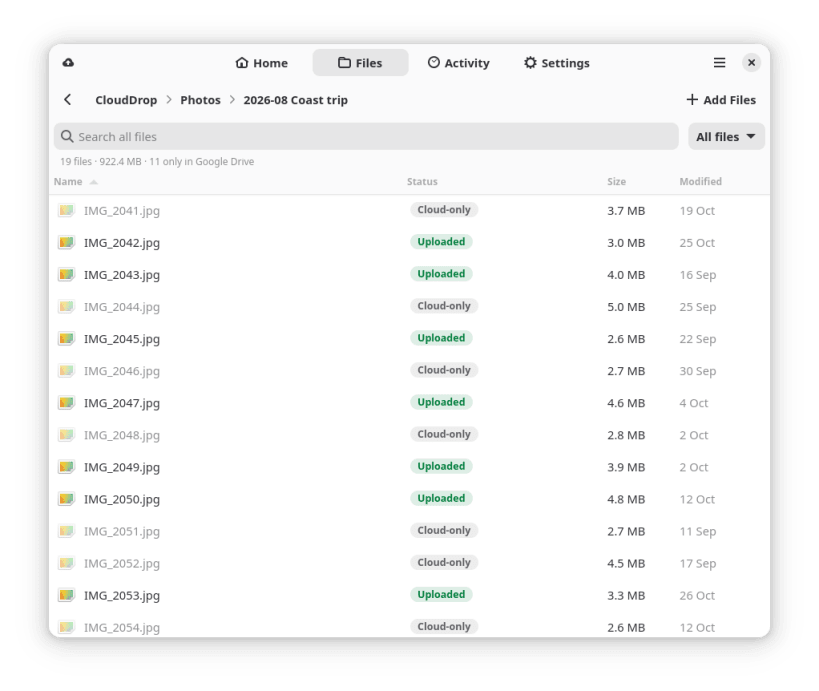
CloudDrop is an upload-only cloud folder for Linux. Anything you put in ~/CloudDrop is uploaded to your cloud with the same folder structure. Deleting a file on your computer never deletes it in the cloud: it becomes cloud-only, stays listed in CloudDrop, and can be downloaded back at any time. So you can free up space without losing anything, by hand or automatically.
Features
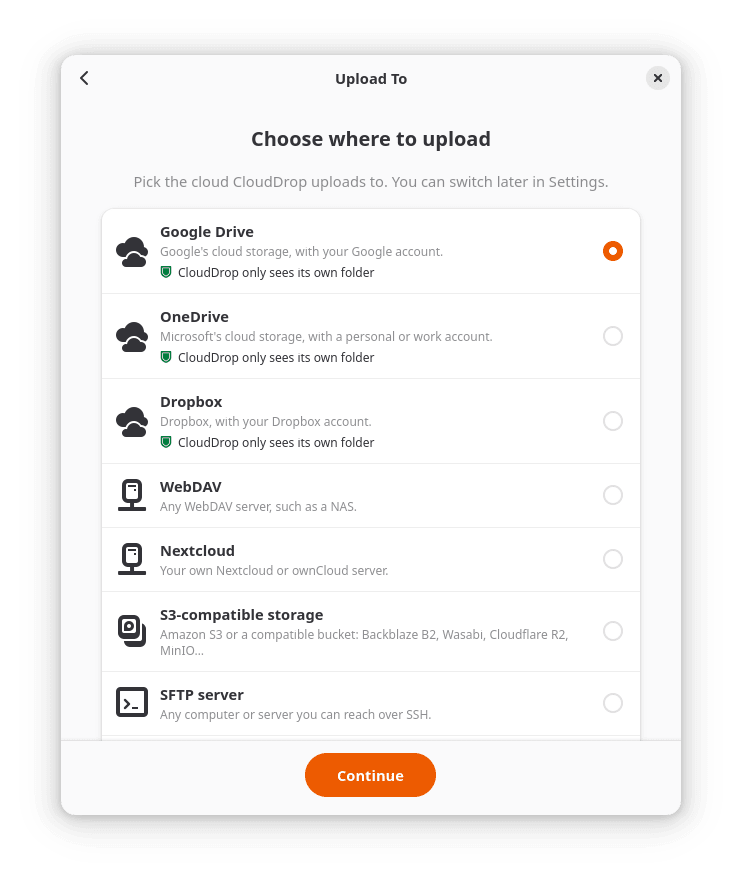
- Google Drive, OneDrive and Dropbox sign in through your browser, ready to use. Nextcloud and other WebDAV servers, S3-compatible storage, SFTP and MEGA are included as previews, tested against test servers rather than real accounts.
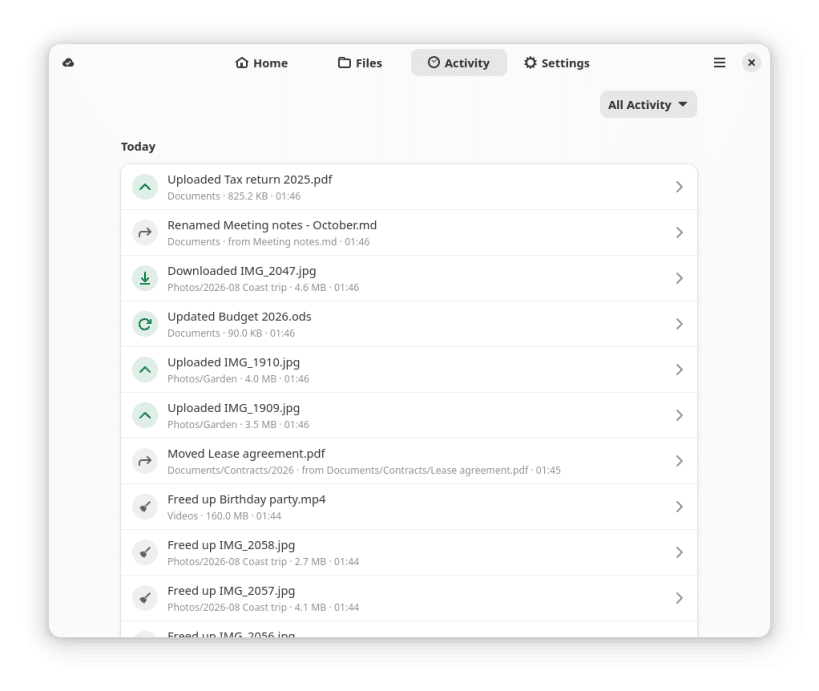
- Uploads new and edited files, keeps your folders, and applies renames and moves in the cloud without uploading again.
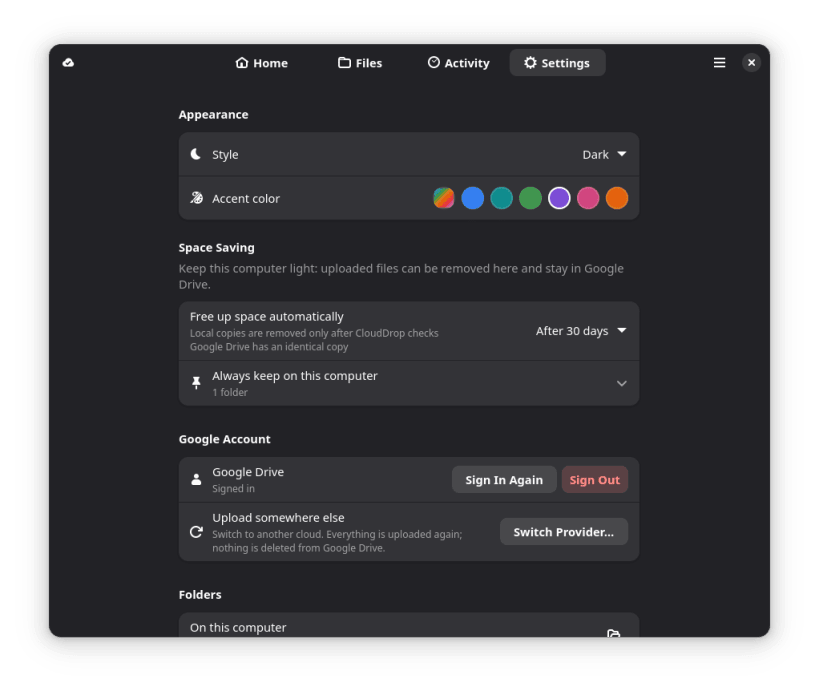
- Free Up Space by hand, or automatically after 7, 30 or 90 days. A local copy is removed only after CloudDrop checks that the cloud holds an identical one.
- Large uploads resume after a network drop, a restart or a crash (plain WebDAV servers excepted).
- Several folders, each uploading to a cloud of its own.
- Desktop app with a setup assistant, Home, Files, Activity and Settings, in a light or dark style with an accent color, plus a top-bar status icon with pause and resume.
- A
clouddropcommand line for status, freeing space, downloading files back and pausing. - Asks each cloud for as little access as it allows: on Google Drive only the files it creates, on OneDrive and Dropbox only its own app folder. Files go straight between your computer and your cloud; Dhiva Labs runs no server for it.
Snap notes
- The upload service and the top-bar icon start with your desktop session once the setup assistant turns on starting at sign-in. The top-bar icon needs the AppIndicator extension, which Ubuntu includes.
- The Ubuntu PPA (ppa:dhiva-labs/apps) also adds status icons and actions to the Files app, which a snap can't do.
MIT licensed. Source and issues: https://github.com/Dhiva-Labs/CloudDrop
A Dhiva Labs project.
| Revision | Channel | Version | Build | Commit | Download SBOM |
|---|
The build and commit information is derived from build infrastructure records.
Install CloudDrop on your Linux distribution
Choose your Linux distribution to get detailed installation instructions. If yours is not shown, get more details on the installing snapd documentation.











