

Codenfast Sticcker
Install latest/stable of Codenfast Sticcker
Ubuntu 16.04 or later?
Make sure snap support is enabled in your Desktop store.
Install using the command line
sudo snap install codenfast-sticckerDon't have snapd? Get set up for snaps.


Details for Codenfast Sticcker
Package name
- codenfast-sticcker
License
- Proprietary
Last updated
- 21 November 2026 - latest/stable
Report a Snap Store violation
Report Codenfast Sticcker for a Snap Store violation
Snap Store Violation Report submitted successfully
Thank you for your report. Information you provided will help us investigate further.
Error submitting report
There was an error while sending your report. Please try again later.
Share this snap
Generate an embeddable card to be shared on external websites.
Yapışkan Notlar – Masaüstü not alma uygulaması
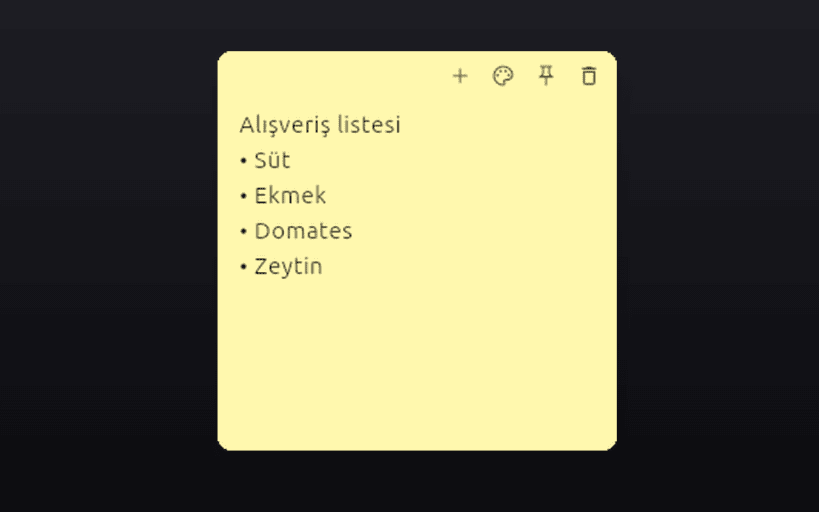
Codenfast Sticcker; masaüstünüzde yapışkan not pencereleri açmanızı sağlayan hızlı not alma uygulamasıdır. Aklınıza gelen her şeyi anında yazın; notlarınız masaüstünüzde gözünüzün önünde kalsın.
Öne çıkan özellikler: • Masaüstünde bağımsız yapışkan not pencereleri • Alışveriş listesi, yapılacaklar, toplantı notu, hatırlatıcı için ideal • Sarı, pembe, mavi, yeşil, mor ve gri not renkleri • Notu sabitleme (pin), yeni not ekleme ve silme düğmeleri • Sistem tepsisi desteği • Notlar cihazınızda saklanır; hesap gerektirmez
EN: Codenfast Sticcker is a desktop sticky notes app for Linux. Create colorful sticky note windows (yellow, pink, blue, green, purple, gray), pin them on your desktop and jot down to-do lists, reminders and quick notes. Notes stay on your device.
Anahtar kelimeler / Keywords: yapışkan not, masaüstü notları, not alma, sticky notes, desktop notes, to-do, reminder, note taking.
| Revision | Channel | Version | Build | Commit | Download SBOM |
|---|
The build and commit information is derived from build infrastructure records.
Install Codenfast Sticcker on your Linux distribution
Choose your Linux distribution to get detailed installation instructions. If yours is not shown, get more details on the installing snapd documentation.


