

Image Palette Posterizer (color-palette-posterizer)
Install latest/stable of Image Palette Posterizer
Ubuntu 16.04 or later?
Make sure snap support is enabled in your Desktop store.
Install using the command line
sudo snap install color-palette-posterizerDon't have snapd? Get set up for snaps.
Details for Image Palette Posterizer
Package name
- color-palette-posterizer
License
- MIT
Last updated
- Yesterday - latest/stable
Report a Snap Store violation
Report Image Palette Posterizer for a Snap Store violation
Snap Store Violation Report submitted successfully
Thank you for your report. Information you provided will help us investigate further.
Error submitting report
There was an error while sending your report. Please try again later.
Share this snap
Generate an embeddable card to be shared on external websites.
Palette color quantizer, posterizer, swatch extractor and batch converter
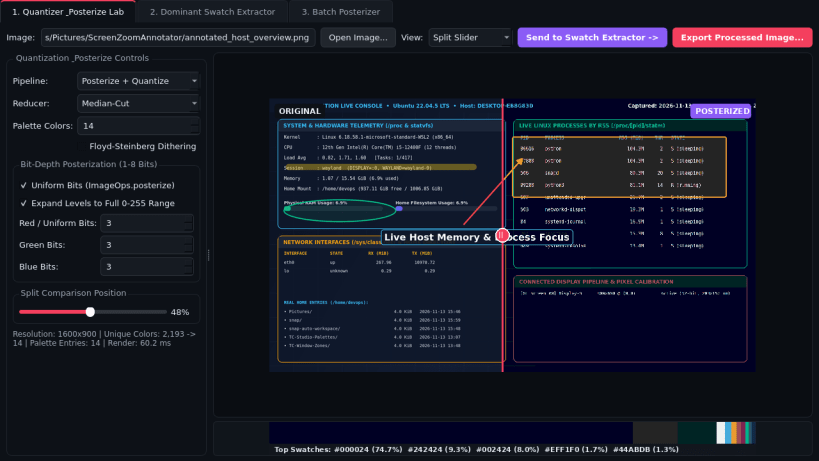
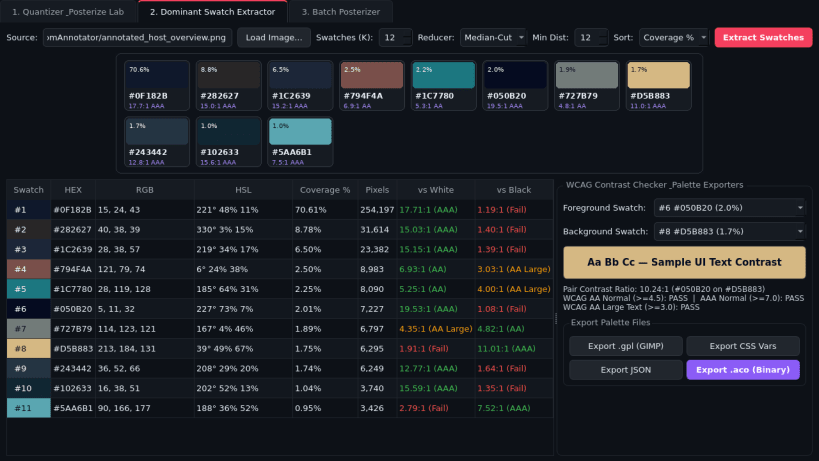
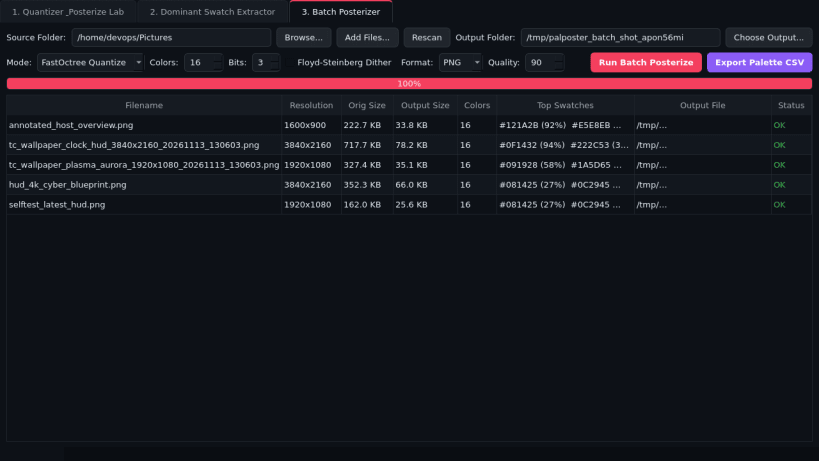
Image Palette Posterizer is a desktop color quantization, bit-depth posterization, and palette extraction studio built for illustrators, UI designers, pixel artists, and web developers on Linux.
Key Features:
- Quantizer & Posterize Lab: Reduce full-color artwork to 2-256 palette colors using Median-Cut, MaxCoverage, or FastOctree reducers, or apply uniform and custom per-channel R/G/B bit-depth posterization with optional Floyd-Steinberg dithering and an interactive split comparison viewer.
- Dominant Swatch Extractor: Extract dominant K-color swatches with exact pixel coverage percentages, relative luminance, and WCAG contrast ratio badges (AA/AAA normal & large text pair checker), plus clean exports to GIMP Palette (.gpl), CSS custom properties, JSON, and binary .aco swatch files.
- Batch Posterizer: Process entire photo folders into quantized or posterized PNG, WebP, and JPEG outputs alongside a detailed palette CSV summary report.
Disclaimer: Image Palette Posterizer is an independent open-source project by TC Studio and is not affiliated with, endorsed by, or sponsored by ColorQuantizer.
| Revision | Channel | Version | Build | Commit | Download SBOM |
|---|
The build and commit information is derived from build infrastructure records.
Install Image Palette Posterizer on your Linux distribution
Choose your Linux distribution to get detailed installation instructions. If yours is not shown, get more details on the installing snapd documentation.


