

Comic Archive Reader
Install latest/stable of Comic Archive Reader
Ubuntu 16.04 or later?
Make sure snap support is enabled in your Desktop store.
Install using the command line
sudo snap install comic-archive-readerDon't have snapd? Get set up for snaps.
Details for Comic Archive Reader
Package name
- comic-archive-reader
License
- MIT
Last updated
- Yesterday - latest/stable
Report a Snap Store violation
Report Comic Archive Reader for a Snap Store violation
Snap Store Violation Report submitted successfully
Thank you for your report. Information you provided will help us investigate further.
Error submitting report
There was an error while sending your report. Please try again later.
Share this snap
Generate an embeddable card to be shared on external websites.
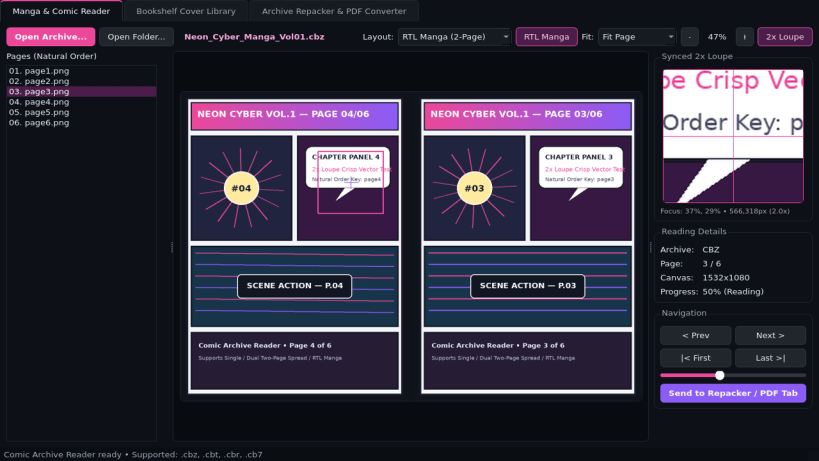
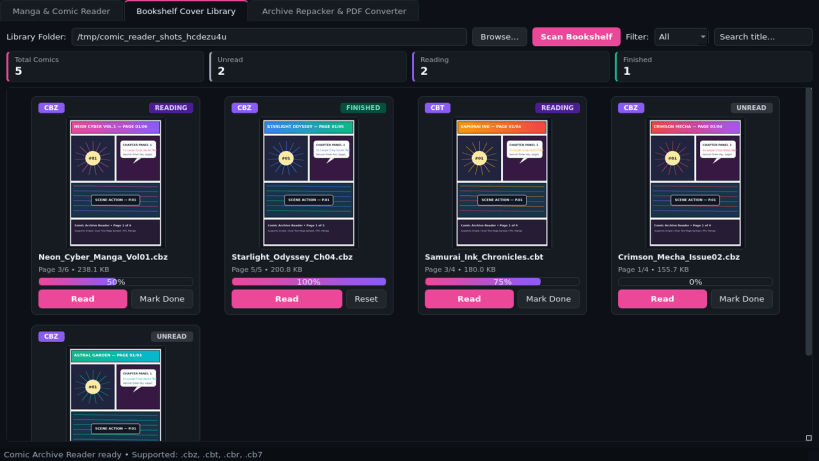
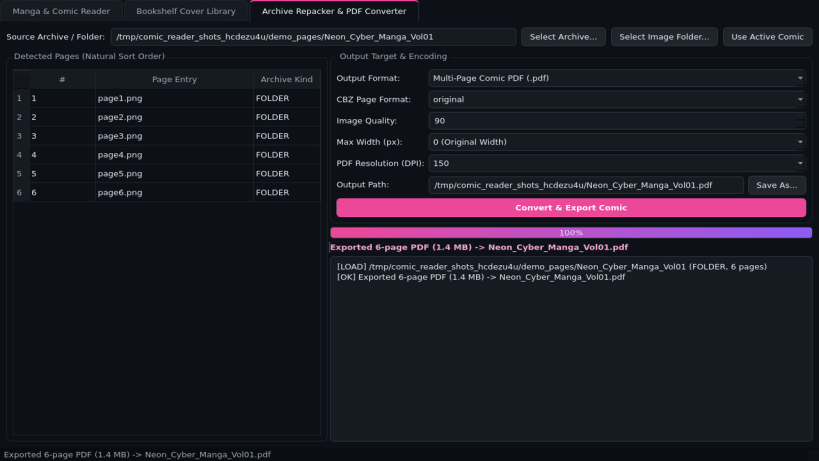
Manga & comic archive reader, bookshelf manager, and PDF converter
Comic Archive Reader is a fast desktop manga and comic book viewer, bookshelf cover library, and archive-to-PDF converter for Linux. Built with PyQt5, Pillow, and libarchive tools, it opens CBZ, CBT, CBR, and CB7 comic archives directly in natural page order without clutter.
Key Features:
- Manga & Comic Reader Canvas: Reads .cbz, .cbt, .cbr, and .cb7 archives in natural numeric page order (page2 before page10); supports Single Page, Dual Two-Page Spread, and Right-to-Left Manga reading modes with Fit Width, Fit Page, custom Zoom, and a synced 2x detail Loupe.
- Bookshelf Cover Library: Scans comic folders, renders crisp cover thumbnails, tracks reading progress percentage in JSON, and filters your collection by Unread, Reading, and Finished status.
- Archive Builder & PDF Converter: Converts comic image folders or existing archives cleanly into standardized .cbz ZIP books or multi-page PDF documents.
Disclaimer: Comic Archive Reader is an independent open-source project by TC Studio and is not affiliated with, endorsed by, or sponsored by YACReader.
| Revision | Channel | Version | Build | Commit | Download SBOM |
|---|
The build and commit information is derived from build infrastructure records.
Install Comic Archive Reader on your Linux distribution
Choose your Linux distribution to get detailed installation instructions. If yours is not shown, get more details on the installing snapd documentation.


