
TC CPU Inspector (cpu-z)
Install latest/stable of TC CPU Inspector
Ubuntu 16.04 or later?
Make sure snap support is enabled in your Desktop store.
Details for TC CPU Inspector
Package name
- cpu-z
License
- MIT
Last updated
- Yesterday - latest/stable
Report a Snap Store violation
Report TC CPU Inspector for a Snap Store violation
Snap Store Violation Report submitted successfully
Thank you for your report. Information you provided will help us investigate further.
Error submitting report
There was an error while sending your report. Please try again later.
Share this snap
Generate an embeddable card to be shared on external websites.
CPU-Z - Processor, Cache, Mainboard DMI, Memory & CPU Benchmark Utility
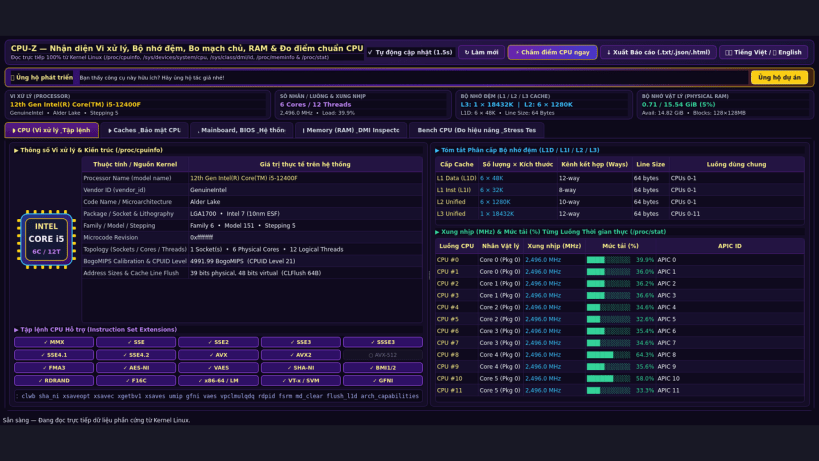
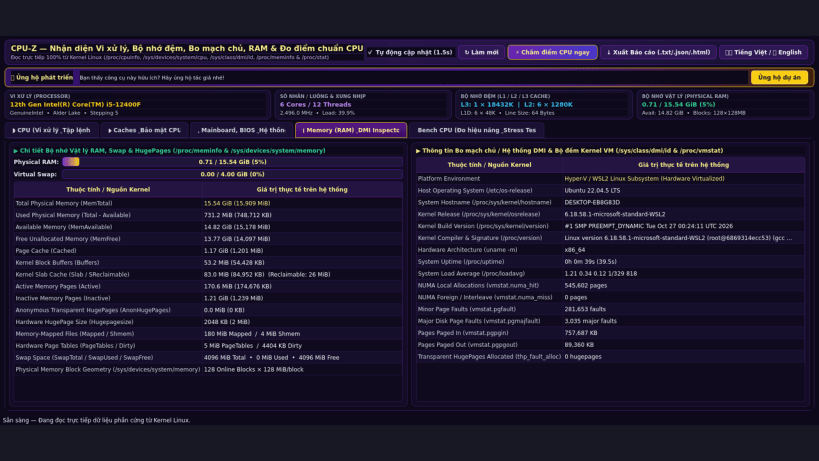
CPU-Z for Linux is a comprehensive hardware identification, real-time telemetry, and CPU benchmarking utility. It reads 100% real hardware and kernel data directly from /proc/cpuinfo, /sys/devices/system/cpu/, /sys/class/dmi/id/, /proc/meminfo, /proc/vmstat, /sys/devices/system/node/*, and /proc/stat.
Key Features:
- Processor (CPU) Inspector: Real processor model name, vendor ID, custom CPU die badge, family, model, stepping, microcode, bogomips, address sizes, instruction set flags (SSE4.2, AVX, AVX2, AVX-512, AES-NI, SHA, FMA3, VT-x/SVM), and live per-core frequency (MHz) & utilization (%).
- Cache Hierarchy & CPU Vulnerabilities: Real L1 Data, L1 Instruction, L2, and L3 cache size, associativity, line size, sets, shared core maps (/sys/devices/system/cpu/cpu0/cache/index*), and hardware vulnerability mitigations (/sys/devices/system/cpu/vulnerabilities/*).
- Mainboard, BIOS & Kernel DMI: Real motherboard vendor, product name, BIOS vendor/version/date (/sys/class/dmi/id/*), kernel version, uptime, and NUMA node topology.
- Physical Memory (RAM) Telemetry: Live physical RAM breakdown (/proc/meminfo), memory block geometry (/sys/devices/system/memory), HugePages, Swap, and kernel VM statistics.
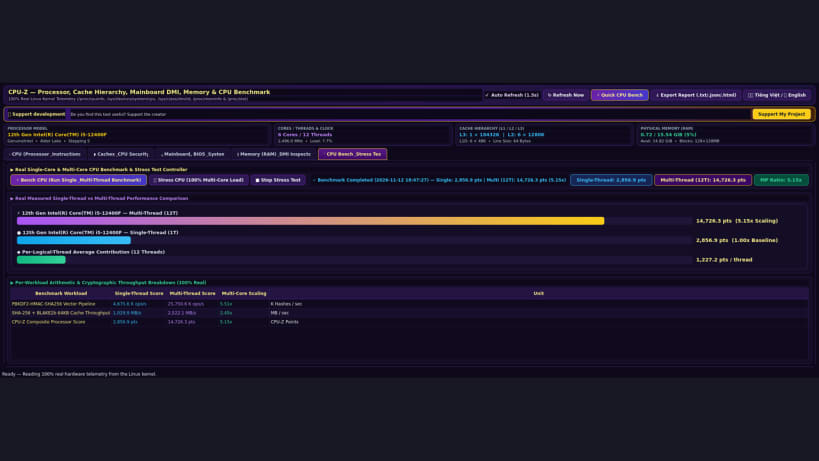
- Real Single-Core & Multi-Core CPU Benchmark & Stress Test: Multi-threaded floating-point, integer prime, and SHA-256/PBKDF2 cryptographic benchmark with exportable TXT/JSON/HTML hardware reports.
- Bilingual interface (Vietnamese / English) with instant one-click language switch.
| Revision | Channel | Version | Build | Commit | Download SBOM |
|---|
The build and commit information is derived from build infrastructure records.
Install TC CPU Inspector on your Linux distribution
Choose your Linux distribution to get detailed installation instructions. If yours is not shown, get more details on the installing snapd documentation.


