

Creality Print (crealityprint)
Install latest/stable of Creality Print
Ubuntu 16.04 or later?
Make sure snap support is enabled in your Desktop store.
Install using the command line
sudo snap install crealityprintDon't have snapd? Get set up for snaps.
Details for Creality Print
Package name
- crealityprint
License
- AGPL-3.0-only
Last updated
- Today - latest/stable
- 16 October 2026 - latest/edge
Websites
Contact
Source code
Report a bug
External link warning
You are about to open
Do you wish to proceed?
Report a Snap Store violation
Report Creality Print for a Snap Store violation
Snap Store Violation Report submitted successfully
Thank you for your report. Information you provided will help us investigate further.
Error submitting report
There was an error while sending your report. Please try again later.
Share this snap
Generate an embeddable card to be shared on external websites.
Open-source FDM 3D slicer by Creality with auto-calibration, Klipper support, and advanced print controls.
Creality Print is a feature-rich, open-source FDM 3D printing slicer developed by Creality. Built on the OrcaSlicer codebase, it combines powerful slicing algorithms with an intuitive workflow to help you go from 3D model to G‑code effortlessly. The software is released under the AGPL-3.0 license.
Whether you are a beginner or an experienced maker, Creality Print provides the tools you need for high‑quality prints with Creality printers (Ender, CR, K1, K2, Hi and SPARKX series) and beyond.
Key Features
Auto‑Calibration – Streamline your setup with automated calibration tools that simplify printer configuration.
Sandwich (Inner‑Outer‑Inner) Mode – An improved wall printing order that delivers better surface quality and print strength.
Polyholes Conversion – Optimized hole printing based on SuperSlicer's Polyholes technology for more accurate circular openings.
Klipper Connectivity – Full compatibility with Klipper firmware for advanced control and performance.
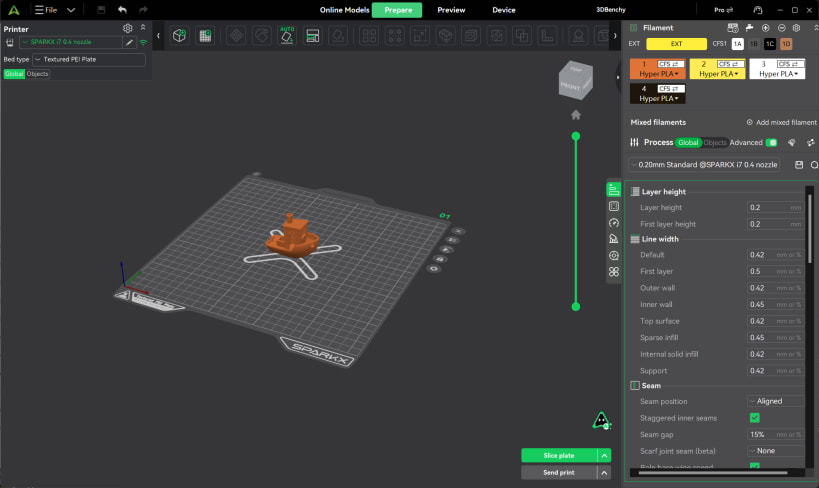
Fine‑Grained Print Controls – Detailed parameter adjustments including flow rate, pressure advance, retraction, temperature tuning and more.
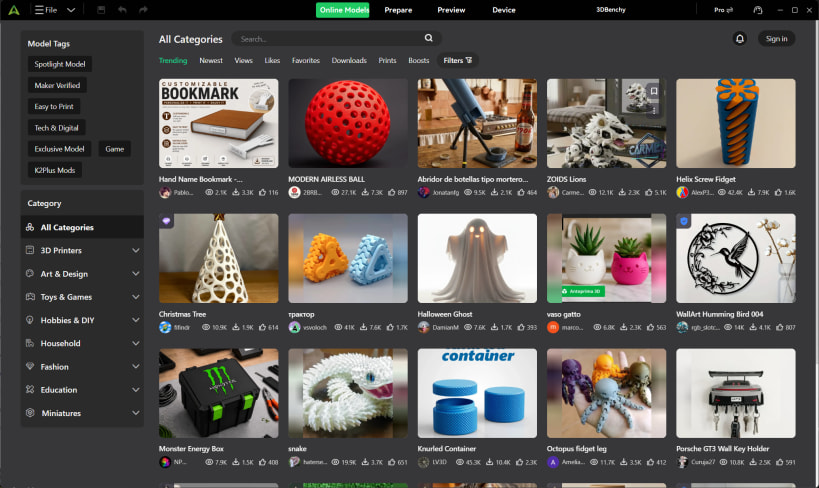
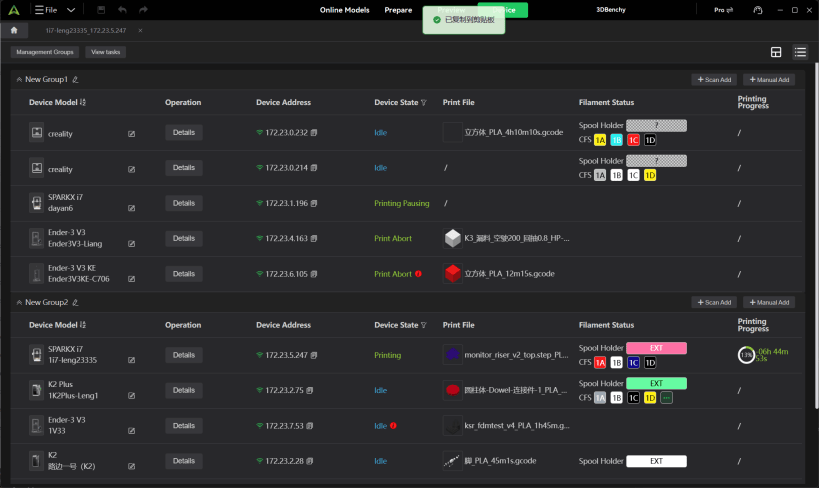
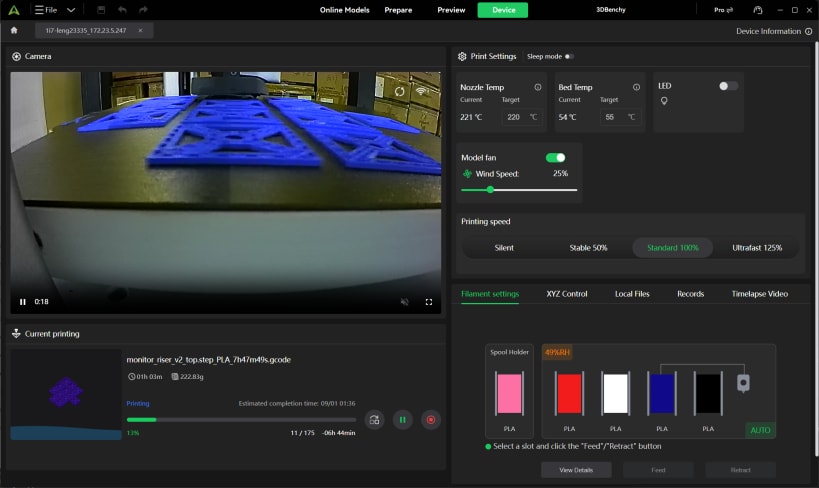
Creality Cloud Integration – Search, download and import models directly from Creality Cloud, with support for cloud printing, remote control and monitoring.
Multi‑Platform Support – Available for Windows, macOS and Linux.
Multi‑Color Printing – Support for mixed‑color printing and color OBJ import with automatic filament mapping.
Advanced Support Generation – Upgraded tree support algorithm with validation and repair features for complex models.
Get started quickly with pre‑tuned profiles for every Creality FDM machine, import STL, OBJ, STEP, STP, 3MF and CXPRJ files, and enjoy a seamless printing experience from preparation to completion.
| Revision | Channel | Version | Build | Commit | Download SBOM |
|---|
The build and commit information is derived from build infrastructure records.
Install Creality Print on your Linux distribution
Choose your Linux distribution to get detailed installation instructions. If yours is not shown, get more details on the installing snapd documentation.












