

Cron Schedule Studio
Install latest/stable of Cron Schedule Studio
Ubuntu 16.04 or later?
Make sure snap support is enabled in your Desktop store.
Install using the command line
sudo snap install cron-schedule-studioDon't have snapd? Get set up for snaps.
Details for Cron Schedule Studio
Package name
- cron-schedule-studio
License
- MIT
Last updated
- Today - latest/stable
Websites
Contact
External link warning
You are about to open
Do you wish to proceed?
Report a Snap Store violation
Report Cron Schedule Studio for a Snap Store violation
Snap Store Violation Report submitted successfully
Thank you for your report. Information you provided will help us investigate further.
Error submitting report
There was an error while sending your report. Please try again later.
Share this snap
Generate an embeddable card to be shared on external websites.
Visual cron expression builder, 24h timeline, and systemd timer studio
Cron Schedule Studio is an offline schedule engineering workspace for Linux desktops, designed to build, validate, simulate, and export cron expressions, multi-job crontabs, and systemd timers.
Key features:
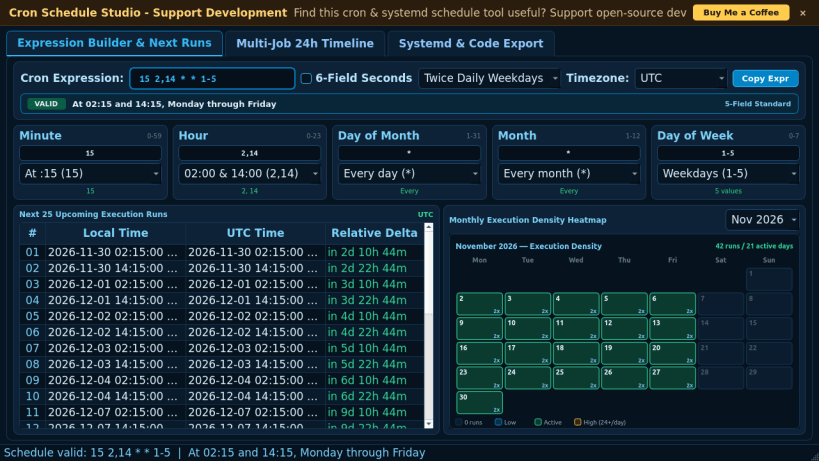
- Expression Builder & Next Runs: Edit standard 5-field and 6-field-seconds cron expressions or @macros with interactive field cards, live plain-English translation, timezone-aware simulation of the next 25 execution runs, and a monthly 31-day execution density heatmap.
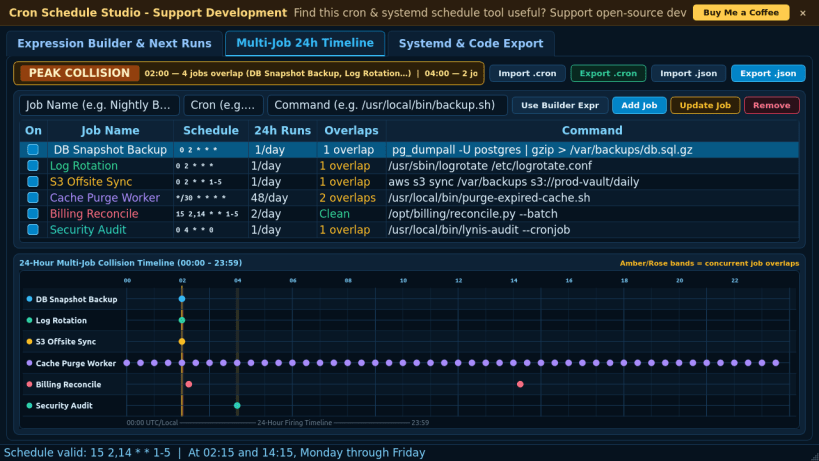
- Multi-Job 24h Collision Timeline: Manage multiple scheduled jobs in one crontab workspace, detect peak overlap windows on a 24-hour firing timeline, and import or export standard .cron and .json schedules.
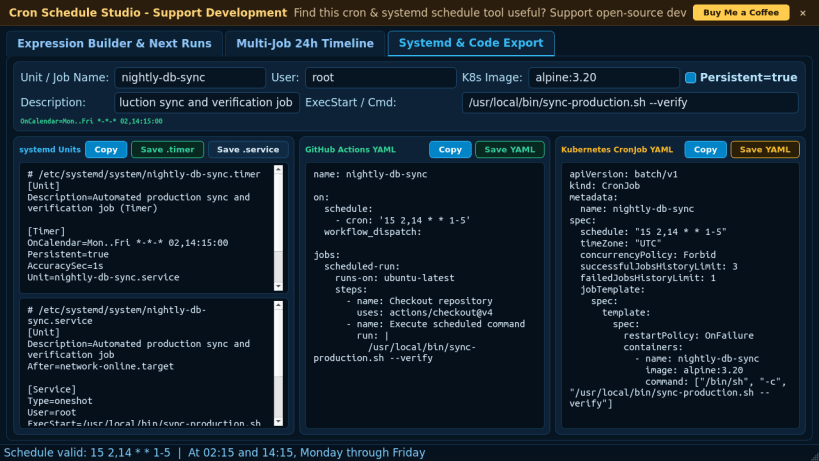
- Systemd & DevOps Code Export: Generate matching systemd.timer OnCalendar schedules with complete .service and .timer units, GitHub Actions schedule YAML, and Kubernetes CronJob manifests.
| Revision | Channel | Version | Build | Commit | Download SBOM |
|---|
The build and commit information is derived from build infrastructure records.
Install Cron Schedule Studio on your Linux distribution
Choose your Linux distribution to get detailed installation instructions. If yours is not shown, get more details on the installing snapd documentation.











