

CSS Gradient Studio
Install latest/stable of CSS Gradient Studio
Ubuntu 16.04 or later?
Make sure snap support is enabled in your Desktop store.
Install using the command line
sudo snap install css-gradient-studioDon't have snapd? Get set up for snaps.
Details for CSS Gradient Studio
Package name
- css-gradient-studio
License
- MIT
Last updated
- Yesterday - latest/stable
Report a Snap Store violation
Report CSS Gradient Studio for a Snap Store violation
Snap Store Violation Report submitted successfully
Thank you for your report. Information you provided will help us investigate further.
Error submitting report
There was an error while sending your report. Please try again later.
Share this snap
Generate an embeddable card to be shared on external websites.
Multi-stop CSS3, Qt QSS, SVG gradient and glassmorphism wallpaper designer
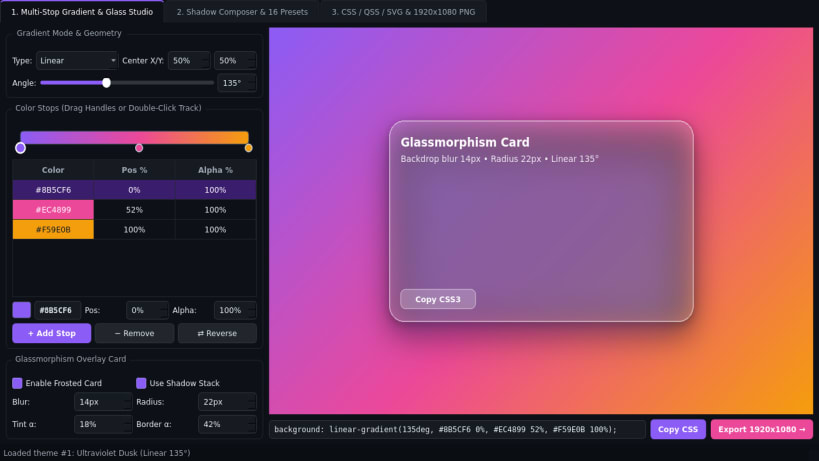
CSS Gradient Studio is an offline desktop gradient composition and UI elevation studio for frontend developers and Linux desktop theme authors. Design multi-stop linear, radial, and conic gradients with an interactive stop track, preview frosted glassmorphism cards with multi-layer drop shadows, and export production CSS3, Qt QSS, vector SVG, and 1920x1080 wallpaper PNG files.
Key Features:
- Multi-Stop Linear, Radial & Conic Studio: Drag color stops along a 0-100% slider bar, adjust per-stop opacity, pick colors, set angles from 0 to 360 degrees, and preview an optional Glassmorphism card with frosted backdrop blur, corner radius, hairline border, and layered soft shadows.
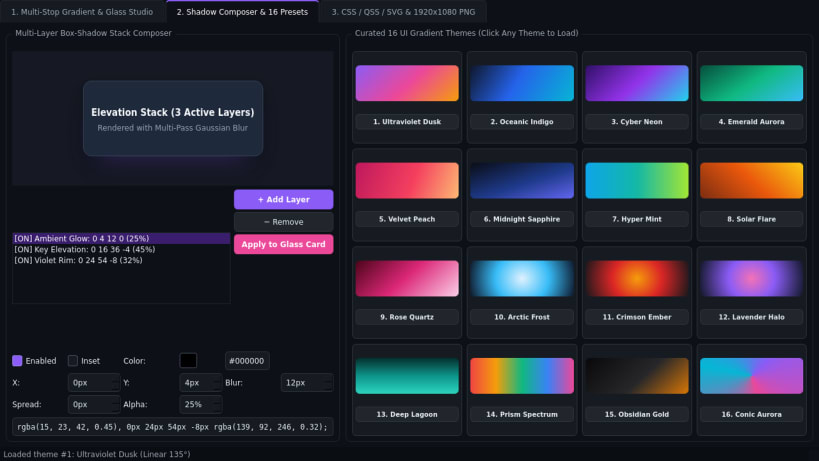
- Shadow Layer Composer & Curated Presets: Build multi-layer box-shadow stacks with X/Y offsets, blur, spread, color, opacity, and inset toggles, alongside a curated gallery of 16 UI gradient themes ready to apply in one click.
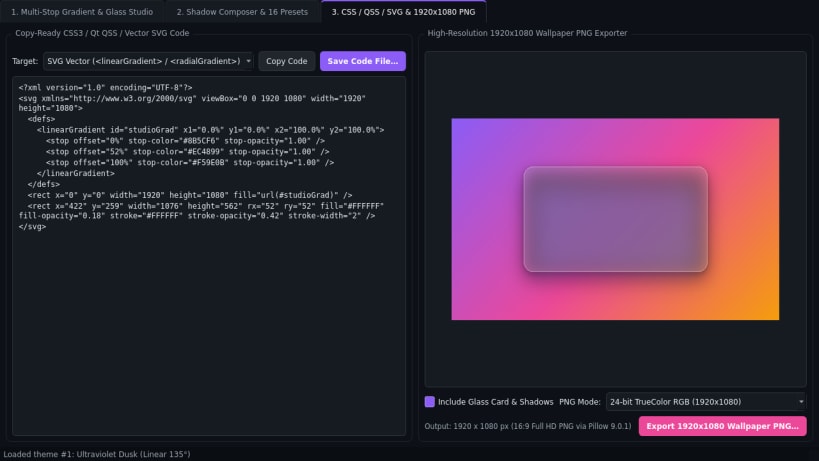
- CSS / QSS / SVG / High-Res PNG Exporter: Generate copy-ready CSS3 rules, Qt QSS gradient styles, scalable SVG vector markup, and crisp 1920x1080 wallpaper PNGs.
Disclaimer: CSS Gradient Studio is an independent open-source project by TC Studio and is not affiliated with, endorsed by, or sponsored by any third-party CSS gradient vendor.
| Revision | Channel | Version | Build | Commit | Download SBOM |
|---|
The build and commit information is derived from build infrastructure records.
Install CSS Gradient Studio on your Linux distribution
Choose your Linux distribution to get detailed installation instructions. If yours is not shown, get more details on the installing snapd documentation.


