

Cursor Jiggle Awake
Install latest/stable of Cursor Jiggle Awake
Ubuntu 16.04 or later?
Make sure snap support is enabled in your Desktop store.
Install using the command line
sudo snap install cursor-jiggle-awakeDon't have snapd? Get set up for snaps.
Details for Cursor Jiggle Awake
Package name
- cursor-jiggle-awake
License
- MIT
Last updated
- Today - latest/stable
Websites
Contact
External link warning
You are about to open
Do you wish to proceed?
Report a Snap Store violation
Report Cursor Jiggle Awake for a Snap Store violation
Snap Store Violation Report submitted successfully
Thank you for your report. Information you provided will help us investigate further.
Error submitting report
There was an error while sending your report. Please try again later.
Share this snap
Generate an embeddable card to be shared on external websites.
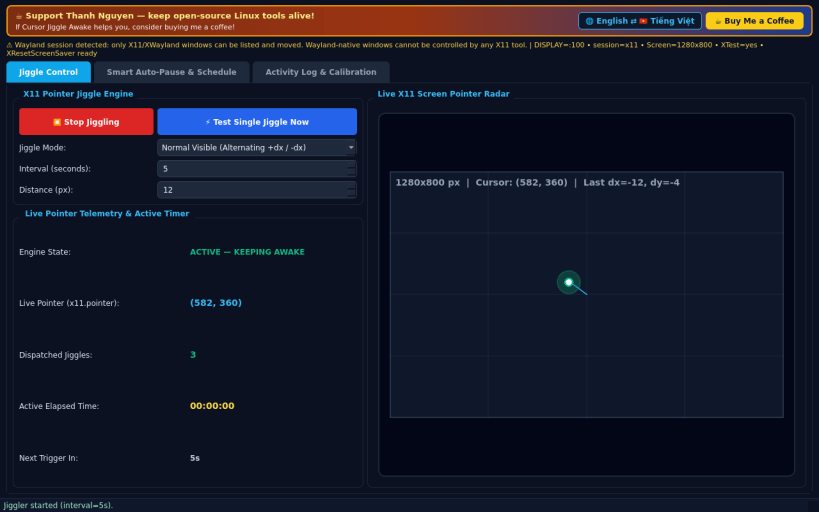
X11 pointer micro-jiggler & screen-awake keeper with Zen mode and scheduler
A Linux X11 alternative to Mouse Jiggle. Disclaimer: Independent open-source project, not affiliated with or endorsed by Arkane Systems. Pointer motion synthesis and screen-saver reset require an X11 session (XTest/XResetScreenSaver); Wayland-native windows isolate pointer injection across clients.
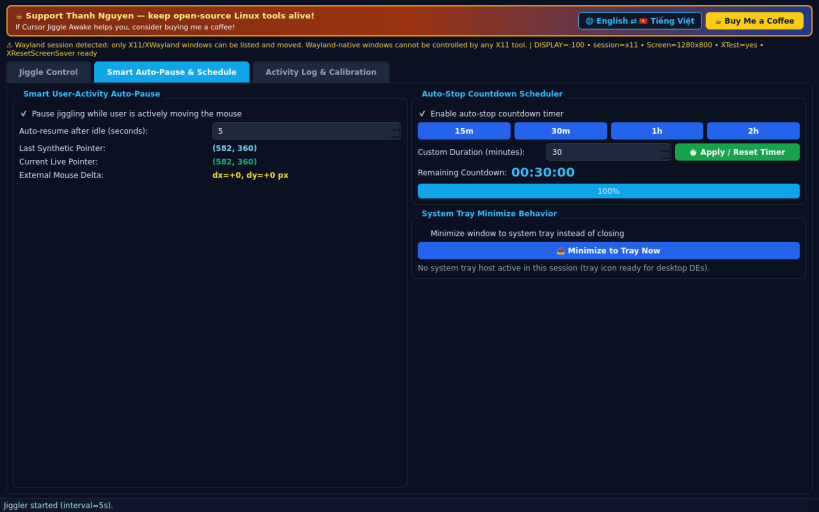
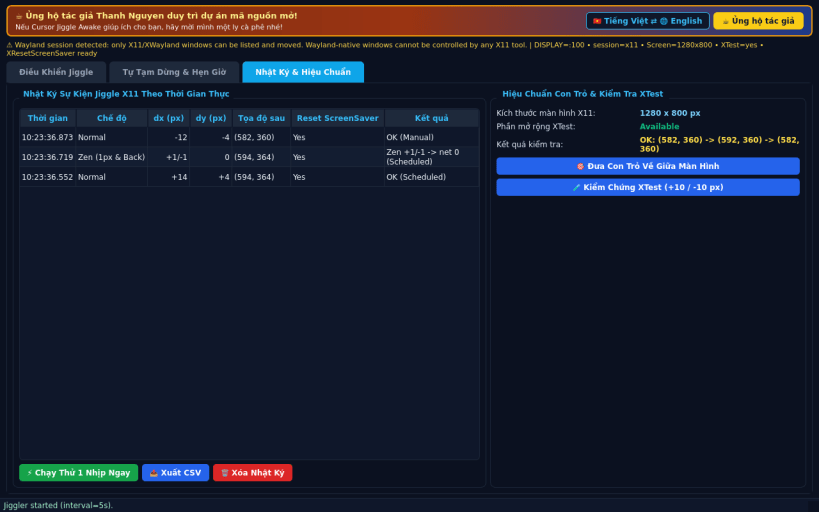
FEATURES • Jiggle Control: Start/Stop real X11 cursor jiggling in Normal Visible (12px), Zen (1px & Back), or Reset ScreenSaver Only modes with configurable interval (1s-120s), distance (1px-40px), live X11 pointer coordinates, and elapsed active timer. • Smart Auto-Pause & Schedule: automatically pauses while you are actively moving the mouse (comparing live pointer deltas against synthetic warps), auto-stop countdown timer (15m / 30m / 1h / 2h / custom), and system tray minimize support. • Activity Log & Calibration: timestamped table of every X11 jiggle event with CSV export, one-click Test Single Jiggle Now, and screen bounds / XTest motion calibration.
SUPPORT & DONATE • Created by Thanh Nguyen — https://buymeacoffee.com/thanhnv128b
| Revision | Channel | Version | Build | Commit | Download SBOM |
|---|
The build and commit information is derived from build infrastructure records.
Install Cursor Jiggle Awake on your Linux distribution
Choose your Linux distribution to get detailed installation instructions. If yours is not shown, get more details on the installing snapd documentation.


