

Custom Shortcut Binder
Install latest/stable of Custom Shortcut Binder
Ubuntu 16.04 or later?
Make sure snap support is enabled in your Desktop store.
Install using the command line
sudo snap install custom-shortcut-binderDon't have snapd? Get set up for snaps.
Details for Custom Shortcut Binder
Package name
- custom-shortcut-binder
License
- MIT
Last updated
- Today - latest/stable
Websites
Contact
External link warning
You are about to open
Do you wish to proceed?
Report a Snap Store violation
Report Custom Shortcut Binder for a Snap Store violation
Snap Store Violation Report submitted successfully
Thank you for your report. Information you provided will help us investigate further.
Error submitting report
There was an error while sending your report. Please try again later.
Share this snap
Generate an embeddable card to be shared on external websites.
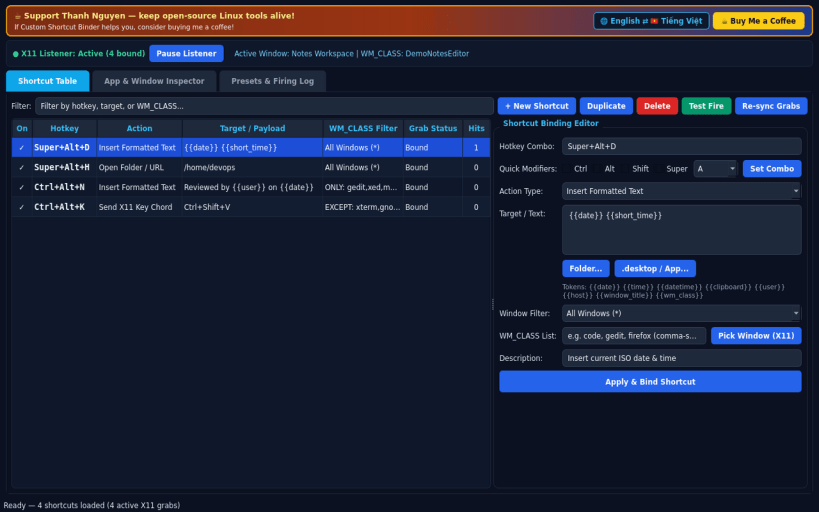
High-speed global X11 shortcut binder with WM_CLASS window filters
A lightweight Linux X11 alternative to Clavier+ for fast global keyboard shortcuts. Independent open-source project, not affiliated with, sponsored by, or endorsed by Clavier+ or its authors. Uses XGrabKey and XTest on X11; Wayland-native sessions restrict external global shortcut listeners.
FEATURES
- Global Shortcut Table: bind Ctrl, Alt, Shift, and Super/Win key combos to launch desktop apps or CLI tools, open folders or URLs, send key chords, or insert formatted date, time, and clipboard text into the focused window.
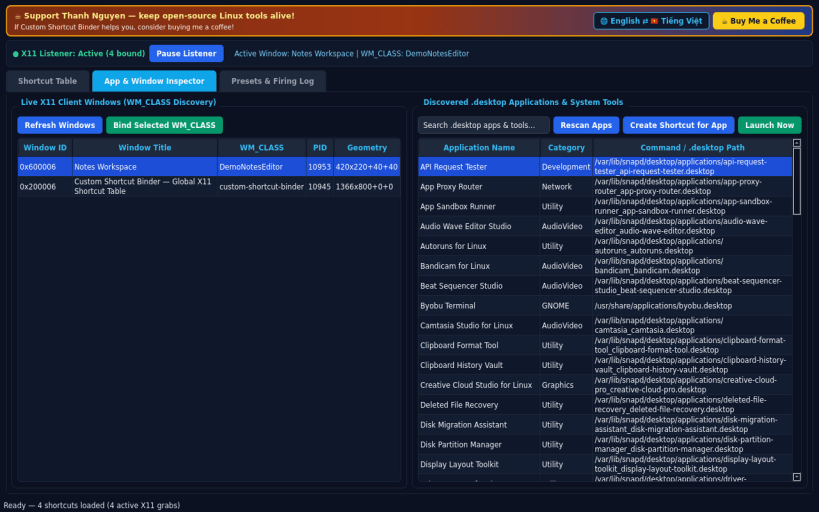
- Active Window WM_CLASS Filtering: restrict or exclude any shortcut by the active X11 window WM_CLASS with live window inspection and crosshair picker.
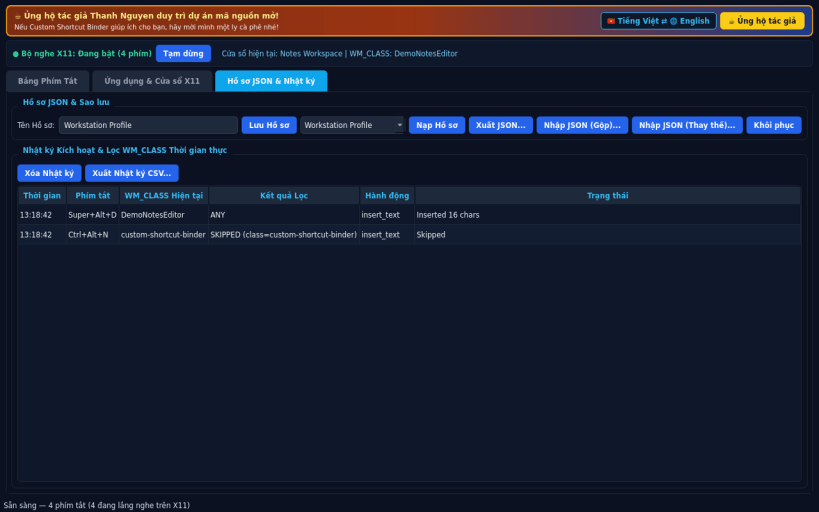
- Real Desktop App Catalog & JSON Presets: discover local desktop entries, import and export JSON shortcut presets, audit trigger logs, and switch cleanly between English and Vietnamese interfaces.
SUPPORT & DONATE
- Created by Thanh Nguyen — https://buymeacoffee.com/thanhnv128b
| Revision | Channel | Version | Build | Commit | Download SBOM |
|---|
The build and commit information is derived from build infrastructure records.
Install Custom Shortcut Binder on your Linux distribution
Choose your Linux distribution to get detailed installation instructions. If yours is not shown, get more details on the installing snapd documentation.


