

Dark Cinema Player
Install latest/stable of Dark Cinema Player
Ubuntu 16.04 or later?
Make sure snap support is enabled in your Desktop store.
Install using the command line
sudo snap install dark-cinema-playerDon't have snapd? Get set up for snaps.
Details for Dark Cinema Player
Package name
- dark-cinema-player
License
- MIT
Last updated
- Yesterday - latest/stable
Report a Snap Store violation
Report Dark Cinema Player for a Snap Store violation
Snap Store Violation Report submitted successfully
Thank you for your report. Information you provided will help us investigate further.
Error submitting report
There was an error while sending your report. Please try again later.
Share this snap
Generate an embeddable card to be shared on external websites.
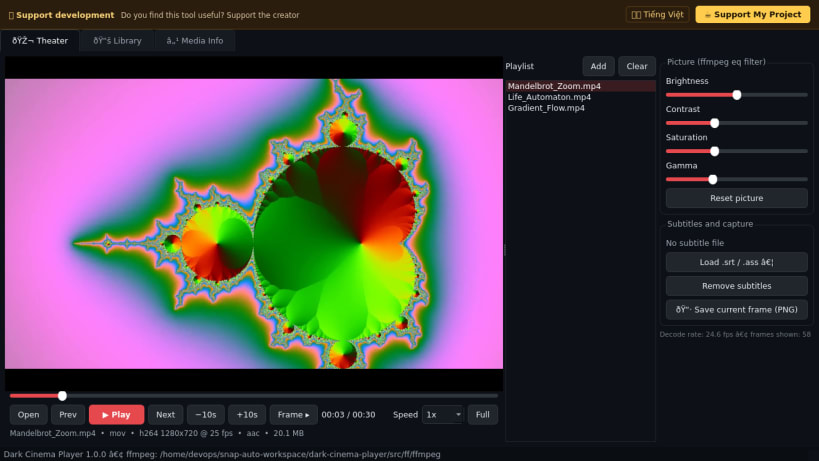
Dark Cinema Player - dark-themed video player with playlist & picture tuning
A dark-themed video player for Linux with a playlist, seek bar, speed control, frame stepping, picture adjustments and subtitle overlay. A lightweight Linux alternative to MPC-BE style desktop players.
What it really does:
- Decodes video through a bundled FFmpeg build (H.264, HEVC, VP8/VP9, AV1, MPEG-2/4, ProRes and more) and shows the frames in a dark UI. Video only: this release has no audio output.
- Playlist with auto-advance, seek slider, -10s/+10s jumps, frame step, speed 0.25x-4x, fullscreen.
- Live picture tuning (brightness, contrast, saturation, gamma) and external .srt/.ass/.vtt subtitles.
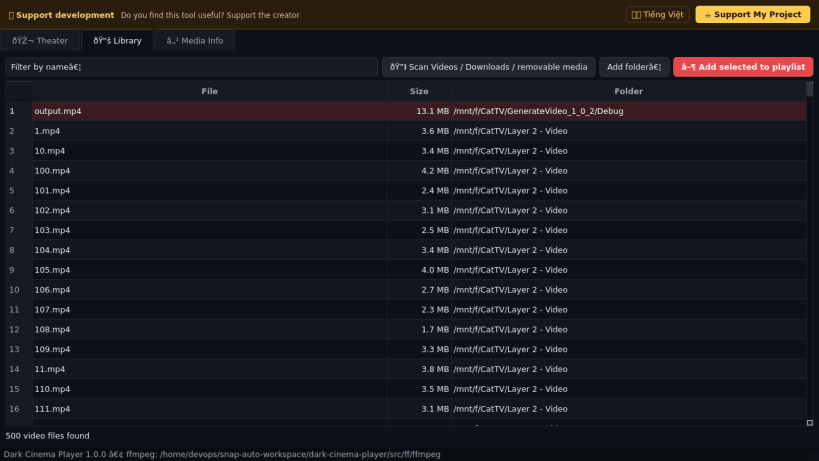
- Library tab scans your Videos, Downloads, Desktop and removable media for video files.
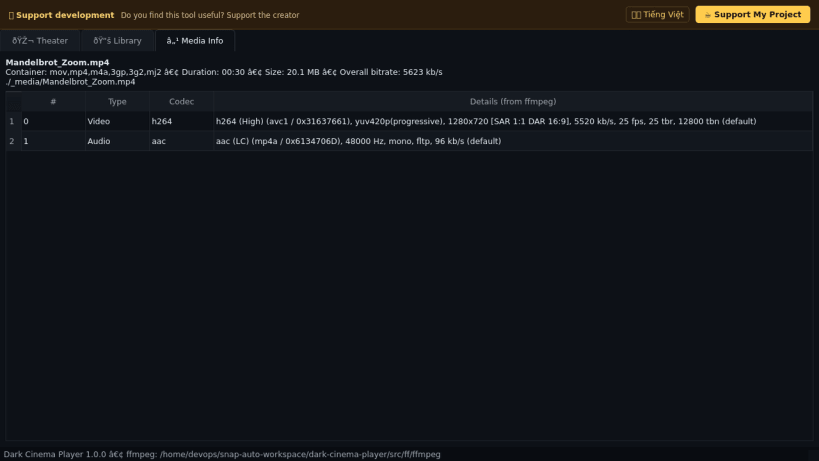
- Media Info tab lists the container and every stream reported by FFmpeg.
- Saves the current frame as a PNG into ~/Pictures.
Disclaimer: This project is an independent open-source tool and is not affiliated with, sponsored by, or endorsed by the authors or owners of Media Player Classic - Black Edition.
| Revision | Channel | Version | Build | Commit | Download SBOM |
|---|
The build and commit information is derived from build infrastructure records.
Install Dark Cinema Player on your Linux distribution
Choose your Linux distribution to get detailed installation instructions. If yours is not shown, get more details on the installing snapd documentation.


