

DeepCool Digital (AK400 AK500 AK620) (deepcool-ak400-digital)
Install latest/stable of DeepCool Digital (AK400 AK500 AK620)
Ubuntu 16.04 or later?
Make sure snap support is enabled in your Desktop store.
Install using the command line
sudo snap install deepcool-ak400-digitalDon't have snapd? Get set up for snaps.
Details for DeepCool Digital (AK400 AK500 AK620)
Package name
- deepcool-ak400-digital
License
- GPL-3.0-or-later
Last updated
- Yesterday - latest/stable
- Yesterday - latest/candidate
Websites
Contact
External link warning
You are about to open
Do you wish to proceed?
Report a Snap Store violation
Report DeepCool Digital (AK400 AK500 AK620) for a Snap Store violation
Snap Store Violation Report submitted successfully
Thank you for your report. Information you provided will help us investigate further.
Error submitting report
There was an error while sending your report. Please try again later.
Share this snap
Generate an embeddable card to be shared on external websites.
DeepCool AK400 AK620 AG LS LQ CH digital display driver for Linux
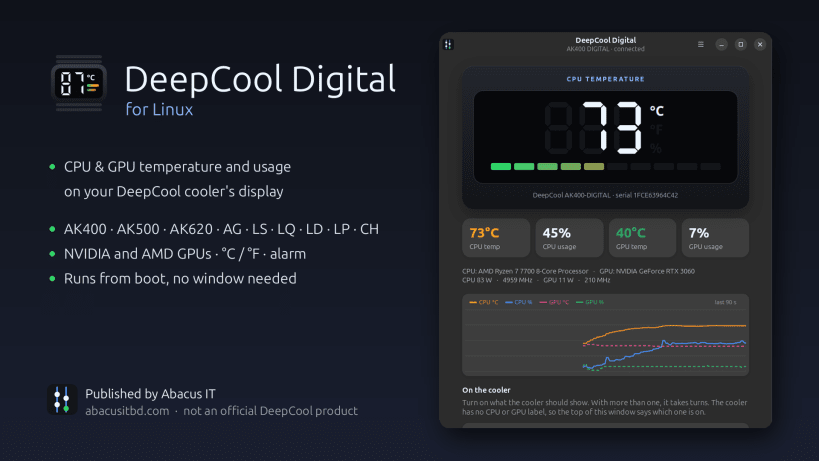
DeepCool Digital for Linux: the driver and app for the temperature display on DeepCool DIGITAL CPU coolers, liquid coolers and PC cases. It does what the DeepCool Digital software does on Windows.
One step after installing: allow USB access
Open a terminal (Ctrl+Alt+T), paste these two lines (Ctrl+Shift+V), press Enter, and type your password if asked:
 sudo snap connect deepcool-ak400-digital:raw-usb
 sudo snap connect deepcool-ak400-digital:hardware-observe
The app shows the same, with a Copy command button, until it is done.
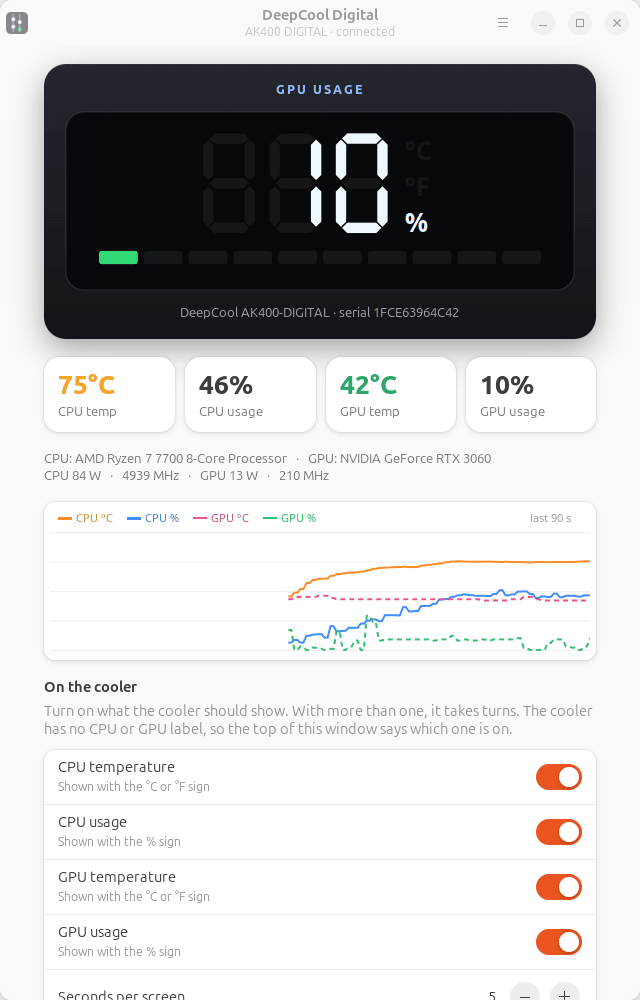
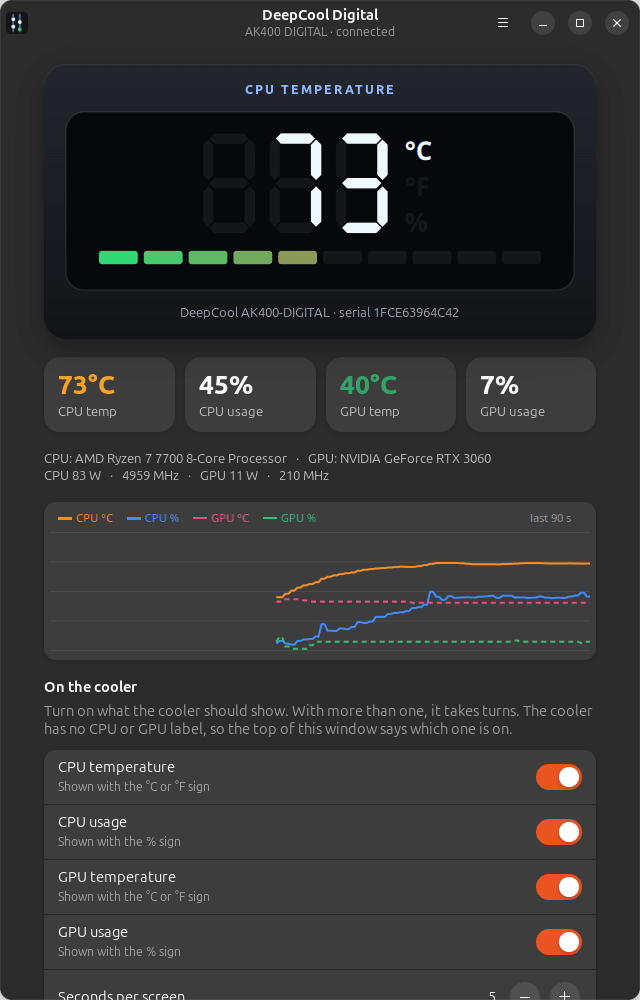
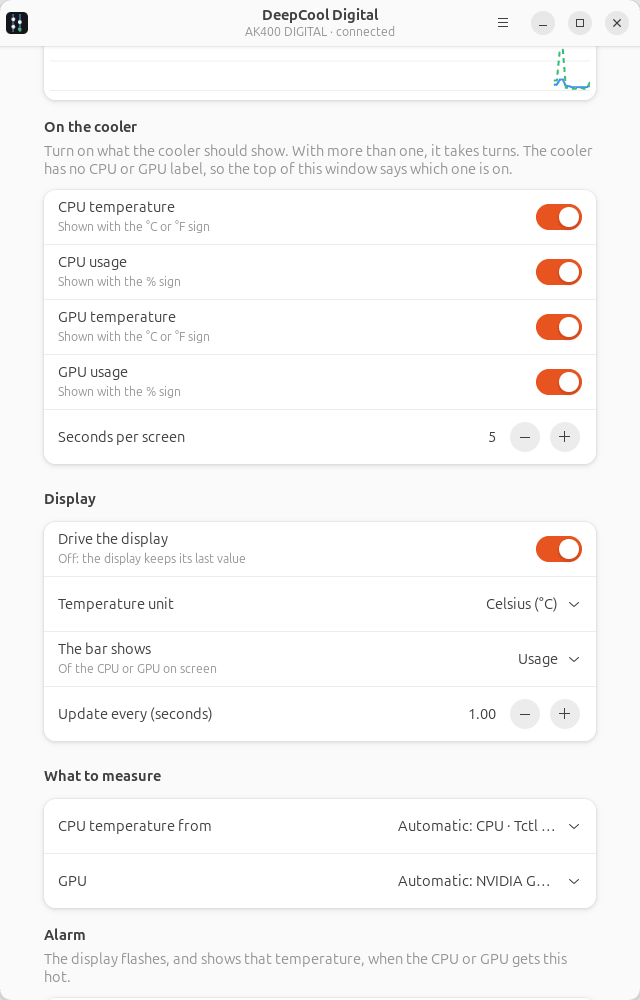
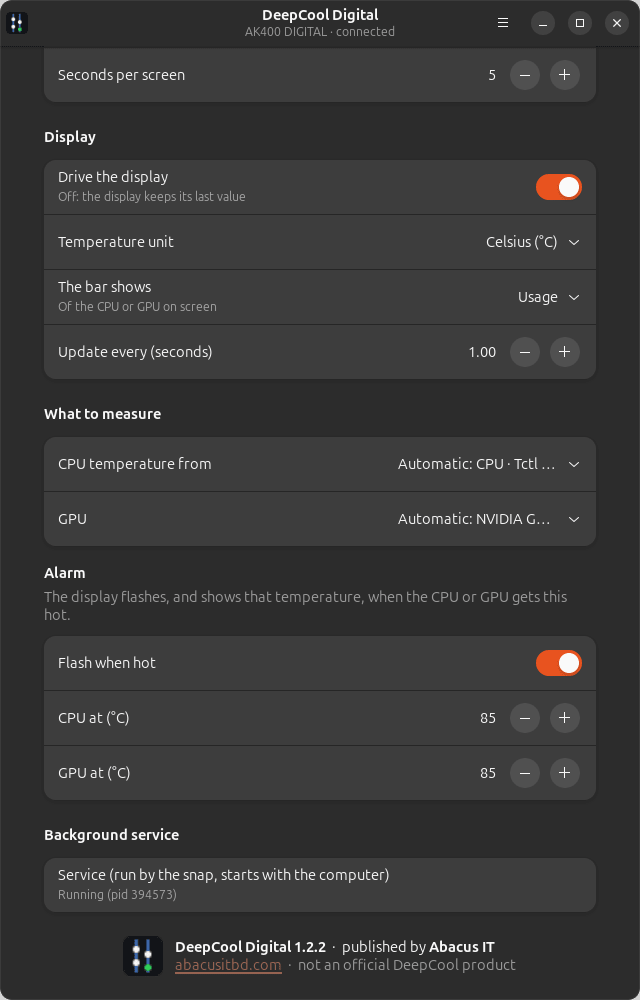
It shows CPU temperature, CPU usage, GPU temperature, GPU usage and, on some models, power in watts on the cooler's display, taking turns through the ones you choose. °C or °F, the 10-step bar, and a flashing alarm when the CPU or GPU gets too hot. NVIDIA and AMD GPUs.
The app shows a live copy of the display, the readings and a graph, and has all the settings. A system service keeps the display working from boot, with the window closed.
Supported DeepCool devices:
- Air coolers: AK400 DIGITAL (AK 400 / AK-400), AK400 DIGITAL SE, AK400 DIGITAL PRO, AK400 G2 DIGITAL NYX, AK500 DIGITAL (AK 500), AK500 DIGITAL PRO, AK500 G2 DIGITAL NYX, AK500S DIGITAL / SE, AK620 DIGITAL (AK 620), AK620 DIGITAL SE, AK620 DIGITAL PRO, AK620 G2 DIGITAL NYX, AK700 DIGITAL NYX, AG300 DIGITAL, AG400 DIGITAL, AG500 DIGITAL, AG620 DIGITAL, ASSASSIN IV VC VISION
- Liquid coolers (AIO): LS520 SE DIGITAL, LS720 SE DIGITAL, LQ240, LQ360, LD240, LD360, LP240, LP360
- Cases: CH170 DIGITAL, CH270 DIGITAL, CH360 DIGITAL, CH510 MESH DIGITAL, CH560 DIGITAL, CH690 DIGITAL, MORPHEUS Tested on the AK400 DIGITAL. The others use the protocols collected by the deepcool-digital-linux project. If yours works, or doesn't, please tell us.
Search words: deepcool, deep cool, deepcool digital, deepcool cooler, deepcool air cooler, deepcool cpu cooler, deepcool liquid cooler, deepcool aio, deepcool case, cooler display, cooler screen, cpu temperature display, digital display, lcd, deepcool driver, deepcool linux, deepcool software, ak400, ak 400, ak400 digital, ak500, ak620, ak700, ag400, ls720, lq360, ch560.
Published by Abacus IT (https://abacusitbd.com). Not made by or affiliated with DeepCool.
| Revision | Channel | Version | Build | Commit | Download SBOM |
|---|
The build and commit information is derived from build infrastructure records.
Install DeepCool Digital (AK400 AK500 AK620) on your Linux distribution
Choose your Linux distribution to get detailed installation instructions. If yours is not shown, get more details on the installing snapd documentation.


