

Deepkit
Install latest/edge of Deepkit
Ubuntu 16.04 or later?
Make sure snap support is enabled in your Desktop store.
Install using the command line
sudo snap install deepkit --edgeDon't have snapd? Get set up for snaps.

Details for Deepkit
Package name
- deepkit
License
- Proprietary
Last updated
- 30 March 2020 - latest/edge
Websites
Contact
External link warning
You are about to open
Do you wish to proceed?
Report a Snap Store violation
Report Deepkit for a Snap Store violation
Snap Store Violation Report submitted successfully
Thank you for your report. Information you provided will help us investigate further.
Error submitting report
There was an error while sending your report. Please try again later.
Share this snap
Generate an embeddable card to be shared on external websites.
The collaborative and analytical training suite for insightful, fast, and reproducible modern machine learning.
The collaborative and analytical training suite for insightful, fast, and reproducible modern machine learning. All in one cross-platform desktop app for you alone, corporate or open-source teams.
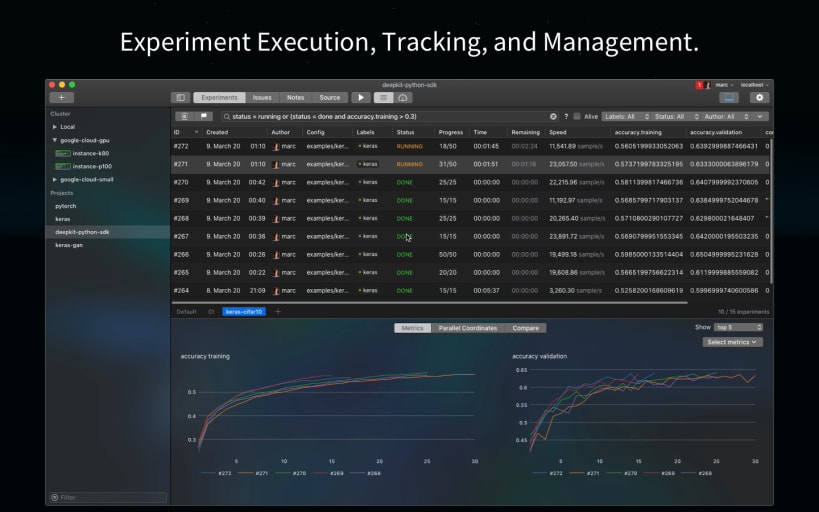
Track your experiments, debug your machine learning models, and manage your computation servers. It’s made for you as a single developer working completely offline and teams with real-time collaboration tools out of the box.
FEATURES
- Experiment execution on your workstation directly or in Docker
- Unified experiment definition using YAML
- Automatic versioning of your experiment: configs, files, outputs & more
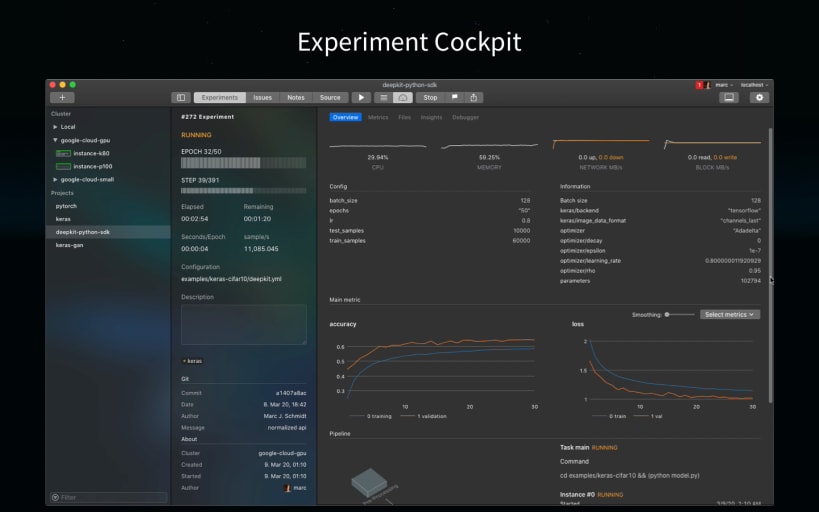
- Analytical data of your experiment in real-time
- Hardware monitoring of CPUs, memory, GPUs, & more
- Tensorflow and Pytorch debugger
- Execute your experiments on any Linux server
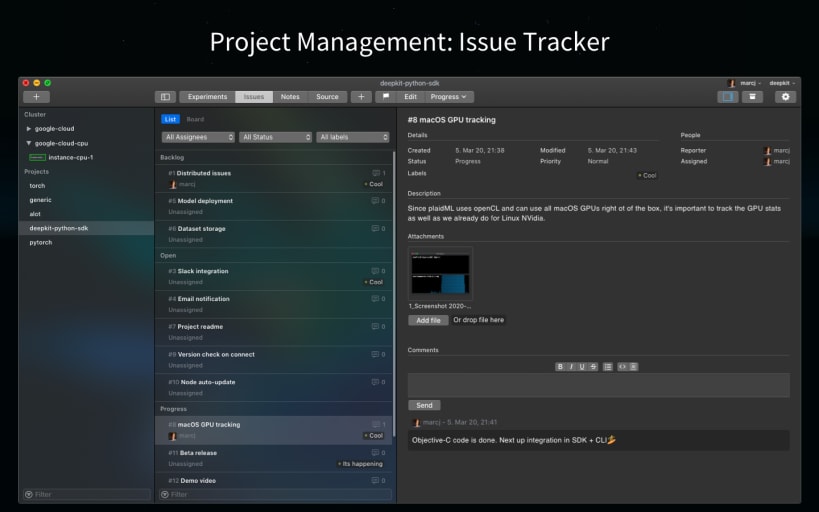
- Issue tracker
- Notes
FEATURES EXPLAINED
- Execute experiments on your workstation in Docker, automatically provisioned.
- Automatically track every execution.
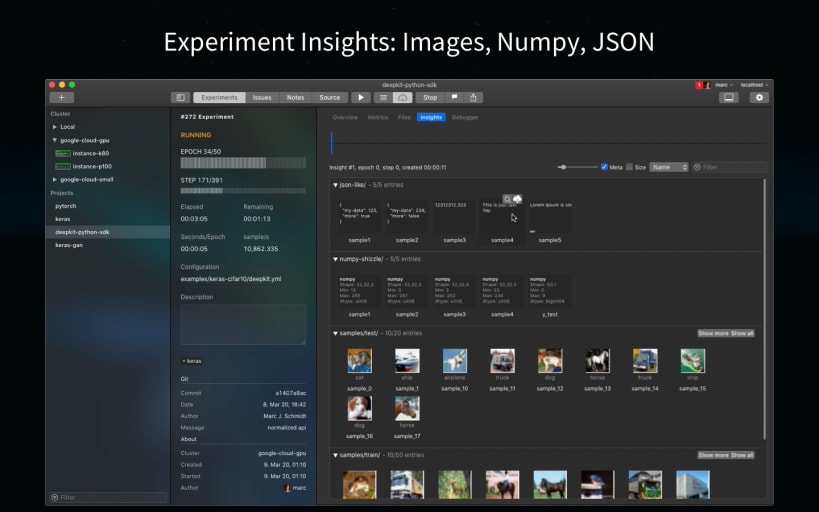
- Attach custom analytical data (metrics, files, images, logs, numpy arrays) to experiments using the free Python SDK.
- Tensorflow and Pytorch model debugger, for debugging the model graph + visualize the output of each layer including histograms of activations, weights, and biases.
- Connect any Linux machine via ssh credentials and execute your experiments on team with a simple click or CLI argument.
- Mange your project using the integrated issue tracker
DO IT IN REAL-TIME WITH FRIENDS
Create an account at deepkit.ai (in the app) to share your experiments in real-time with your friend and colleagues. You can switch between your local environment and the deepkit.ai server anytime directly in the app.
| Revision | Channel | Version | Build | Commit | Download SBOM |
|---|
The build and commit information is derived from build infrastructure records.
Install Deepkit on your Linux distribution
Choose your Linux distribution to get detailed installation instructions. If yours is not shown, get more details on the installing snapd documentation.











