

DeltaView (delta-view)
Install latest/stable of DeltaView
Ubuntu 16.04 or later?
Make sure snap support is enabled in your Desktop store.
Details for DeltaView
Package name
- delta-view
License
- MIT
Last updated
- 21 October 2026 - latest/stable
- 21 October 2026 - latest/candidate
Report a Snap Store violation
Report DeltaView for a Snap Store violation
Snap Store Violation Report submitted successfully
Thank you for your report. Information you provided will help us investigate further.
Error submitting report
There was an error while sending your report. Please try again later.
Share this snap
Generate an embeddable card to be shared on external websites.
Compare and merge folders and files side by side, with three-way merge
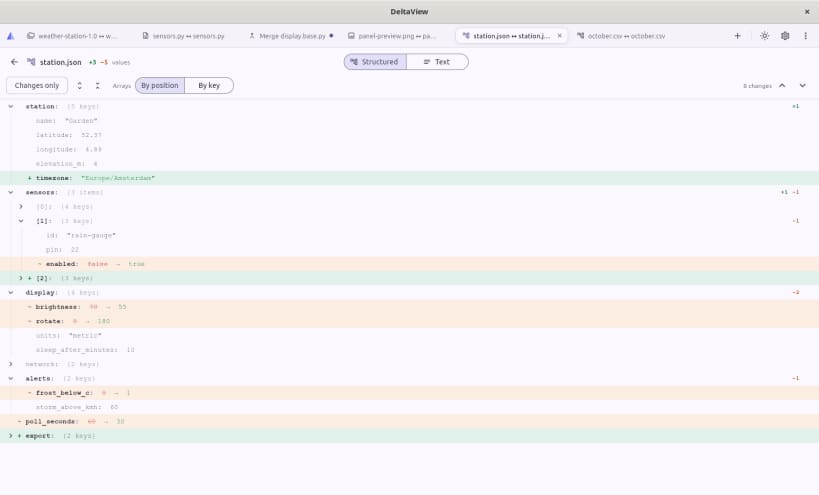
DeltaView compares folders and files side by side and merges the differences, for developers, sysadmins and anyone who keeps two versions of something. Copy changes across, resolve three-way merges, and compare archives and SFTP servers as easily as local folders.
Features
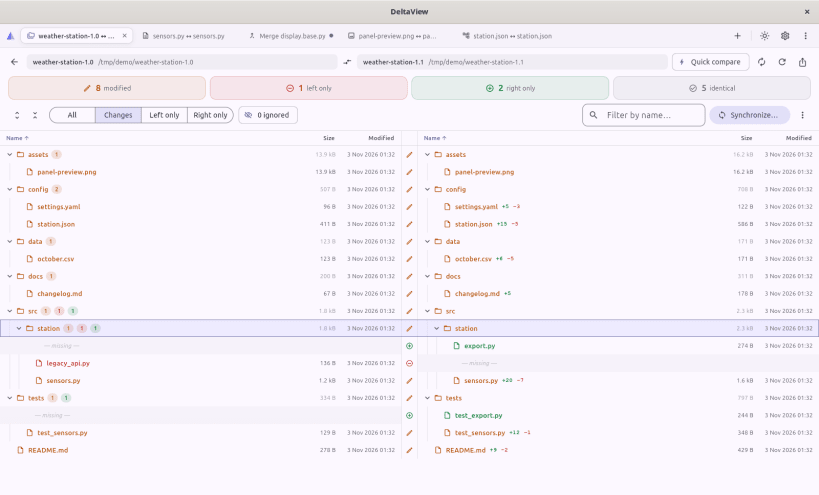
- Folder compare: a dual-pane tree scanned in the background and cancellable, with filters, sorting, ignore patterns,
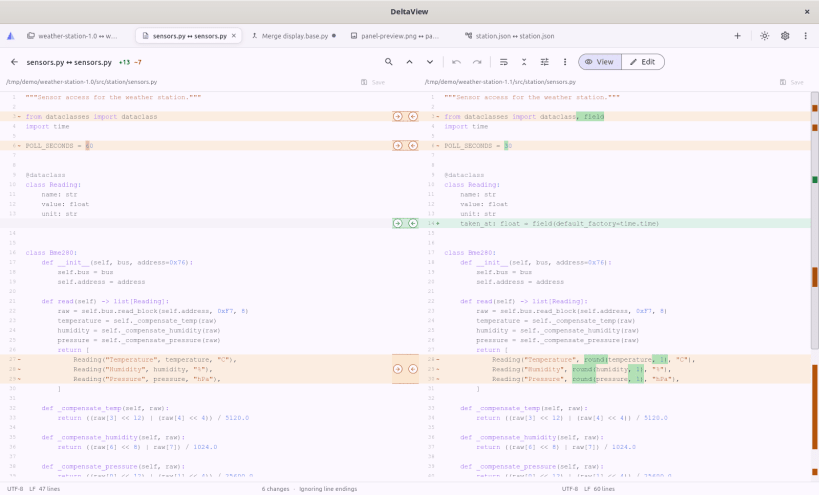
.gitignoresupport and HTML or CSV reports - File compare: side-by-side diff with highlights inside each line, syntax colours, a minimap, find, and rules for whitespace, case, line endings and blank lines
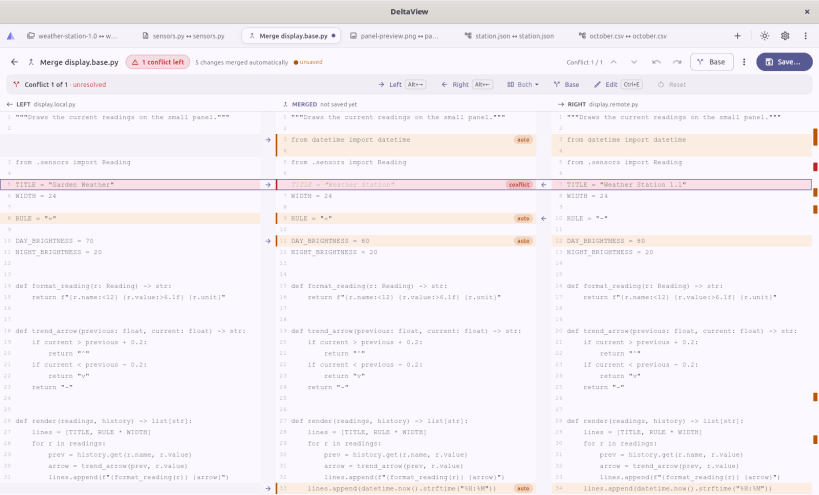
- Merging: copy a change left or right, or edit in place, with undo; three-way merge shows Left, Merged and Right and applies clean changes up front
- Folder sync with a preview of every step and a confirmation before anything is overwritten or deleted
- Structured data: JSON, YAML and CSV compared by structure, so reordered keys and rows are not changes
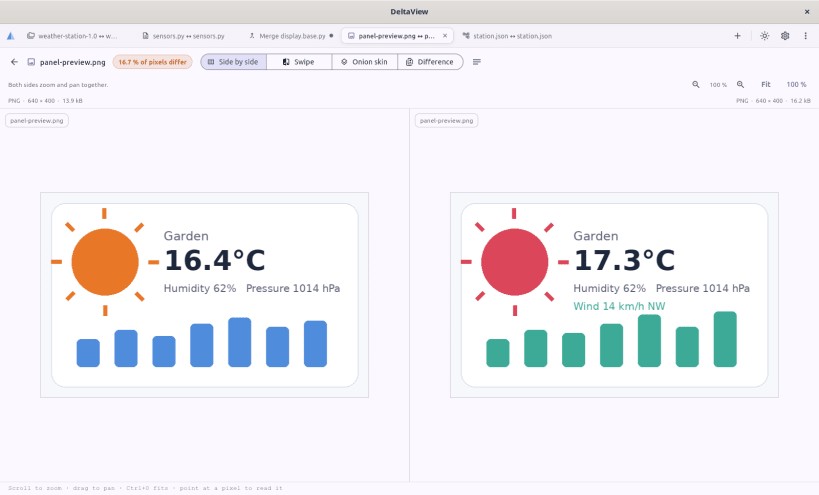
- Images: side by side, swipe, onion skin and pixel difference
- Archives and servers: zip and tar archives (read-only) and SFTP servers, with host keys you confirm
- Command line:
delta-view LEFT RIGHT, anddelta-view --merge LOCAL BASE REMOTE --output MERGEDfor use as agit mergetool - Yours to tune: themes, colour-blind-safe diff colours, editor font, rebindable shortcuts; files keep their encoding and line endings when saved
Snap notes
DeltaView is strictly confined. It can open files in your home folder (not hidden folders such as ~/.ssh; pick an SFTP key file with the file chooser instead) and connects to the SFTP servers you choose. To compare files on USB drives and other removable media, connect the interface once:
sudo snap connect delta-view:removable-media
Other locations, such as /tmp, are outside the snap's reach.
Released under the MIT license. Source and issues: https://github.com/Dhiva-Labs/Delta_view
A Dhiva Labs project.
| Revision | Channel | Version | Build | Commit | Download SBOM |
|---|
The build and commit information is derived from build infrastructure records.
Install DeltaView on your Linux distribution
Choose your Linux distribution to get detailed installation instructions. If yours is not shown, get more details on the installing snapd documentation.


