

Deskboard
Install latest/stable of Deskboard
Ubuntu 16.04 or later?
Make sure snap support is enabled in your Desktop store.
Details for Deskboard
Package name
- deskboard
License
- Proprietary
Last updated
- Today - latest/stable
Websites
Contact
Donations
Report a bug
External link warning
You are about to open
Do you wish to proceed?
Report a Snap Store violation
Report Deskboard for a Snap Store violation
Snap Store Violation Report submitted successfully
Thank you for your report. Information you provided will help us investigate further.
Error submitting report
There was an error while sending your report. Please try again later.
Share this snap
Generate an embeddable card to be shared on external websites.
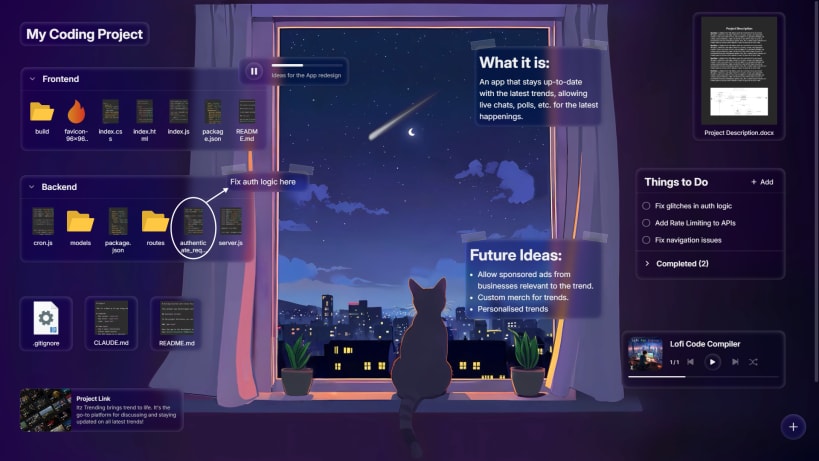
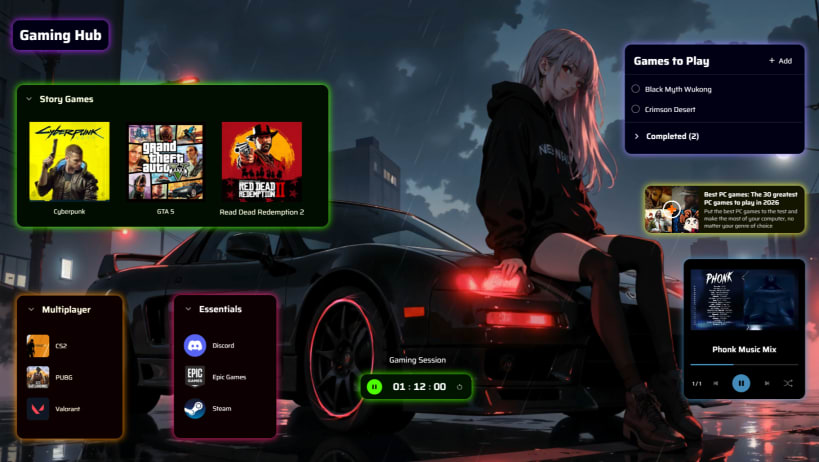
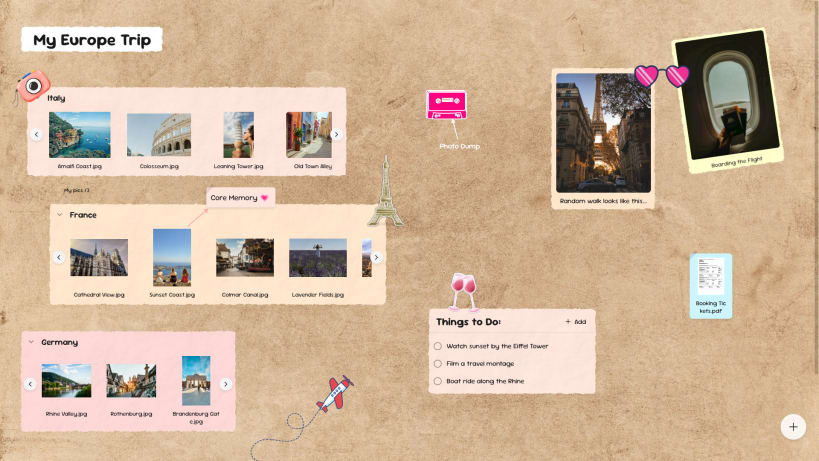
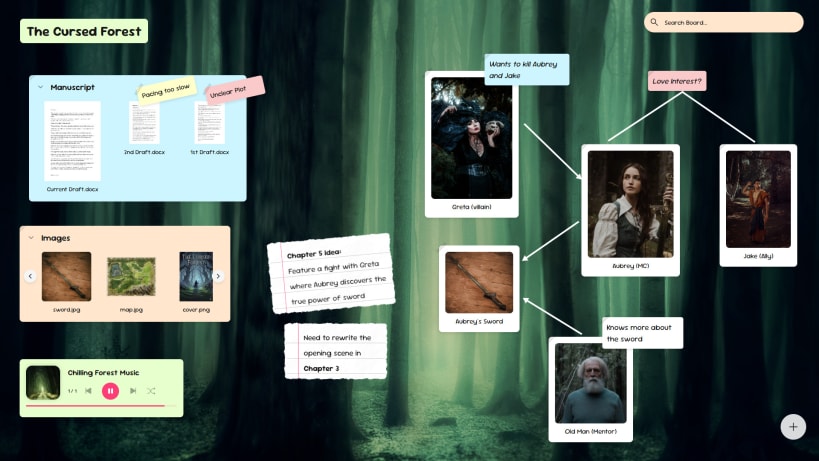
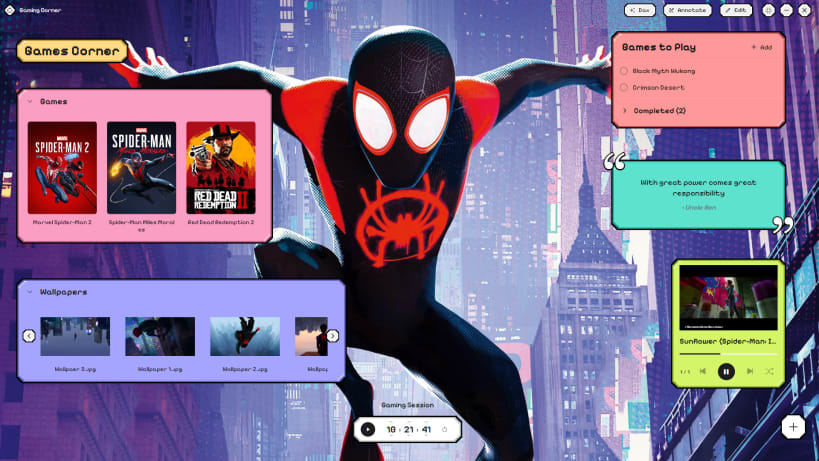
Turn your folders into visual boards with widgets and notes
Deskboard brings productivity and personalisation inside the file explorer you work in, turning any folder into a board.
Arrange files freely, bring notes and widgets next to them, and open everything directly from your board. Everything stays local and synced with your actual files.
- Style your board with wallpapers, decorations, and multiple themes.
- Add links, tasks, timers, Pomodoro, voice notes, and more.
- Set the vibe with a music player (MP3, YouTube, Spotify), images, and other widgets.
- Pin live websites or browse the web through the website widget.
- Personalise icons with custom images or rich file previews.
- Pop out widgets and files into overlay windows.
- Includes DAX, an optional AI agent that can search, analyse, organise, and edit hundreds of files and widgets, and run locally.
Whether you are a professional, student, developer, gamer or aesthetic lover, Deskboard has something for everyone.
| Revision | Channel | Version | Build | Commit | Download SBOM |
|---|
The build and commit information is derived from build infrastructure records.
Install Deskboard on your Linux distribution
Choose your Linux distribution to get detailed installation instructions. If yours is not shown, get more details on the installing snapd documentation.


