

Desktop Sticky Notes
Install latest/stable of Desktop Sticky Notes
Ubuntu 16.04 or later?
Make sure snap support is enabled in your Desktop store.
Install using the command line
sudo snap install desktop-sticky-notesDon't have snapd? Get set up for snaps.
Details for Desktop Sticky Notes
Package name
- desktop-sticky-notes
License
- MIT
Last updated
- Today - latest/stable
Websites
Contact
External link warning
You are about to open
Do you wish to proceed?
Report a Snap Store violation
Report Desktop Sticky Notes for a Snap Store violation
Snap Store Violation Report submitted successfully
Thank you for your report. Information you provided will help us investigate further.
Error submitting report
There was an error while sending your report. Please try again later.
Share this snap
Generate an embeddable card to be shared on external websites.
Pinboard sticky notes, checklists, floating cards, and countdown reminders
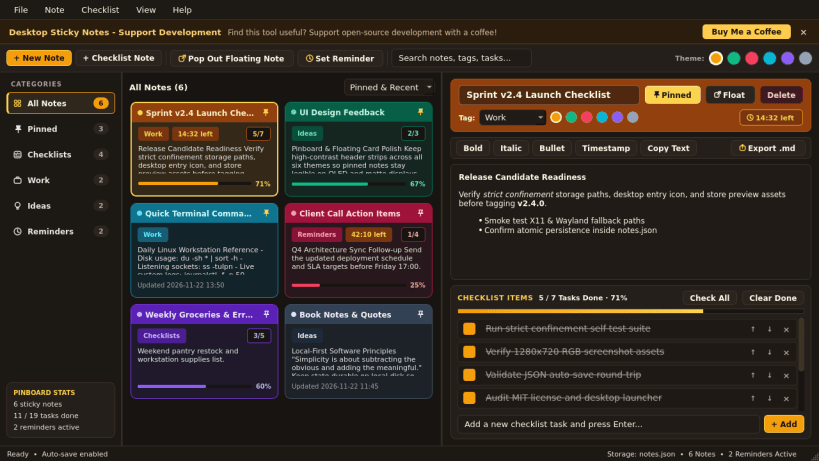
Desktop Sticky Notes is an offline-first pinboard note studio and checklist organizer built for Linux desktops. Arrange color-coded sticky notes across six high-contrast dark themes, filter cards by category or keyword, and edit rich formatted notes alongside interactive task checklists.
Key capabilities:
- Color-coded pinboard grid with six themes (Amber Gold, Emerald Mint, Coral Rose, Sky Cyan, Violet Lavender, and Slate Graphite)
- Dual editor workspace combining rich text formatting (bold, italic, bullet lists, timestamps) with live task checklists and progress tracking
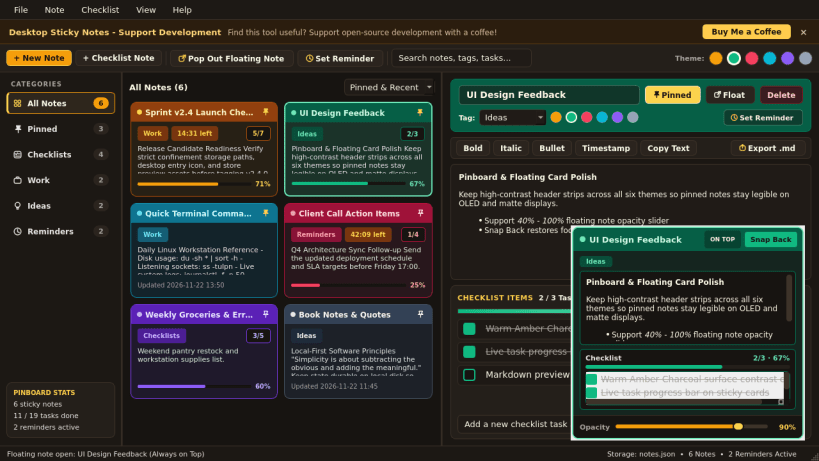
- Always-on-top pop-out floating mini notes with an adjustable 40% to 100% opacity slider and one-click Snap Back control
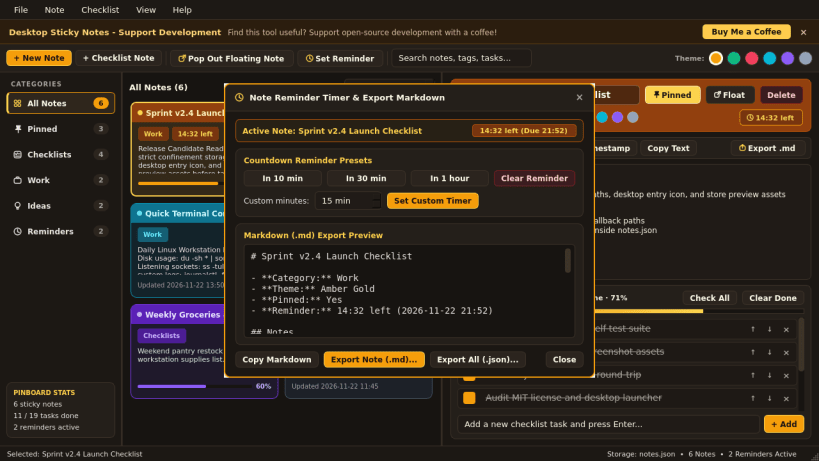
- Per-note countdown reminder timers with quick presets (10 min, 30 min, 1 hour, or custom minutes) and due highlight banners
- Instant offline auto-save plus clean Markdown and JSON backup exports
Support development: https://buymeacoffee.com/thanhnv128b
| Revision | Channel | Version | Build | Commit | Download SBOM |
|---|
The build and commit information is derived from build infrastructure records.
Install Desktop Sticky Notes on your Linux distribution
Choose your Linux distribution to get detailed installation instructions. If yours is not shown, get more details on the installing snapd documentation.











