

Disign digital signage player (disign-player)
Contact us about Snaps and IoT ›
Install latest/stable of Disign digital signage player
Ubuntu 16.04 or later?
Make sure snap support is enabled in your Desktop store.
Install using the command line
sudo snap install disign-playerDon't have snapd? Get set up for snaps.
Details for Disign digital signage player
Package name
- disign-player
License
- Proprietary
Last updated
- 18 October 2026 - latest/stable
Websites
Contact
Report a bug
External link warning
You are about to open
Do you wish to proceed?
Report a Snap Store violation
Report Disign digital signage player for a Snap Store violation
Snap Store Violation Report submitted successfully
Thank you for your report. Information you provided will help us investigate further.
Error submitting report
There was an error while sending your report. Please try again later.
Share this snap
Generate an embeddable card to be shared on external websites.
Broadcast your digital signage campaigns on your Linux and IoT devices
This solution makes it easy to create and deliver digital signage campaigns, whether you have one screen or hundreds.
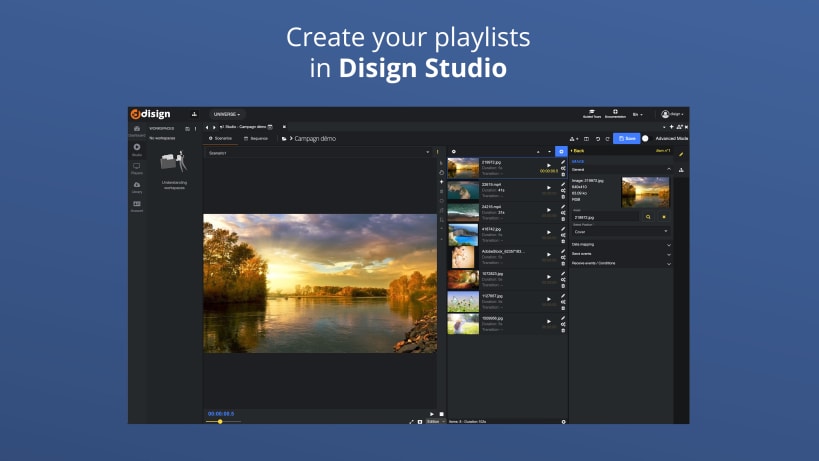
With Disign Studio, you can create custom digital signage campaigns from your web browser. Once your campaign is created, you can deploy it to all of your Linux devices with a single click.
Here are some of the benefits of using Disign to broadcast your digital signage campaigns on your Linux devices:
- Simplicity: Disign is easy to use, even for non-technical users.
- Flexibility: Disign lets you create custom digital signage campaigns to meet your specific needs.
- Efficacy: Disign lets you deploy your digital signage campaigns to all of your Linux devices with a single click.
If you're looking for a simple and effective solution to broadcast your dynamic display campaigns on your Linux devices, Disign Studio is the perfect solution for you.
Key features summary:
- Campaign broadcasting: You can create and schedule campaigns to be displayed on your devices.
- Media addition: You can add a variety of media to your campaigns, including videos, images, PDFs, and audio files.
- Live editing: You can edit your campaigns in real time.
- Multiple apps: You can integrate a variety of apps into your campaigns, such as RSS feeds, weather, and horoscopes.
- Simple/advanced mode: You can choose between a simple mode that is easy to use for beginners, or an advanced **mode that offers more customization options.
- Screen fleet management: You can manage a fleet of screens and synchronize content between them.
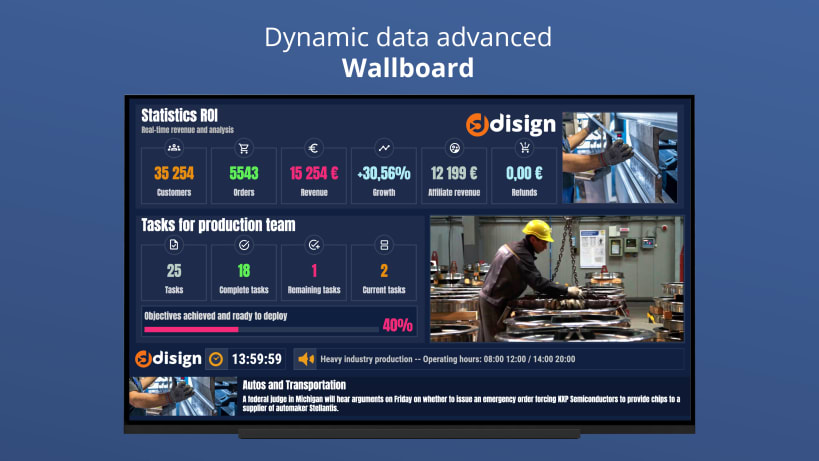
- Wall screen management: You can create wall screens that display content on multiple screens at the same time.
- Operating hours: You can schedule your campaigns to be displayed during specific hours.
- Scene libraries: You can save and reuse scenes.
- Scene editor: You can create custom scenes with animation and real-time data updates.
- Webhooks: You can connect your campaigns to external events.
- Multi-zone display: You can divide your display surface into multiple zones.
- Linked templates: You can create templates that can be used in multiple campaigns.
- Sequencing and calendar planning: You can schedule your campaigns to be displayed in a specific order or on a * **specific calendar.
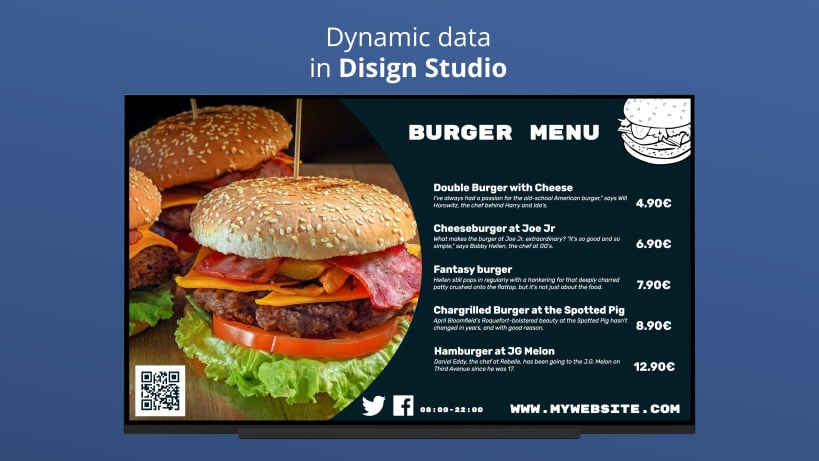
- Real-time data display: You can display real-time data on your screens.
- Touch application: You can use a touch application to control your campaigns.
- Data interface: You can access data about your campaigns.
- Fonts: You can choose from over 1,000 fonts.
- Graphic elements: You can use over 50,000 graphic elements.
- Internal database: You can store your campaigns and media in an internal database for easy editing.
| Revision | Channel | Version | Build | Commit | Download SBOM |
|---|
The build and commit information is derived from build infrastructure records.
Install Disign digital signage player on your Linux distribution
Choose your Linux distribution to get detailed installation instructions. If yours is not shown, get more details on the installing snapd documentation.











