

Disk Migration Assistant
Install latest/stable of Disk Migration Assistant
Ubuntu 16.04 or later?
Make sure snap support is enabled in your Desktop store.
Install using the command line
sudo snap install disk-migration-assistantDon't have snapd? Get set up for snaps.
Details for Disk Migration Assistant
Package name
- disk-migration-assistant
License
- MIT
Last updated
- Today - latest/stable
Websites
Contact
External link warning
You are about to open
Do you wish to proceed?
Report a Snap Store violation
Report Disk Migration Assistant for a Snap Store violation
Snap Store Violation Report submitted successfully
Thank you for your report. Information you provided will help us investigate further.
Error submitting report
There was an error while sending your report. Please try again later.
Share this snap
Generate an embeddable card to be shared on external websites.
Disk & OS migration, 1 MiB/4K alignment & I/O health toolkit
A Linux alternative to AOMEI Partition Assistant. Disclaimer: Independent open-source project, not affiliated with or endorsed by AOMEI Tech Co., Ltd.
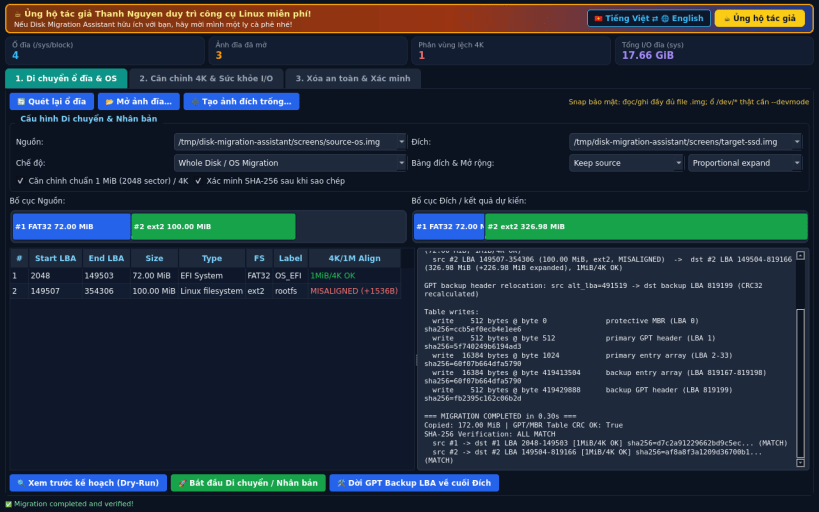
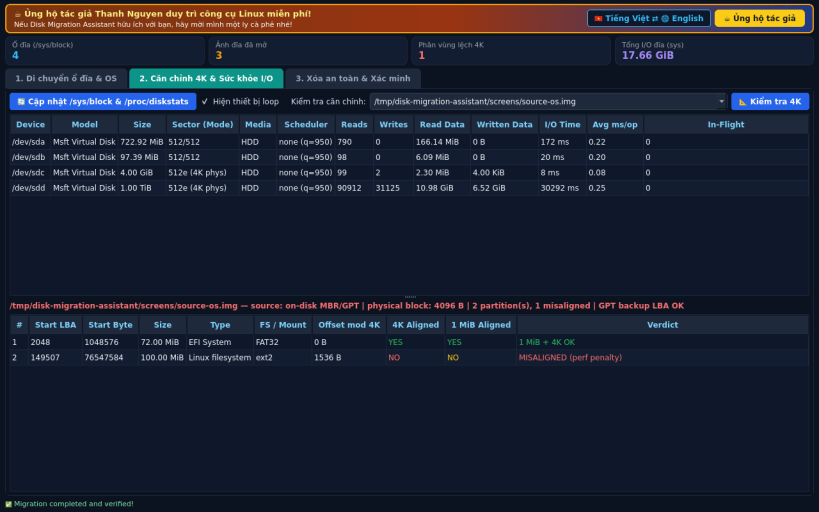
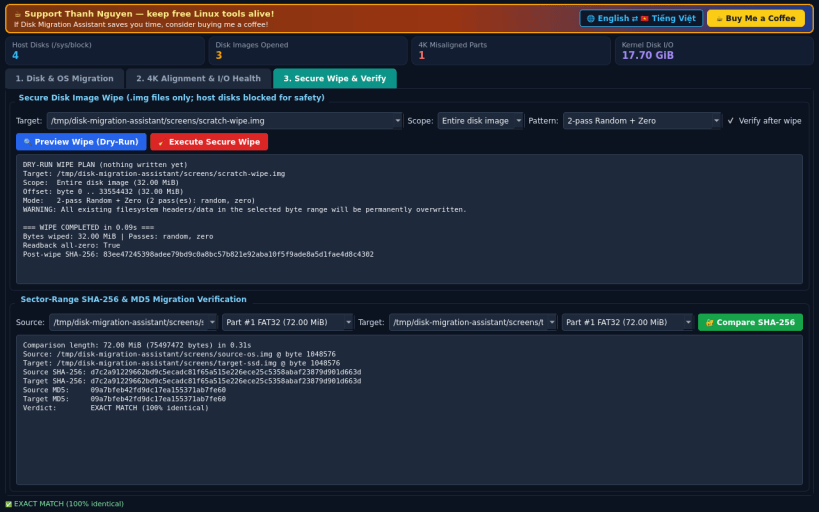
Disk Migration Assistant provides disk image cloning, OS-style MBR/GPT disk migration onto larger targets, real /sys/block & /proc/diskstats alignment and health inspection, secure image wiping, and SHA-256 verification.
What it really does:
- Whole-disk and single-partition migration on disk image files (.img/.raw) with strict 1 MiB (2048-sector) / 4K alignment, automatic GPT backup header & entry-array relocation to the end of larger disks with CRC32 recalculation, optional proportional or last-partition expansion, dry-run diff preview, confirmation dialogs, and post-copy SHA-256 verification.
- 4K Partition Alignment Checker & Block Device I/O Health Inspector reading real /sys/block//queue/ geometry and live /proc/diskstats I/O counters.
- Secure Disk Image Wipe (1-pass zero, 1-pass os.urandom, 2-pass random+zero, 3-pass zero/random/zero) with readback verification and full sector-range SHA-256 & MD5 comparison.
Limitations: Inside strict Snap Store confinement, raw /dev/sd* block device read/write is blocked without manual Store block-devices approval (disk .img/.raw files work completely; install with --devmode outside the Store if raw hardware device access is needed). Resizing a partition entry during migration does not resize the filesystem inside (use resize2fs/etc. if grown).
Support development: https://buymeacoffee.com/thanhnv128b
| Revision | Channel | Version | Build | Commit | Download SBOM |
|---|
The build and commit information is derived from build infrastructure records.
Install Disk Migration Assistant on your Linux distribution
Choose your Linux distribution to get detailed installation instructions. If yours is not shown, get more details on the installing snapd documentation.


