

DOCX Markdown Converter
Install latest/stable of DOCX Markdown Converter
Ubuntu 16.04 or later?
Make sure snap support is enabled in your Desktop store.
Install using the command line
sudo snap install docx-markdown-converterDon't have snapd? Get set up for snaps.
Details for DOCX Markdown Converter
Package name
- docx-markdown-converter
License
- MIT
Last updated
- Yesterday - latest/stable
Report a Snap Store violation
Report DOCX Markdown Converter for a Snap Store violation
Snap Store Violation Report submitted successfully
Thank you for your report. Information you provided will help us investigate further.
Error submitting report
There was an error while sending your report. Please try again later.
Share this snap
Generate an embeddable card to be shared on external websites.
Two-way DOCX, ODT, HTML, and Markdown converter with live preview
DOCX Markdown Converter is a pure-Python desktop document transcoder, live source-versus-preview workspace, and batch folder converter for Linux. Built with PyQt5 and Python XML/ZIP libraries, it converts cleanly between Microsoft Word (.docx), OpenDocument Text (.odt), HTML, and CommonMark/GFM Markdown while preserving structure and formatting.
Key Features:
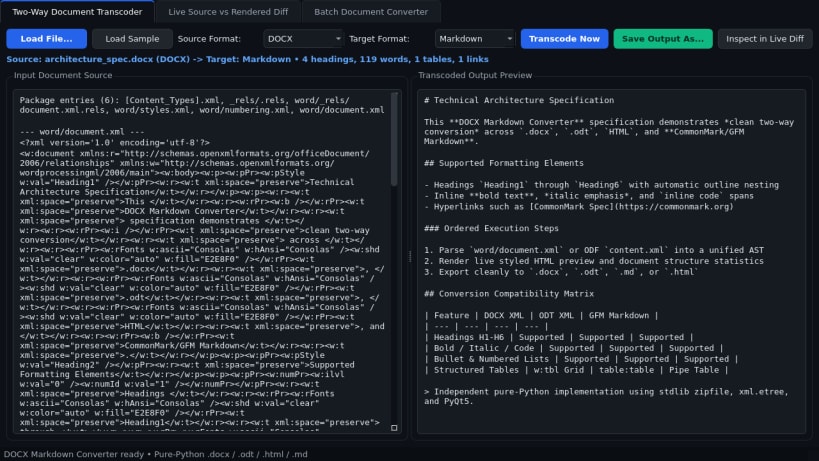
- Two-Way Document Transcoder: Parses and writes .docx (word/document.xml headings H1-H6, bold/italic/code runs, bullet and numbered lists, and w:tbl tables), .odt (content.xml), HTML, and CommonMark/GFM Markdown.
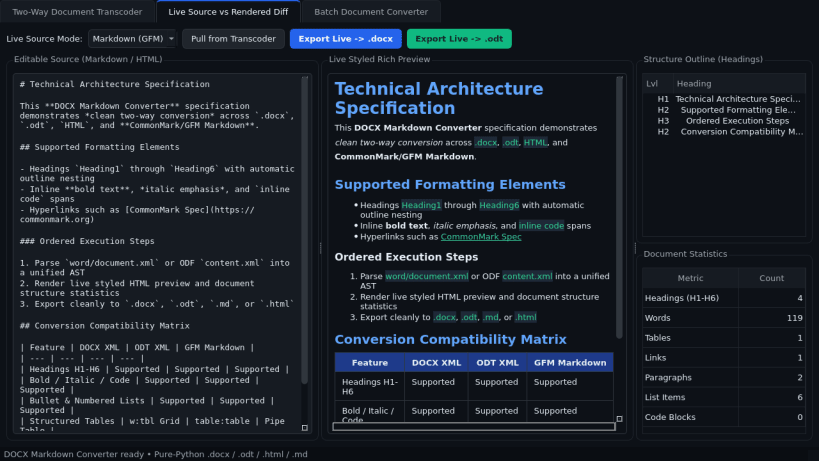
- Live Source vs Rendered Diff: Side-by-side editable source view with instant styled rich preview, interactive heading outline tree, and live document statistics (headings, words, tables, and links).
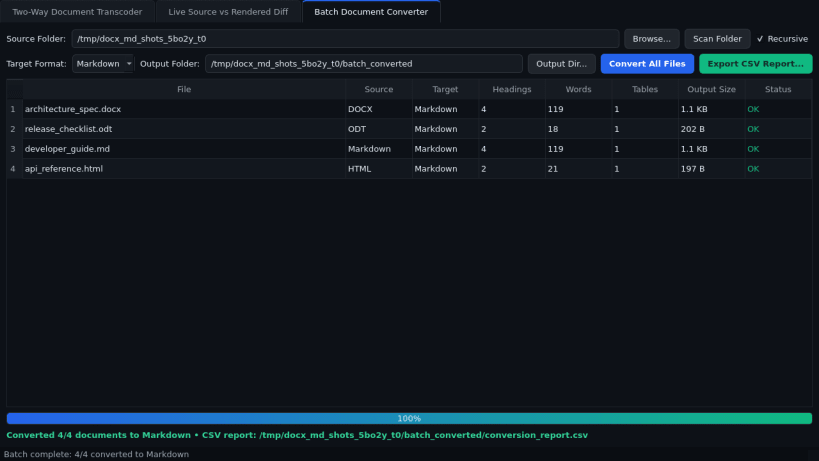
- Batch Document Converter: Scans folders of .docx, .odt, .md, and .html files, converts them in bulk to your chosen format, and exports a detailed CSV conversion report.
Disclaimer: DOCX Markdown Converter is an independent open-source project by TC Studio and is not affiliated with, endorsed by, or sponsored by Pandoc.
| Revision | Channel | Version | Build | Commit | Download SBOM |
|---|
The build and commit information is derived from build infrastructure records.
Install DOCX Markdown Converter on your Linux distribution
Choose your Linux distribution to get detailed installation instructions. If yours is not shown, get more details on the installing snapd documentation.


