

DoseDrop
Install latest/stable of DoseDrop
Ubuntu 16.04 or later?
Make sure snap support is enabled in your Desktop store.
Details for DoseDrop
Package name
- dosedrop
License
- Proprietary
Last updated
- 11 October 2026 - latest/stable
Websites
Contact
Source code
Report a bug
External link warning
You are about to open
Do you wish to proceed?
Report a Snap Store violation
Report DoseDrop for a Snap Store violation
Snap Store Violation Report submitted successfully
Thank you for your report. Information you provided will help us investigate further.
Error submitting report
There was an error while sending your report. Please try again later.
Share this snap
Generate an embeddable card to be shared on external websites.
Medication and water reminders that nag until you confirm
DoseDrop is a medication and water reminder that nags until you confirm. There is no silent notification to swipe away and forget: a dose you have not acknowledged alerts again, and every dose and every cup of water is logged so you can see how you are really doing. It is a reminder tool and does not give medical advice; follow your doctor's or pharmacist's instructions.
Features
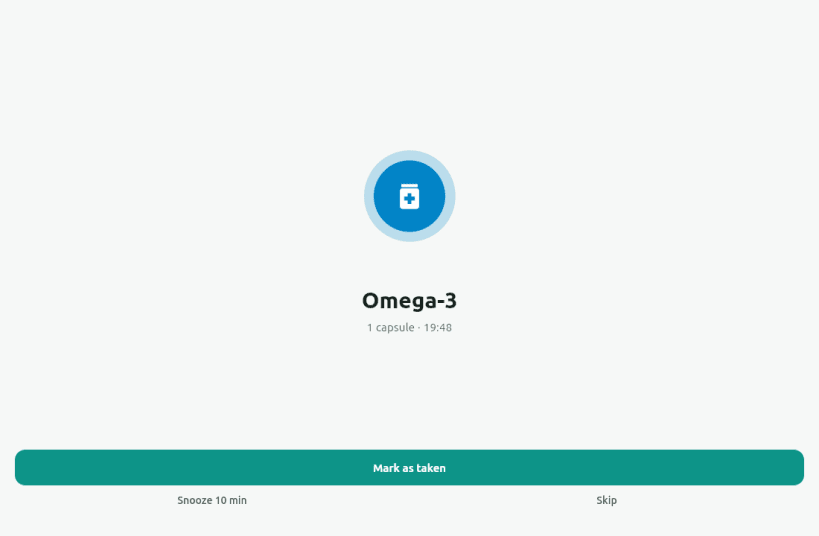
- Dose reminders on the times and days you choose, re-alerting at an interval you set until you mark the dose Taken, Snooze it (10 minutes) or Skip it
- A dose left unconfirmed past your grace window is recorded as missed
- Full-screen alarm with a looping sound, not just a notification you can dismiss without looking
- Water reminders on an interval during your active hours, with a daily goal, one-tap logging, custom amounts and undo
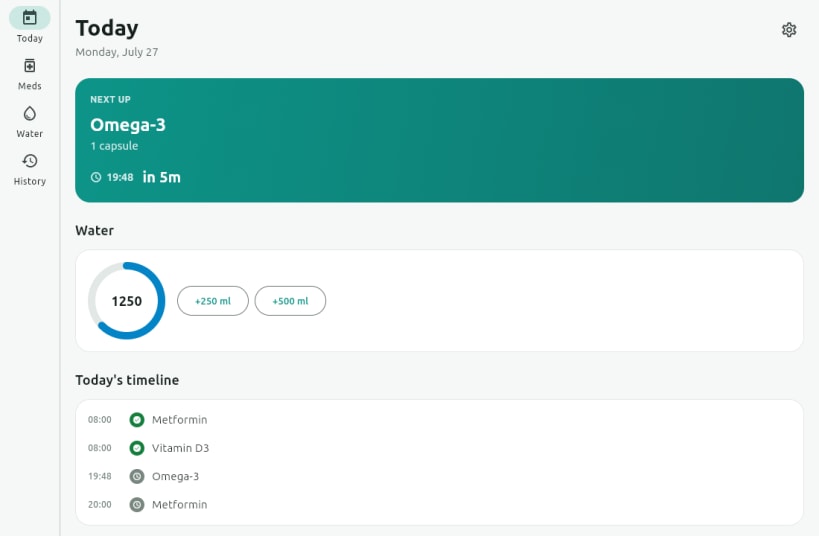
- Today view with a countdown to the next dose, a water ring and the day's timeline
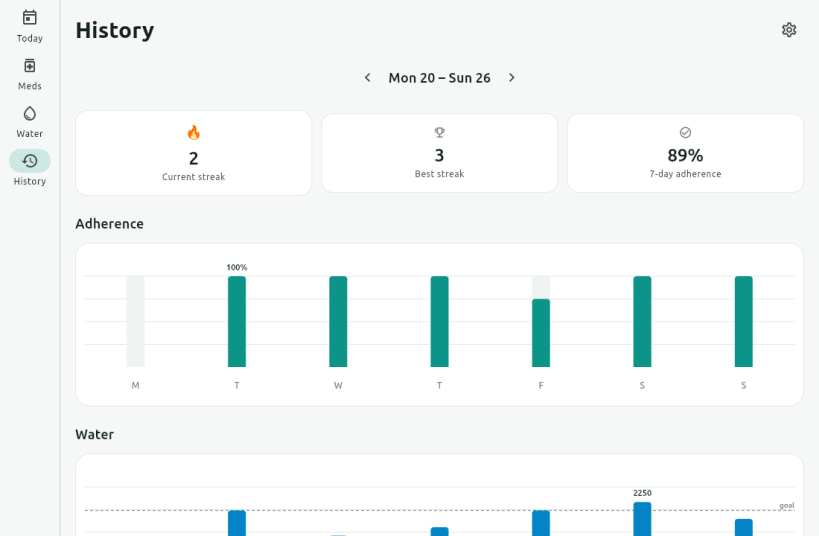
- History with current and best streaks, 7-day adherence, weekly adherence and water charts, and a day-by-day breakdown
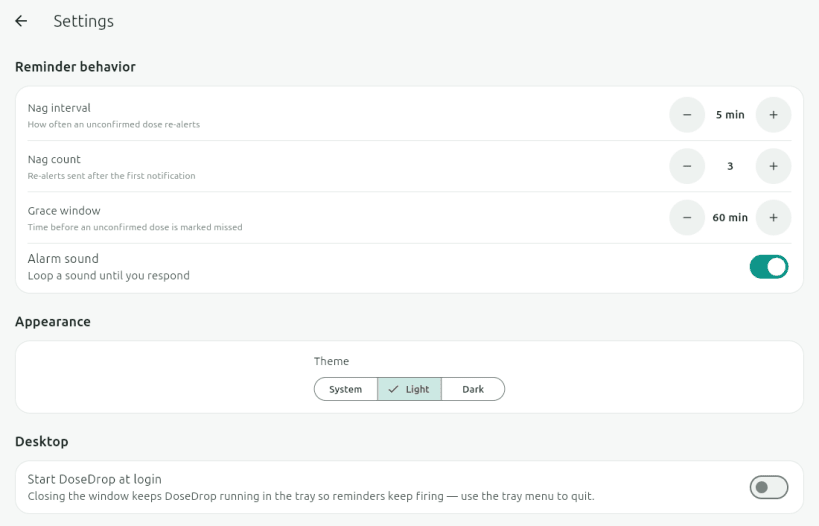
- Light, dark or system theme
- Works entirely offline: no account, and your schedule and history stay in one local file
Snap notes
- DoseDrop lives in the system tray. Closing the window hides it and keeps the reminders running; choose Quit from the tray menu (Open DoseDrop, Pause 1 hour, Quit) to stop them. Reminders only fire while DoseDrop is running.
- Turn on "Start DoseDrop at login" in Settings to have it start with your session.
- On a desktop without a system tray (stock GNOME needs the AppIndicator extension, which Ubuntu ships enabled) the hidden window cannot be brought back, so keep the window open there.
- The alarm sound is played through your sound server (PulseAudio or PipeWire) by the
audio-playbackinterface, which connects automatically. Nothing needssnap connect, and DoseDrop makes no network connections.
License: Proprietary. Source and issues: https://github.com/Dhiva-Labs/DoseDrop
A Dhiva Labs project.
| Revision | Channel | Version | Build | Commit | Download SBOM |
|---|
The build and commit information is derived from build infrastructure records.
Install DoseDrop on your Linux distribution
Choose your Linux distribution to get detailed installation instructions. If yours is not shown, get more details on the installing snapd documentation.


