

downloader
Install latest/stable of downloader
Ubuntu 16.04 or later?
Make sure snap support is enabled in your Desktop store.
Details for downloader
Package name
- downloader
License
- MIT
Last updated
- 2 November 2026 - latest/stable
Websites
Donations
Source code
Report a bug
External link warning
You are about to open
Do you wish to proceed?
Report a Snap Store violation
Report downloader for a Snap Store violation
Snap Store Violation Report submitted successfully
Thank you for your report. Information you provided will help us investigate further.
Error submitting report
There was an error while sending your report. Please try again later.
Share this snap
Generate an embeddable card to be shared on external websites.
Fast multi-connection download manager
Downloader is a free, open-source, cross-platform download manager built on the multi-connection Downloader engine. It splits each file into parts for faster downloads, supports pause/resume, queues, a scheduler, speed limits, and mirror fallbacks.
Updates are delivered automatically through the Snap Store (the in-app updater is disabled in the snap build).
Features
- Multi-connection downloads — each file is split into several parts and downloaded in parallel for higher speed.
- Pause / resume / stop any download, any time. Incomplete downloads resume after you restart the app.
- Add one or many links — paste a single URL or many at once (one per line) and send them all to the same folder.
- Clipboard suggestions — copied a link? The Add dialog offers it automatically; press Enter to use it, or just type over it.
- Automatic file names — leave the name blank and the app detects it from the link or server.
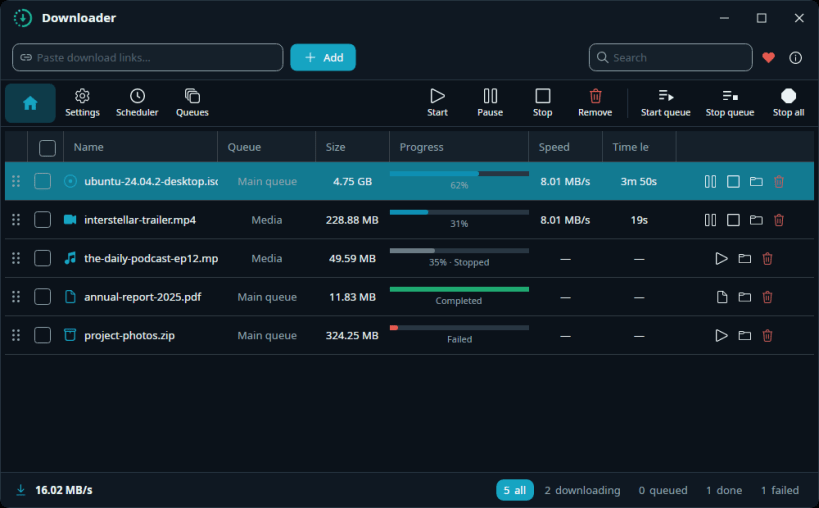
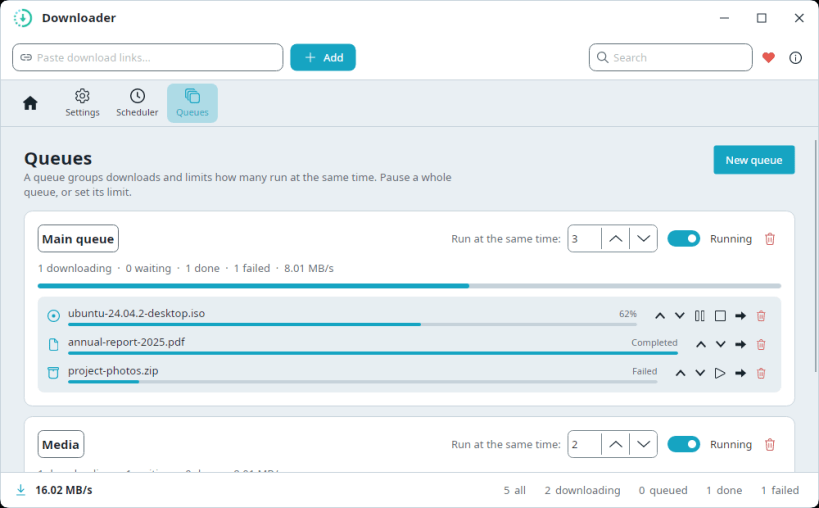
- Queues — group downloads and control how many run at the same time.
- Scheduler — start and stop a queue automatically at set times (e.g. download overnight).
- File-type icons at a glance — video, audio, image, document, archive, app, disc.
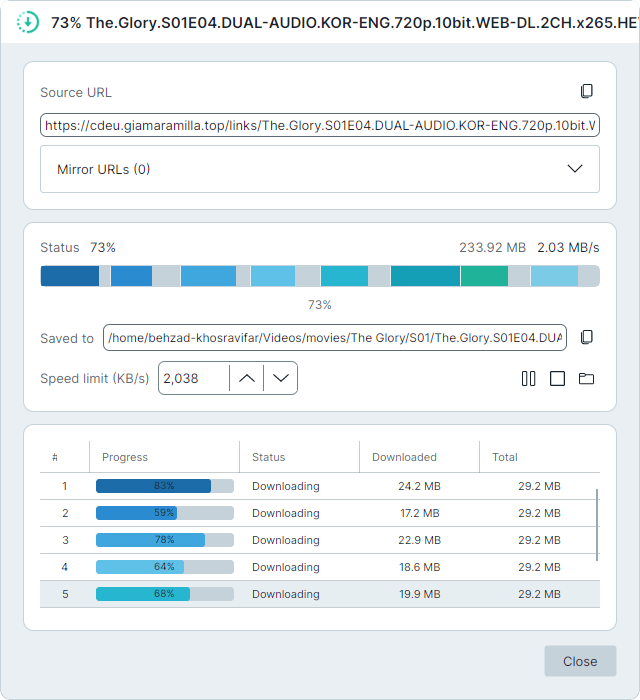
- Clear status — live progress and speed, a friendly reason when something fails, and a details view with per-connection progress.
- Light & dark themes with a modern ocean-blue look.
- Desktop notifications when a download completes or fails (uses your OS's native notifications where available).
- Dynamic Island (notch) — an optional slim pill at the top-center of your screen showing the clock and live download speed; hover it to peek at active downloads without opening the app (Settings → Dynamic Island, off by default).
- System tray — closing the window keeps downloads running in the background; reopen, mute notifications, or quit from the tray menu. Optionally launch at startup (hidden in the tray).
- Automatic update check — get an in-app prompt when a new version ships, and update with one click.
- Extensible via plugins — a plugin can turn a link the engine can't grab directly into a real download: the app downloads all the parts and assembles them into one file for you (e.g. HLS
.m3u8streams → a single playable video via the HLS plugin). Multi-part downloads show live "Part 3/10" progress and an "Assembling…" step, and resume where they left off after a restart. - Download Ollama models — paste an
ollama.comlink or just type a model name likegemma3:12b, download it at full multi-connection speed, then click Add to Ollama to install it into your local Ollama in one step (checksum-verified). Ships built-in, together with the GitHub Releases plugin (pastegithub.com/owner/repo→ get the latest release for your OS). - Automation-friendly — add and manage downloads from scripts or the terminal via a local API and CLI (see [Automation](#automation-local-api--command-line)).
- Multi-language UI — English, فارسی (Persian), Español, Français, العربية (Arabic), Esperanto — with full right-to-left layout for Persian/Arabic. Switch under Settings → App language.
- No installation, no dependencies — fully self-contained. You do not need to install .NET, FFmpeg, or anything else; just download and run.
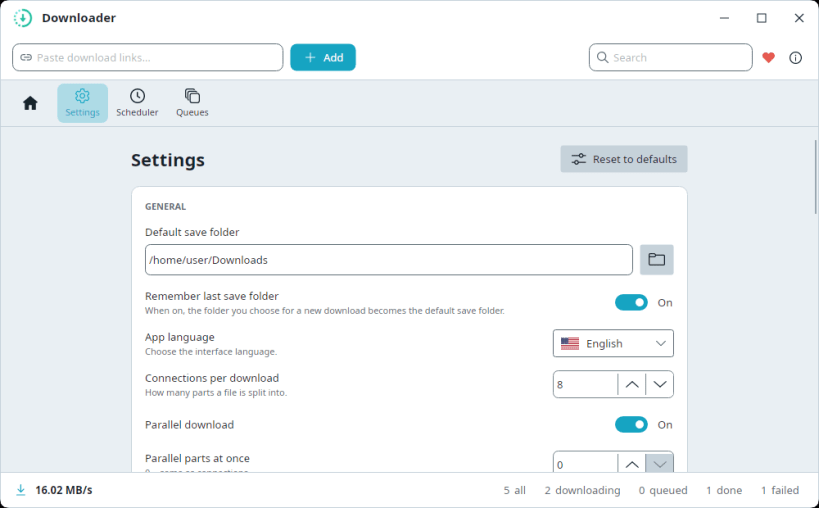
- Your settings, your way — sensible defaults out of the box, saved the moment you change them, with every engine option available under Settings → Advanced. Dialogs are resizable and reopen at the size you left them.
| Revision | Channel | Version | Build | Commit | Download SBOM |
|---|
The build and commit information is derived from build infrastructure records.
Install downloader on your Linux distribution
Choose your Linux distribution to get detailed installation instructions. If yours is not shown, get more details on the installing snapd documentation.











