

Dual-Pane Folder Explorer (dual-pane-file-explorer)
Install latest/stable of Dual-Pane Folder Explorer
Ubuntu 16.04 or later?
Make sure snap support is enabled in your Desktop store.
Install using the command line
sudo snap install dual-pane-file-explorerDon't have snapd? Get set up for snaps.
Details for Dual-Pane Folder Explorer
Package name
- dual-pane-file-explorer
License
- MIT
Last updated
- Today - latest/stable
Report a Snap Store violation
Report Dual-Pane Folder Explorer for a Snap Store violation
Snap Store Violation Report submitted successfully
Thank you for your report. Information you provided will help us investigate further.
Error submitting report
There was an error while sending your report. Please try again later.
Share this snap
Generate an embeddable card to be shared on external websites.
Dual-pane file manager with recursive folder sizes & breakdown charts
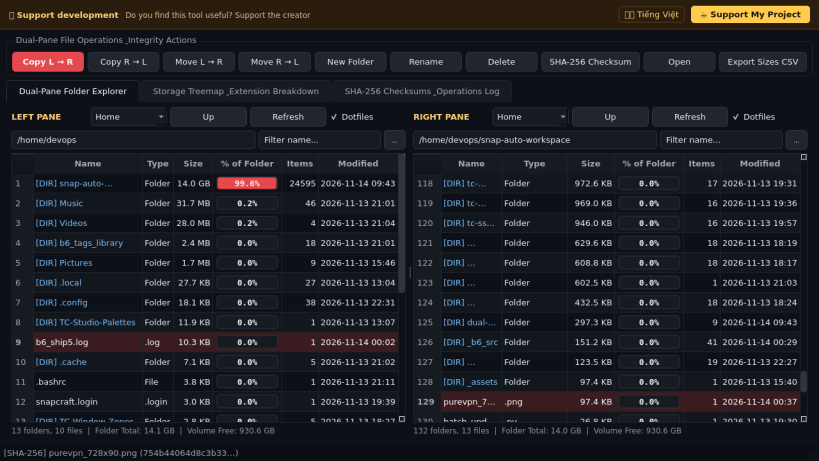
A dual-pane filesystem navigator, recursive directory size analyzer, and file transfer utility for Linux. A lightweight Linux alternative to ExplorerEx for browsing two directories side-by-side with live folder size percentages, extension breakdowns, and verified file operations.
Key features:
- Side-by-side dual-pane directory explorer starting at the user home folder with quick mountpoint bookmarks, dotfile toggling, and instant filename filtering.
- Asynchronous background-thread recursive folder size calculation with inline visual percentage share bars and free disk space indicators via statvfs.
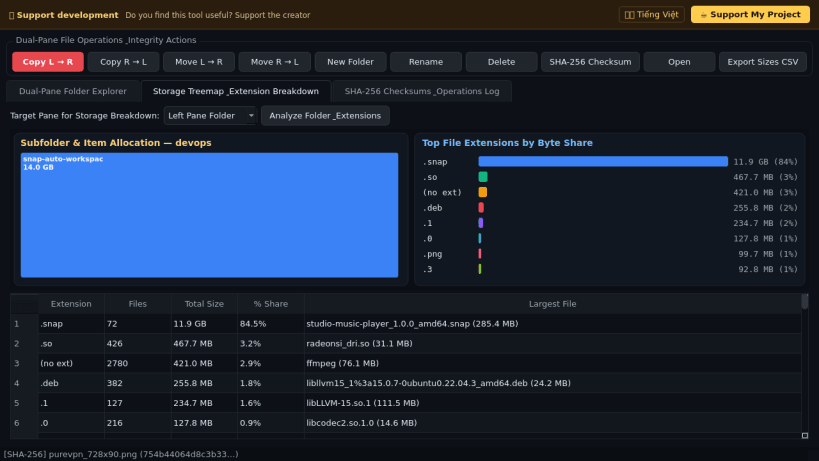
- Visual directory treemap and file-extension storage breakdown chart showing byte totals, file counts, and largest items per file type.
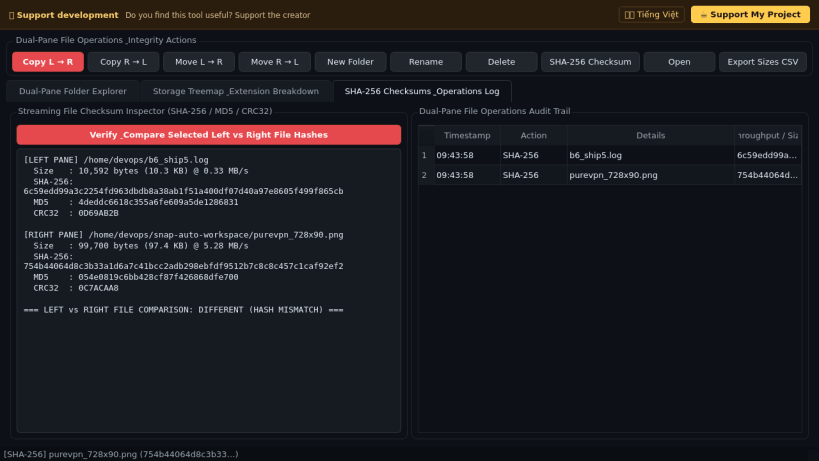
- Real dual-pane file management actions including byte-stream Copy, Move, Rename, New Folder, Delete, and streaming SHA-256 / MD5 / CRC32 hash verification.
- Exports recursive directory size reports to CSV for storage auditing and cleanup planning.
Disclaimer: This project is an independent open-source tool and is not affiliated with, sponsored by, or endorsed by ExplorerEx or Microsoft Corporation.
| Revision | Channel | Version | Build | Commit | Download SBOM |
|---|
The build and commit information is derived from build infrastructure records.
Install Dual-Pane Folder Explorer on your Linux distribution
Choose your Linux distribution to get detailed installation instructions. If yours is not shown, get more details on the installing snapd documentation.


