

Dual Ribbon Preview Filer (dual-ribbon-filer)
Install latest/stable of Dual Ribbon Preview Filer
Ubuntu 16.04 or later?
Make sure snap support is enabled in your Desktop store.
Install using the command line
sudo snap install dual-ribbon-filerDon't have snapd? Get set up for snaps.
Details for Dual Ribbon Preview Filer
Package name
- dual-ribbon-filer
License
- MIT
Last updated
- Today - latest/stable
Websites
Contact
External link warning
You are about to open
Do you wish to proceed?
Report a Snap Store violation
Report Dual Ribbon Preview Filer for a Snap Store violation
Snap Store Violation Report submitted successfully
Thank you for your report. Information you provided will help us investigate further.
Error submitting report
There was an error while sending your report. Please try again later.
Share this snap
Generate an embeddable card to be shared on external websites.
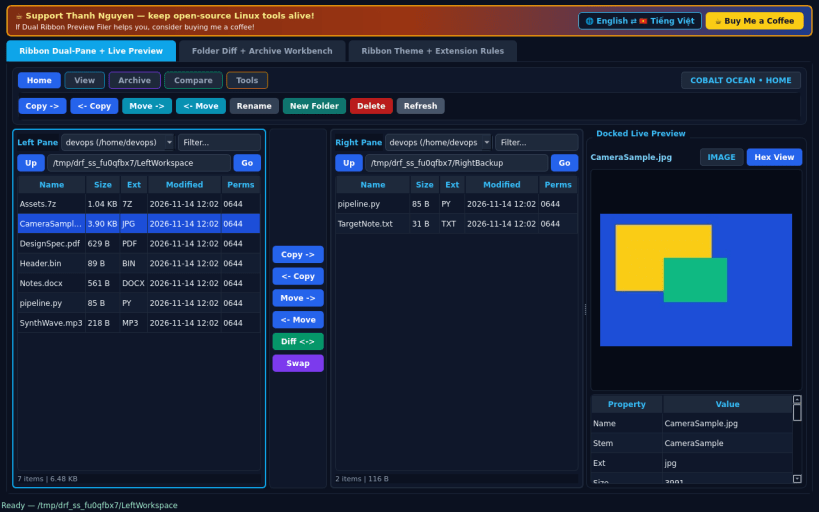
Dual-pane file filer with Fluent ribbon, transfer strip & live preview pane
A dual-pane Linux file manager featuring a categorized Fluent-style action ribbon, center vertical transfer strip, and docked multi-format live preview pane. Built as an independent open-source Linux alternative to classic dual-pane ribbon file managers such as FileVoyager. Not affiliated with, sponsored by, or endorsed by the FileVoyager project or its authors.
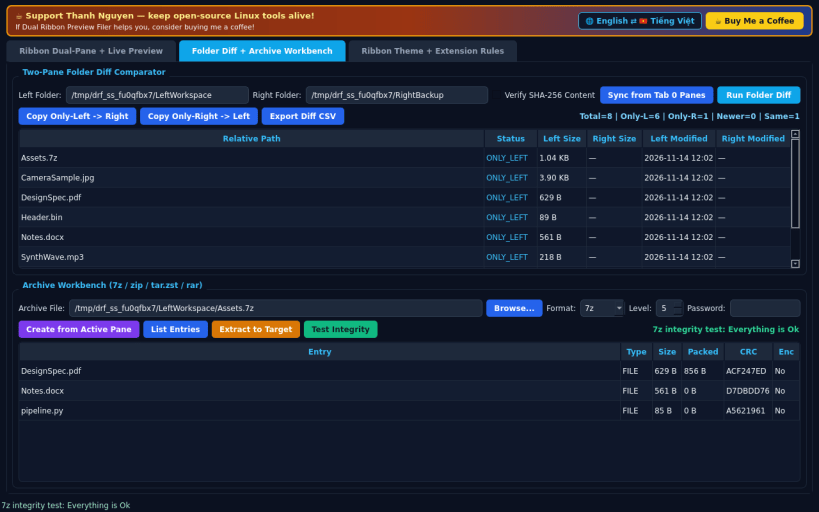
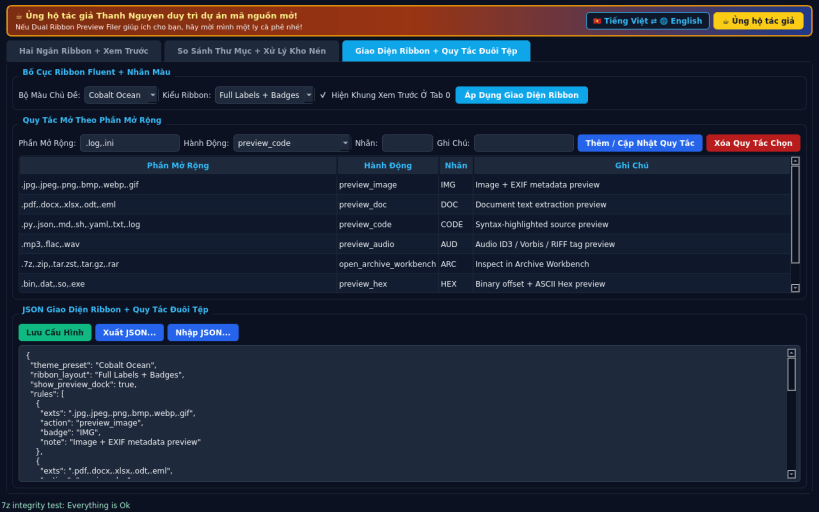
FEATURES • Ribbon Dual-Pane + Live Preview: Five categorized action ribbon tabs (Home, View, Archive, Compare, Tools), center vertical transfer strip (Copy ->, <- Copy, Move ->, <- Move, Diff <->, Swap), and docked live preview supporting images and EXIF metadata, PDF/DOCX/XLSX text, syntax- highlighted code, hex dump, audio tags, and archive contents. • Folder Diff + Archive Workbench: Real two-pane directory comparator with optional SHA-256 content checks, selective Copy Only-Left/Only-Right synchronization, CSV export, and real 7z, zip, tar.zst, tar.gz, and rar archive creation, listing, extraction, and integrity testing. • Ribbon Theme + Extension Rules: Customize Fluent ribbon themes, label density, preview dock visibility, and extension open-action rules with JSON export/import and full English and Vietnamese interface switching.
SUPPORT & DONATE • Created by Thanh Nguyen — https://buymeacoffee.com/thanhnv128b
| Revision | Channel | Version | Build | Commit | Download SBOM |
|---|
The build and commit information is derived from build infrastructure records.
Install Dual Ribbon Preview Filer on your Linux distribution
Choose your Linux distribution to get detailed installation instructions. If yours is not shown, get more details on the installing snapd documentation.


