

Duplicate Exterminator (dupex)
Install latest/stable of Duplicate Exterminator
Ubuntu 16.04 or later?
Make sure snap support is enabled in your Desktop store.
Details for Duplicate Exterminator
Package name
- dupex
License
- Proprietary
Last updated
- 28 September 2026 - latest/stable
Websites
Contact
Report a bug
External link warning
You are about to open
Do you wish to proceed?
Report a Snap Store violation
Report Duplicate Exterminator for a Snap Store violation
Snap Store Violation Report submitted successfully
Thank you for your report. Information you provided will help us investigate further.
Error submitting report
There was an error while sending your report. Please try again later.
Share this snap
Generate an embeddable card to be shared on external websites.
Find and remove duplicate files on Linux — safely, and fast
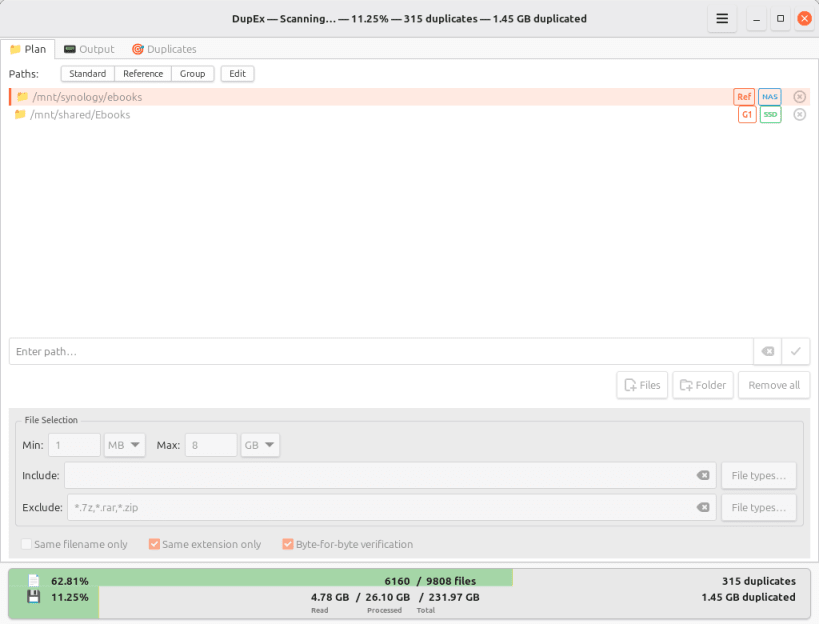
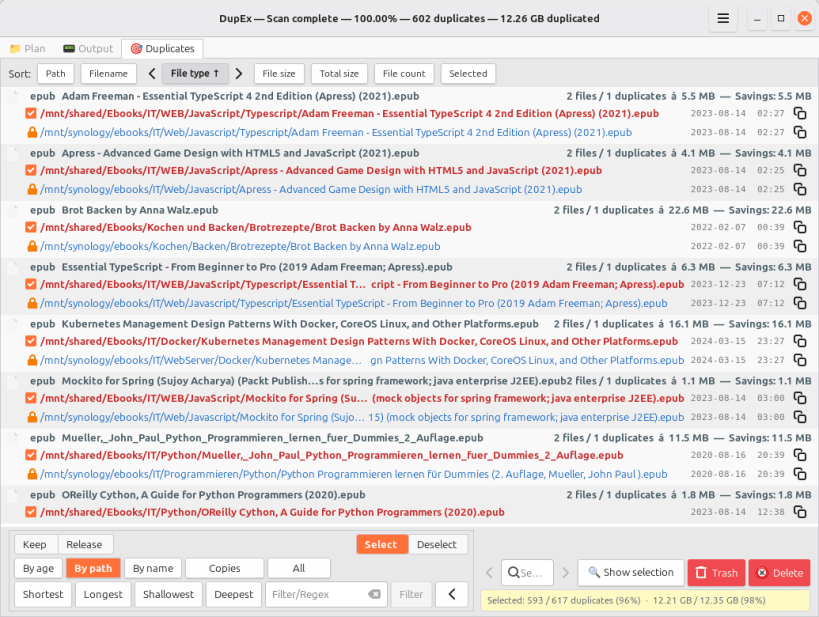
DupEx (Duplicate Exterminator) finds byte-identical files on Linux and makes it easy to choose which copies to remove — fast, and without putting data at risk. Finding duplicates is only half the job: information also lives in file names and folders, so dupEx helps decide which copy to keep.
Scan, find and inspect all duplicates, and see how much space could be freed — full speed, no limits. Deleting files is reserved for the paid editions.
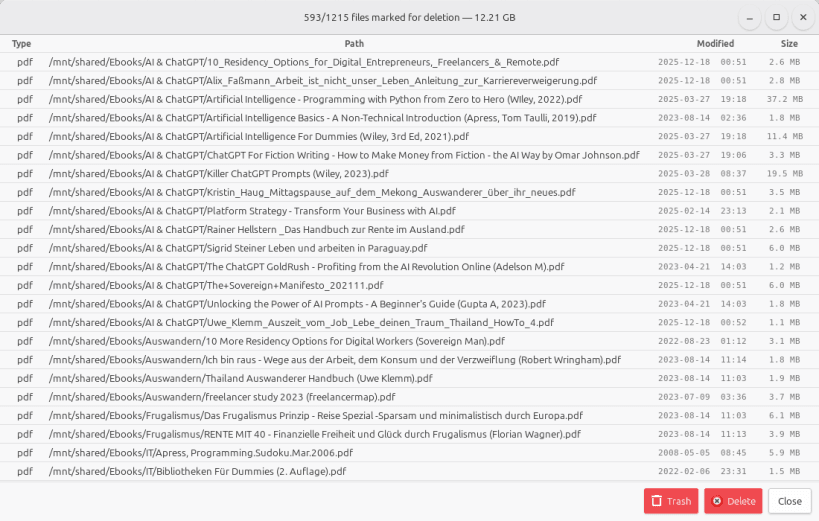
- Full control — nothing is deleted or moved to the trash without confirmation
- Live results — duplicates can be reviewed, selected and deleted while the scan is still running
- Protected reference folders — nothing in them can be selected or deleted
- Rules do the tedious part — duplicates can be picked by age, path, name or regular expression, for deletion or for protection, whole folders included
- Optional byte-for-byte verification — confirms every duplicate by direct comparison, not by hash alone
- Adapts to the storage — SSDs, hard disks and network shares are detected up front, and the scan strategy is tuned to each*
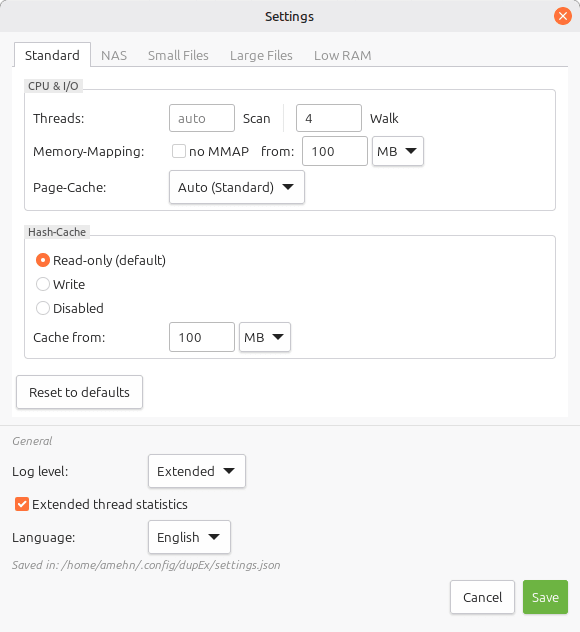
- Repeat scans are much faster thanks to a hash cache
- Filters that narrow the scan down — size range, file types, include/exclude patterns, same name or same extension only
- Built for large collections — search, sort and clean up hundreds of thousands of files
- File-manager integration — one or more folders/files can be scanned straight from the context menu*
- Usable entirely with the keyboard — shortcuts for frequent actions
- Available as deb, rpm, tar.gz (install script), AppImage, Flatpak and Snap*
- No ads, no spyware, no tracking
- One-time purchase, no subscription
- Available in 23 languages
(*) Limitations of this Snap package
dupEx runs strictly confined in a sandbox here, which has three consequences:
- No file-manager entry. A confined snap cannot register the "Find duplicates with dupEx" context-menu action with the file manager.
- No terminal. "Open terminal" in the duplicates context menu stays greyed out; the sandbox cannot reach a terminal on the host.
- Three permissions must be connected by hand after installing — the sandbox does not grant them automatically. They cover external drives and NAS below /mnt and /media, recognising what a folder is stored on, and telling SSDs from hard disks. Without them dupEx still scans the home directory, but external drives stay invisible and every folder reports an unknown storage type.
sudo snap connect dupex:removable-media
sudo snap connect dupex:mount-observe
sudo snap connect dupex:hardware-observe
The other packages on GitHub — deb, rpm, tar.gz (install script), AppImage and Flatpak — do not have these limitations.
| Revision | Channel | Version | Build | Commit | Download SBOM |
|---|
The build and commit information is derived from build infrastructure records.
Install Duplicate Exterminator on your Linux distribution
Choose your Linux distribution to get detailed installation instructions. If yours is not shown, get more details on the installing snapd documentation.











