

EdgePowerMeter
Contact us about Snaps and IoT ›
Install latest/stable of EdgePowerMeter
Ubuntu 16.04 or later?
Make sure snap support is enabled in your Desktop store.
Install using the command line
sudo snap install edgepowermeterDon't have snapd? Get set up for snaps.

Details for EdgePowerMeter
Package name
- edgepowermeter
License
- Apache-2.0
Last updated
- 8 October 2026 - latest/stable
- 8 October 2026 - latest/beta
Websites
Source code
Report a bug
External link warning
You are about to open
Do you wish to proceed?
Report a Snap Store violation
Report EdgePowerMeter for a Snap Store violation
Snap Store Violation Report submitted successfully
Thank you for your report. Information you provided will help us investigate further.
Error submitting report
There was an error while sending your report. Please try again later.
Share this snap
Generate an embeddable card to be shared on external websites.
Measure power, energy and FPS/W efficiency of embedded and edge-AI devices
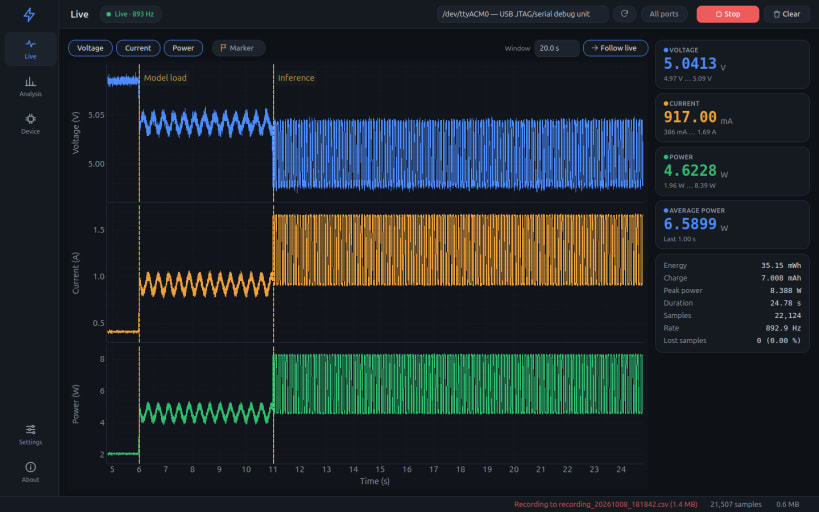
EdgePowerMeter is the desktop app of an open-source USB power meter (ESP32-C3 + INA226) for embedded and edge-AI devices. It measures voltage, current and power at up to ~900 samples per second, records everything to CSV and turns it into energy and efficiency figures such as energy per inference and FPS per watt.
Measure
- Live voltage, current and power plots, smooth even after hours of recording
- Device timestamps (firmware 2.x): sample timing, energy and spectrum are not distorted by USB latency, and lost samples are detected
- Every acquisition is saved while it runs to a CSV file in your Documents folder, so nothing is lost if the PC stops
Analyse
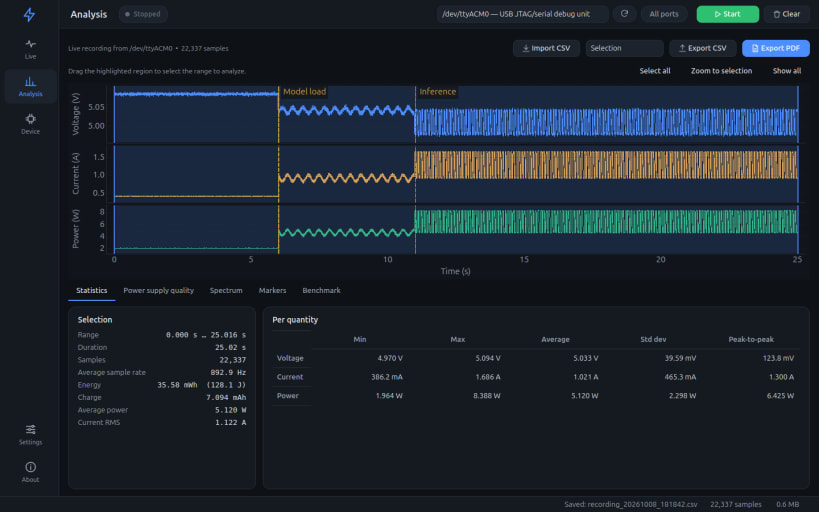
- Statistics on any range: energy, charge, average and peak power, RMS current
- Markers (key M) split a run into segments, each with its own energy and power
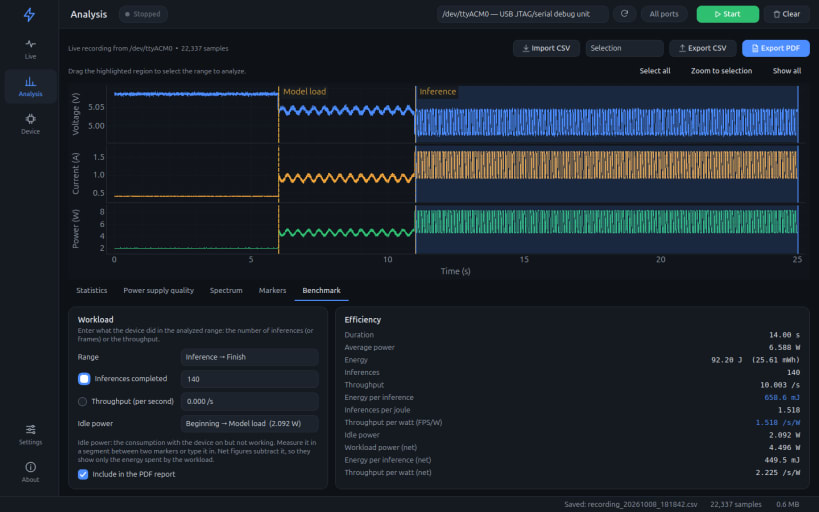
- Benchmark: energy per inference, inferences per joule and FPS/W, also net of the idle power
- Power supply quality (ripple, noise, load regulation, settling time) and frequency spectrum
- CSV import/export and PDF reports with vector charts
Configure
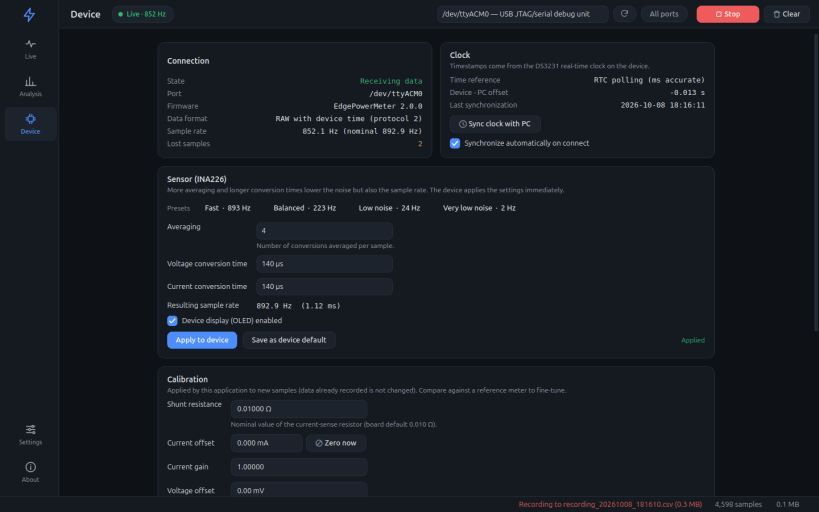
- Sensor averaging and conversion-time presets from ~2 Hz to ~900 Hz, clock sync and calibration, all from the app (firmware 2.x; firmware 1.x is also supported)
- English, Italiano, Español, Français and Deutsch; dark, light or system theme
After installing, allow access to the meter's USB serial port once:
 sudo snap connect edgepowermeter:raw-usb
 sudo snap connect edgepowermeter:hardware-observe
Hardware, firmware and documentation: https://github.com/DanielRossi1/EdgePowerMeter
| Revision | Channel | Version | Build | Commit | Download SBOM |
|---|
The build and commit information is derived from build infrastructure records.
Install EdgePowerMeter on your Linux distribution
Choose your Linux distribution to get detailed installation instructions. If yours is not shown, get more details on the installing snapd documentation.












