

electerm
Install latest/stable of electerm
Ubuntu 16.04 or later?
Make sure snap support is enabled in your Desktop store.
Install using the command line
sudo snap install electerm --classicDon't have snapd? Get set up for snaps.
Details for electerm
Package name
- electerm
License
- MIT
Last updated
- 15 October 2026 - latest/stable
- 15 October 2026 - latest/edge
Websites
Contact
Donations
Source code
Report a bug
External link warning
You are about to open
Do you wish to proceed?
Report a Snap Store violation
Report electerm for a Snap Store violation
Snap Store Violation Report submitted successfully
Thank you for your report. Information you provided will help us investigate further.
Error submitting report
There was an error while sending your report. Please try again later.
Share this snap
Generate an embeddable card to be shared on external websites.
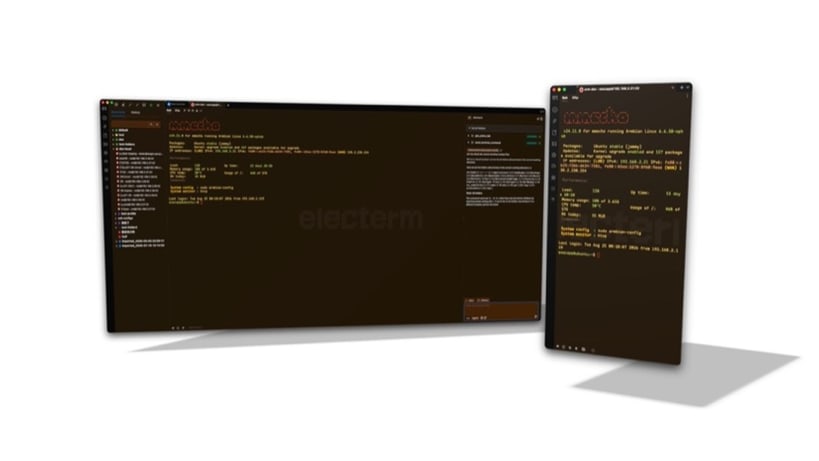
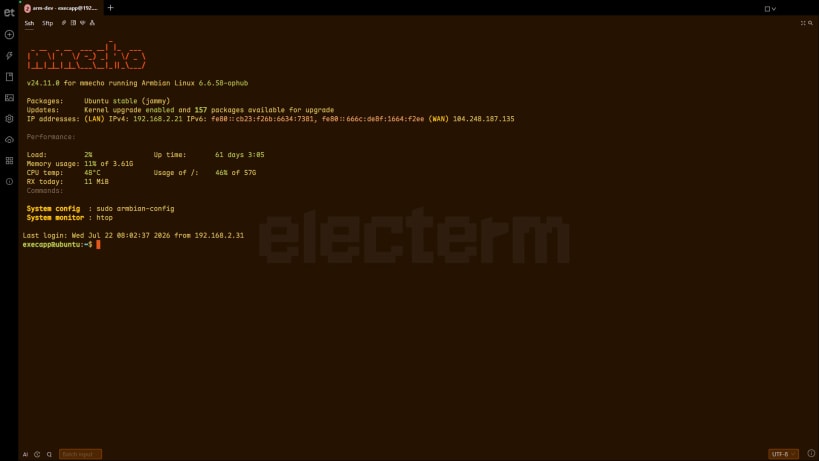
Open-sourced terminal/ssh/sftp/telnet/serialport/RDP/VNC/Spice/ftp client(Linux, Mac, Windows, Android, HarmonyOS, iOS).
Open-sourced terminal/ssh/sftp/telnet/serialport/RDP/VNC/Spice/ftp client(Linux, Mac, Windows, Android, HarmonyOS, iOS).
Besides mainstream Windows/macOS/Linux/Android, electerm also supports HarmonyOS, iOS, and older systems — Ubuntu 18, Windows 7, macOS 10+, and special Chinese Linux distributions such as UOS, Kylin, and LoongArch (both old-world and new-world), as well as RISC-V (riscv64) and PowerPC 64-bit little-endian (ppc64le) Linux.
[Homepage / Downloads](https://electerm.org) · [Theme](https://theme.electerm.org) · [Docker](https://github.com/electerm/electerm-web-docker) · [Online demo](https://demo.electerm.org) · [Android](https://github.com/electerm/electerm-android) · [HarmonyOS](https://github.com/electerm/electerm-harmony) · [Apple App Store](https://apps.apple.com/cn/app/electerm/id6792971552) · [Huawei AppGallery](https://appgallery.huawei.com/app/detail?id=org.electerm.electerm) · [Microsoft Store](https://www.microsoft.com/store/apps/9NCN7272GTFF) · [Snap Store](https://snapcraft.io/electerm) · [deb repo](https://repos.electerm.org/deb) · [rpm repo](https://repos.electerm.org/rpm)
🌐 [electerm online](https://cloud.electerm.org) — Public free online electerm app 🤖 [electerm AI](https://ai.electerm.org) — Free AI for electerm users 💻 [electerm-web](https://github.com/electerm/electerm-web) — Web app version running in browser (including mobile device)
## Features
- Works as a terminal/file manager, ssh/sftp/ftp/telnet/serialport/RDP/VNC/Spice client
- Support Window 7+(X64/ARM64), HarmonyOS,Android, iOS, Mac OS 10.15+(x64/arm64), Linux(x64/arm64/Loong64 new world & old world), even old Linux with glibc 2.17+ like UOS/Kylin/Ubuntu 18.04 etc
- Global hotkey to toggle window visibility (similar to guake, default is
ctrl + 2) - 🇺🇸 🇨🇳 🇧🇷 🇷🇺 🇪🇸 🇫🇷 🇹🇷 🇭🇰 🇯🇵 🇸🇦 🇩🇪 🇰🇷 🇮🇩 🇵🇱 Multi-language support([electerm-locales](https://github.com/electerm/electerm-locales), contributions/fixes welcome)
- Double click to directly edit (small) remote files.
- All kind of auth methods: publicKey, password, ssh agent, certificates, otp, netbird etc.
- Support Zmodem(rz, sz), and [Trzsz](https://github.com/trzsz/trzsz)(trz/tsz).
- Support ssh related features: tunnel, connection hopping.
- Customizable UI: themes, background image, transparent window(Mac, win).
- Global/session proxy.
- Quick commands/triggers to do predefined tasks and automattic operations
- Sync data including bookmarks to github/gitee secret gist/webdav/custom server/electerm cloud
- Quick input/mirror input to one or all terminals.
- AI assistant integration (supporting multiple LLM API formats — OpenAI Chat Completions, OpenAI Responses, and Anthropic Messages) to help with command suggestions, script writing, and explaining selected terminal content, create bookmarks/themes, and agent mode to directly do terminal operations
- MCP (Model Context Protocol) widget for AI assistants and external tools integration - see [MCP Widget Usage Guide](https://github.com/electerm/electerm/wiki/MCP-Widget-Usage-Guide)
- Deep link support: Open connections with URLs like
telnet://192.168.2.31:34554orssh://user@host:22- see [Deep link support wiki](https://github.com/electerm/electerm/wiki/Deep-link-support) - Command line usage: check [wiki](https://github.com/electerm/electerm/wiki/Command-line-usage)
| Revision | Channel | Version | Build | Commit | Download SBOM |
|---|
The build and commit information is derived from build infrastructure records.
Install electerm on your Linux distribution
Choose your Linux distribution to get detailed installation instructions. If yours is not shown, get more details on the installing snapd documentation.











