

EPUB Ebook Reader
Install latest/stable of EPUB Ebook Reader
Ubuntu 16.04 or later?
Make sure snap support is enabled in your Desktop store.
Install using the command line
sudo snap install epub-ebook-readerDon't have snapd? Get set up for snaps.
Details for EPUB Ebook Reader
Package name
- epub-ebook-reader
License
- MIT
Last updated
- Yesterday - latest/stable
Report a Snap Store violation
Report EPUB Ebook Reader for a Snap Store violation
Snap Store Violation Report submitted successfully
Thank you for your report. Information you provided will help us investigate further.
Error submitting report
There was an error while sending your report. Please try again later.
Share this snap
Generate an embeddable card to be shared on external websites.
Offline EPUB2 and EPUB3 ebook reader with themes, search, and PDF/HTML export
EPUB Ebook Reader is a fast, offline desktop ebook library and reader for Linux supporting EPUB2 and EPUB3 containers directly from local storage without cloud accounts or external runtime dependencies.
Key Features:
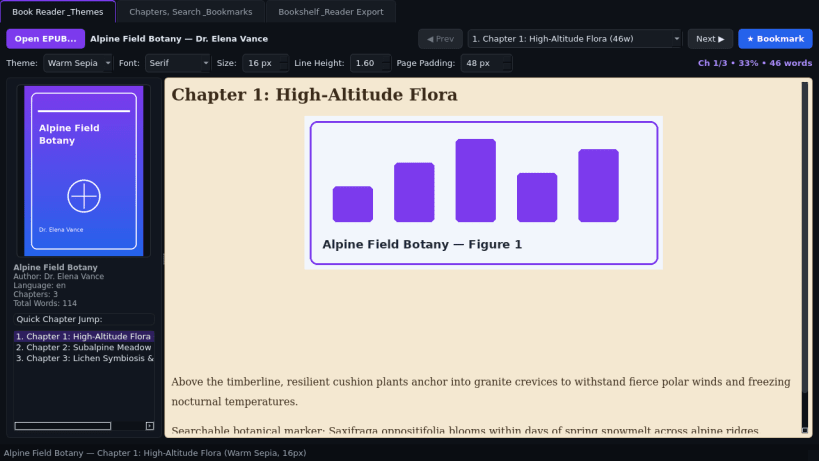
- Book Reader & Themes: Parses META-INF/container.xml, OPF spine/manifest, EPUB2 NCX, and EPUB3 navigation documents to display formatted chapters with embedded cover and inline illustrations. Customize Light Paper, Warm Sepia, and Dark Night reading themes, font family, font size (12-28px), line-height, and page width padding.
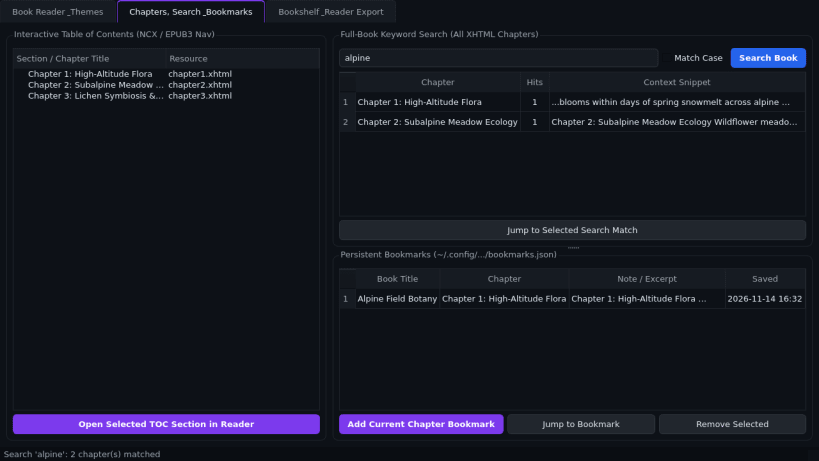
- Chapters, Search & Bookmarks: Browse hierarchical table-of-contents chapter trees, run instant full-book keyword searches across all XHTML chapters with context snippets, and save persistent reading bookmarks locally.
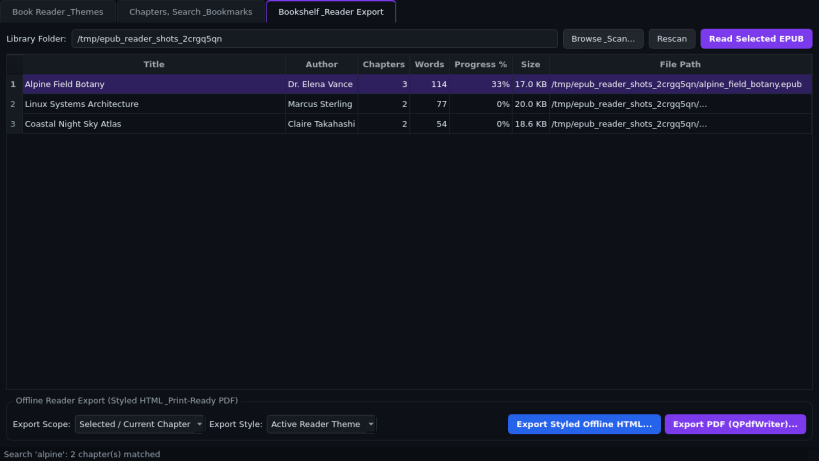
- Bookshelf & Reader Export: Scan local folders into a searchable bookshelf showing word counts, chapter counts, and reading progress percentages, and export any chapter or full book as styled offline HTML or printable PDF.
Disclaimer: EPUB Ebook Reader is an independent open-source project by TC Studio and is not affiliated with, endorsed by, or sponsored by Calibre.
| Revision | Channel | Version | Build | Commit | Download SBOM |
|---|
The build and commit information is derived from build infrastructure records.
Install EPUB Ebook Reader on your Linux distribution
Choose your Linux distribution to get detailed installation instructions. If yours is not shown, get more details on the installing snapd documentation.


