

EPUB Metadata Editor
Install latest/stable of EPUB Metadata Editor
Ubuntu 16.04 or later?
Make sure snap support is enabled in your Desktop store.
Install using the command line
sudo snap install epub-metadata-editorDon't have snapd? Get set up for snaps.
Details for EPUB Metadata Editor
Package name
- epub-metadata-editor
License
- MIT
Last updated
- Yesterday - latest/stable
Report a Snap Store violation
Report EPUB Metadata Editor for a Snap Store violation
Snap Store Violation Report submitted successfully
Thank you for your report. Information you provided will help us investigate further.
Error submitting report
There was an error while sending your report. Please try again later.
Share this snap
Generate an embeddable card to be shared on external websites.
Offline EPUB OPF metadata editor, cover studio, and batch catalog inspector
EPUB Metadata Editor is a dedicated desktop tool for editing EPUB2 and EPUB3 package metadata, replacing or designing ebook cover artwork, and validating local ebook collections without altering chapter layout or breaking container compliance.
Key Features:
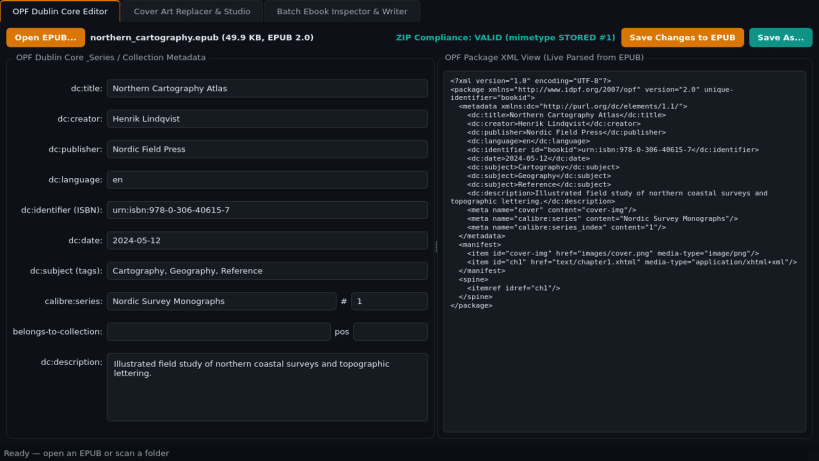
- OPF Dublin Core Editor: Read and update dc:title, dc:creator, dc:publisher, dc:language, dc:identifier (ISBN), dc:date, dc:subject tags, dc:description, and extended series/collection tags while writing mimetype first as an uncompressed ZIP_STORED entry.
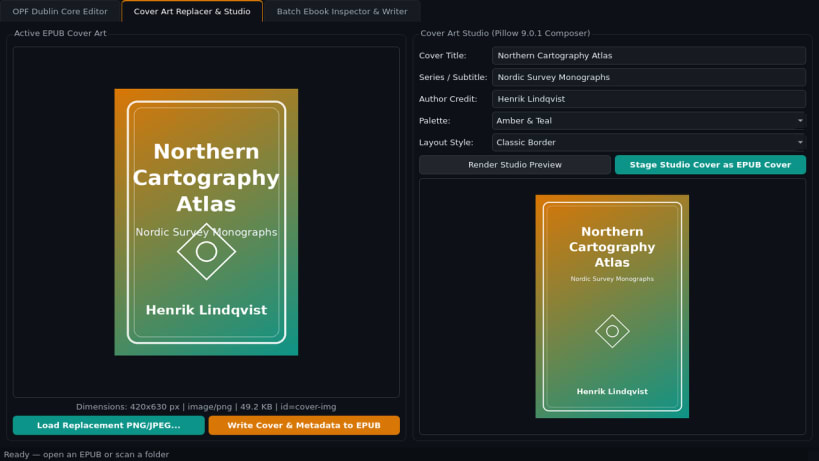
- Cover Art Replacer & Studio: Inspect current cover dimensions and format, replace covers from PNG or JPEG images, or compose high-resolution cover art with built-in gradient templates and typography, updating manifest items and cover meta references cleanly.
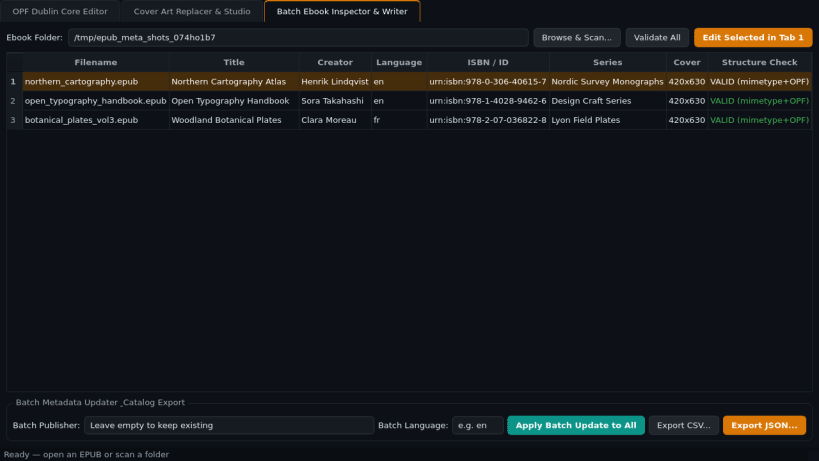
- Batch Ebook Inspector & Writer: Scan folders into a catalog table, verify EPUB mimetype and OPF container structure, apply batch updates safely, and export CSV or JSON catalog reports.
Disclaimer: EPUB Metadata Editor is an independent open-source project by TC Studio and is not affiliated with, endorsed by, or sponsored by Sigil.
| Revision | Channel | Version | Build | Commit | Download SBOM |
|---|
The build and commit information is derived from build infrastructure records.
Install EPUB Metadata Editor on your Linux distribution
Choose your Linux distribution to get detailed installation instructions. If yours is not shown, get more details on the installing snapd documentation.


